How to Use and Install NordVPN on Kodi in 2024?
- Updated: April 23, 2024
- 21 User Reviews
- Minnie J. Hamilton
If you’re looking for an all-in-one entertainment app, go no further than Kodi. It is a free, open-source streaming hub that includes virtually anything you may desire for some fun time, including Movies, TV shows, Music, and Games. You can further alter it by including different Add-ons. Kodi addons are plugins that increase the functionality of Kodi.
However, you might experience geo-blocking and restriction from your favorite streaming platforms. Another concerning point is its Plug-ins. They contain pirated content and broadcast copyrighted information. Therefore, accessing them without any security can lead you into trouble.
But we have a solution for you, you can eliminate all of these issues by simply setup NordVPN on Kodi. By doing so, you’ll enable to enjoy this entertainment app to its full potential.
With our step-by-step tutorial on NordVPN Kodi: How to Setup, you’ll be able to access Live TV channels on restricted Kodi add-ons worldwide. Here is all the information you need to be aware of regarding Kodi and NordVPN.
With NordVPN’s 6000+ servers and excellent unblocking capabilities, you’ll be streaming amazing content in no time. This is partly why NordVPN is considered one of the best VPNs for Kodi in the market.
Note: If you still haven’t subscribed to NordVPN, here is the best chance to avail of an Exclusive Offer – 68% OFF – You can even register for the service and pay for a NordVPN subscription via PayPal payment method.
NordVPN Kodi: Quick Guide on How to install
Here are the quick steps on how to install NordVPN on Kodi:
- Subscribe to NordVPN service.
- Download and install the app for your Kodi device.
- Connect to your preferred server.
- Open Kodi and enjoy streaming!
Jump straight to learn:
How to install and use: NordVPN Kodi | FAQs
NordVPN Kodi: Why should I use it streaming?
Kodi is a free and open-source media player. Even though it provides a wealth of content, there are certain risks involved. It is therefore highly recommended to use Kodi with extra security measures.
Here we have mentioned a few good reasons why installing a VPN with Kodi is worthwhile.
- Get rid of Geo-Restrictions: Overcoming geographical restrictions for exclusive services like Hulu or BBC iPlayer is essential. A top-tier VPN facilitates seamless access, ensuring a smooth browsing experience and unlocking a plethora of content. For Marvel enthusiasts, a specialized Disney+ VPN becomes crucial, enabling immersive viewing of the extensive collection from any location.
- Avoid legal issues: Some Kodi add-ons may include copyrighted content. So, to avoid legal issues from the copyright holder, your best option is to use a VPN that encrypts your traffic and hides your actions so you can anonymously stream any content you like.
- Improved security against hackers: Some Kodi add-ons include malware, whereas others try to reveal security loopholes in your network. Since using a VPN can hide your real IP, this improves your online security and reduces the chance of being hacked.
Also, know What makes a NordVPN Kodi combination so appealing?
NordVPN Kodi: How to Use and Install NordVPN on Kodi
There are two primary methods that you can use for Kodi NordVPN setup. Both methods are quite simple, so you can choose whichever method seems easier for you to carry out.
NordVPN Kodi Method 1: How to Setup NordVPN on Kodi through Dedicated App
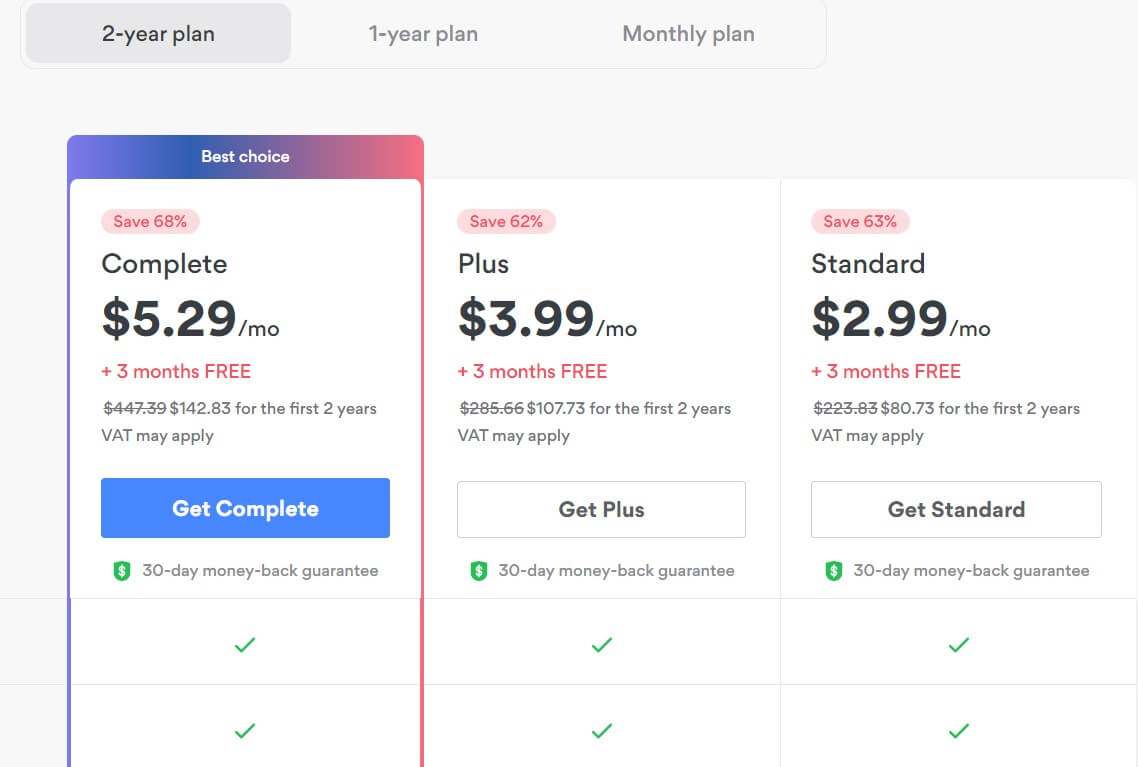
2. Download and Install NordVPN for your device
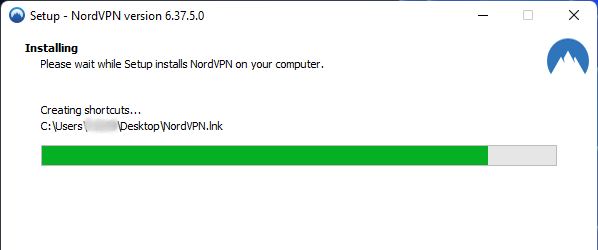
3. Open the app. Select a server location of your choice and minimize the app.
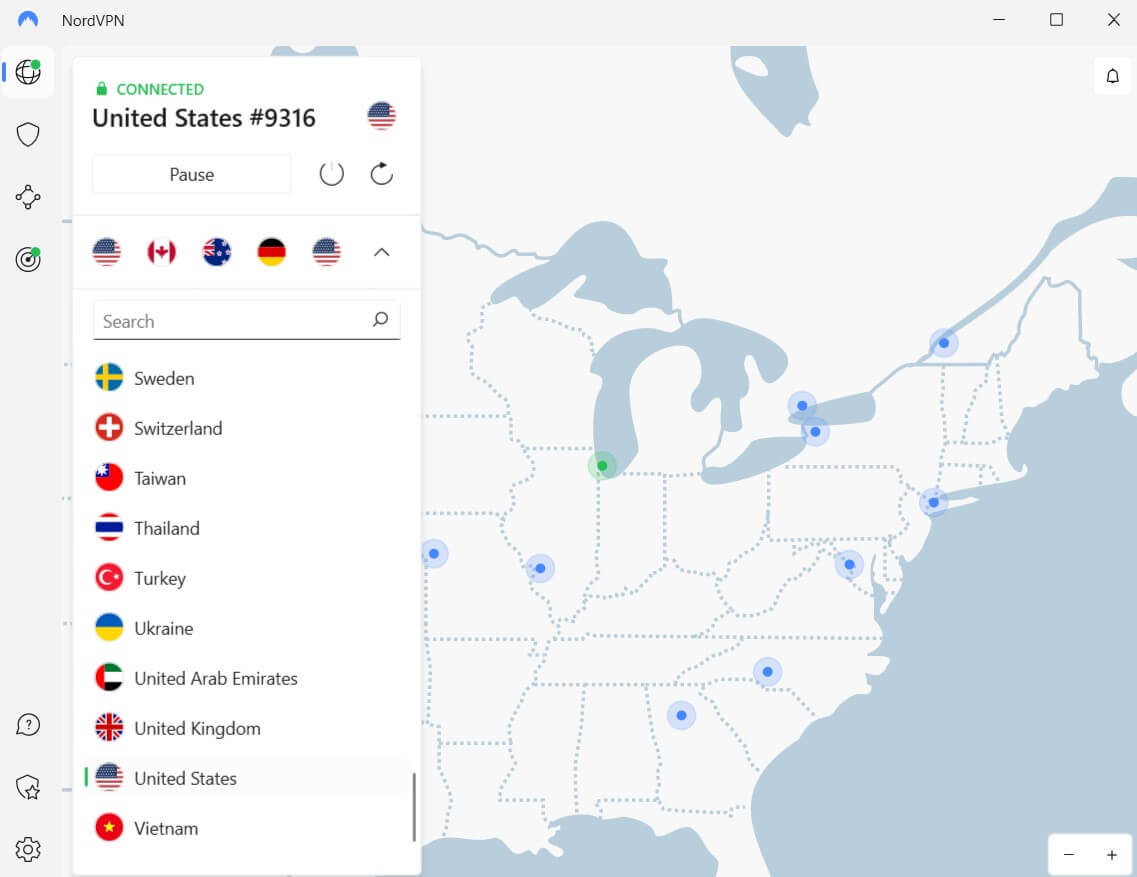
4. Now, Open Kodi and enjoy streaming your favorite shows!
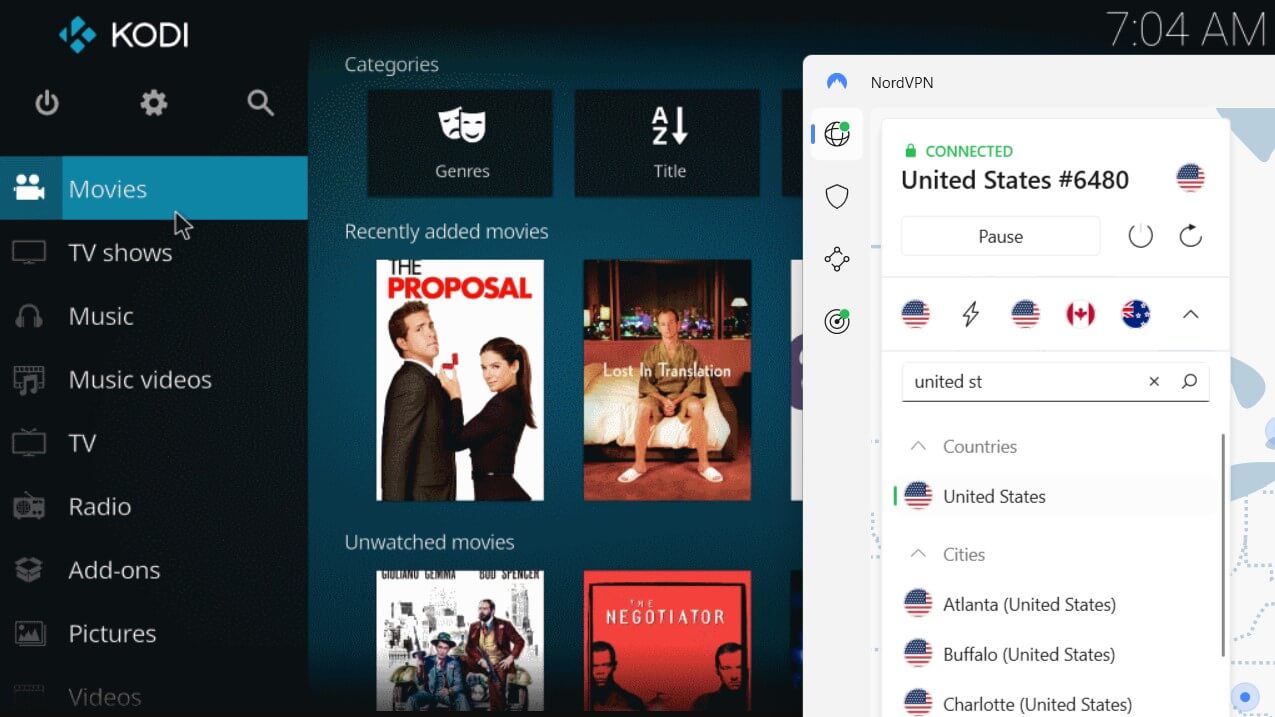
With NordVPN running in the background, you can now launch Kodi and access blocked services using the appropriate server location. Make sure you connect to NordVPN before launching Kodi. Otherwise, the change in IP might not be detected.
Alternatively, you can also configure NordVPN on your router. This way, you’ll never have to worry about enabling NordVPN every time you wish to use Kodi. Here’s a NordVPN router setup guide if you’re interested.
In case something goes wrong, you can check out our NordVPN not working guide. Hopefully, it should help you get rid of any issues. But as a last resort, you can always cancel your NordVPN subscription and get a full refund. we have answered all the NordVPN payment-related queries including NordVPN with Paypal in Australia in our detailed guide.
NordVPN Kodi Method 2: How to Install NordVPN add-on on Kodi
Installing a NordVPN Add-on on Kodi is no rocket science. Just follow these steps and get it done in no time!
1. Select Add-ons under System Settings in Settings.
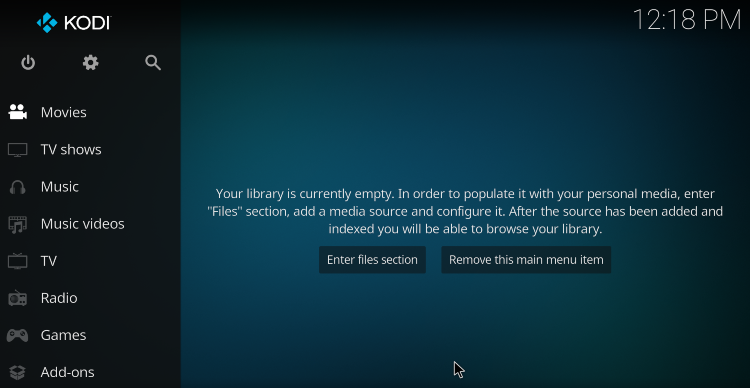
2. Accept the warning and toggle the “Unknown Sources” option
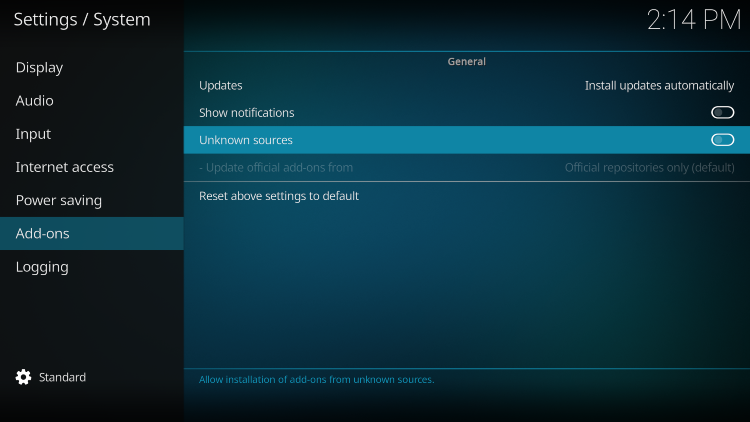
3. Click Add-ons when you return to the main screen.
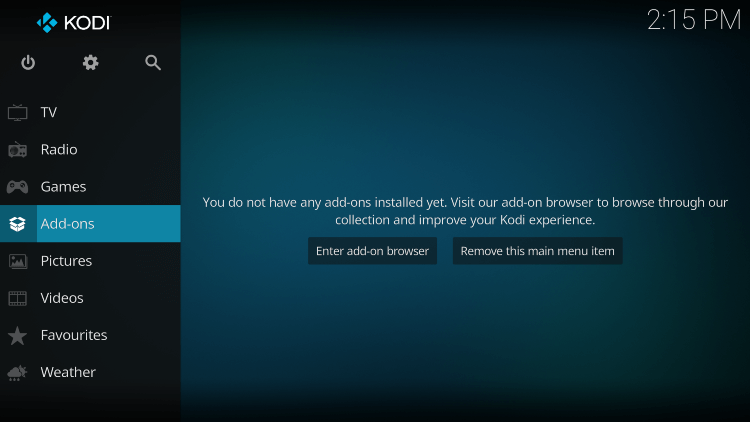
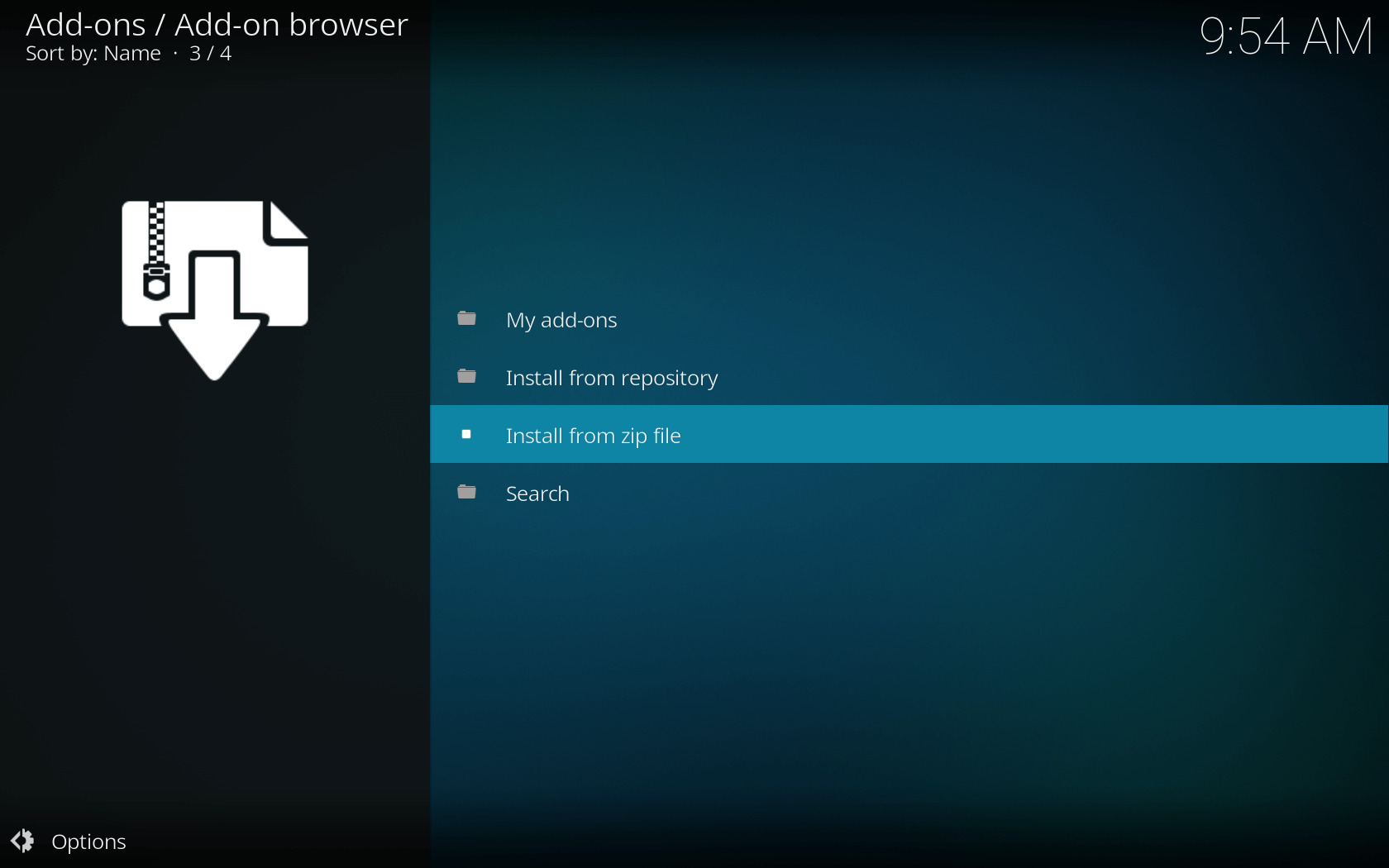
4. Select install from.zip file by clicking the package button in the upper left corner.
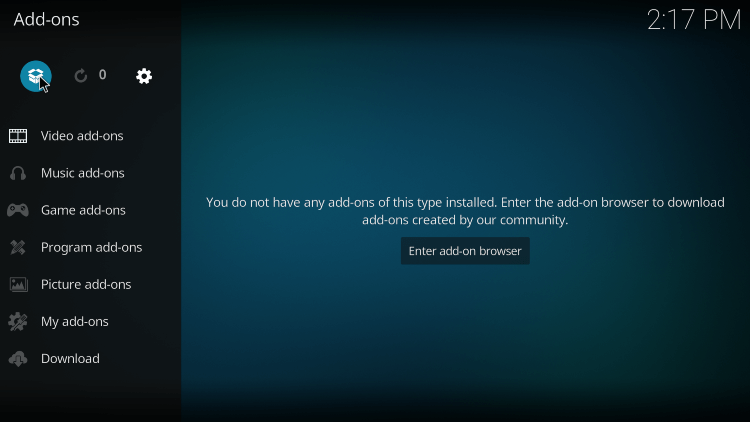
5. Choose the NordVPN Kodi zip file that you may get from their website in step five.
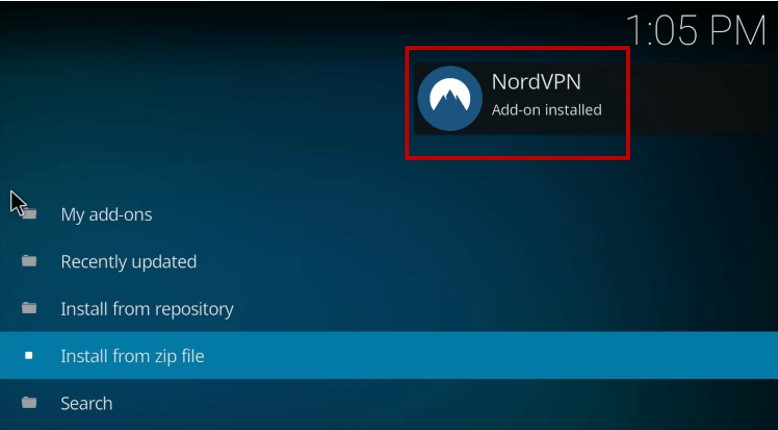
6. After the installation is finished, you will receive a notification indicating that it was successfully installed.
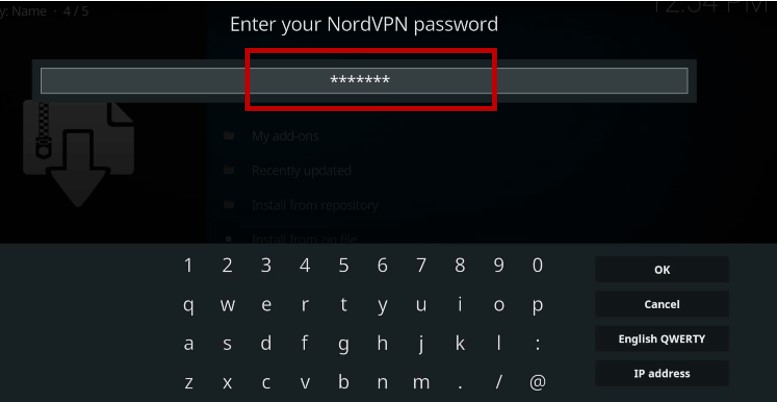
7. The setup wizard will walk you through entering your NordVPN login information.
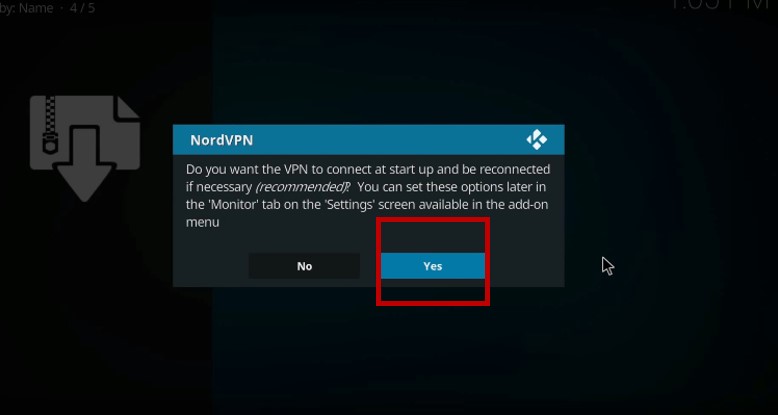
8. When asked if you want your VPN to connect automatically when you start up, select “Yes”.
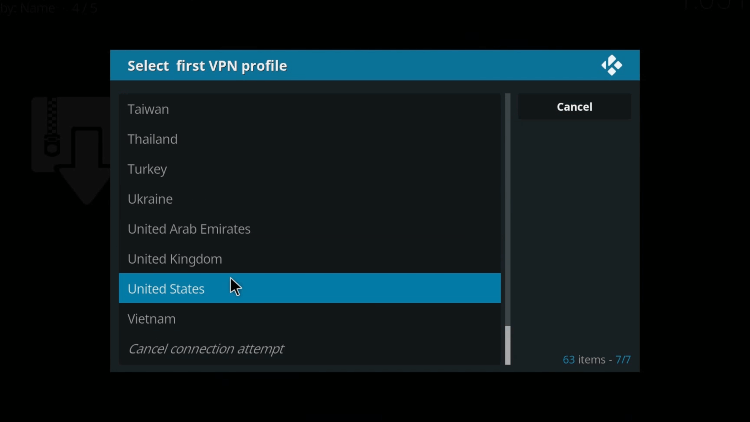
9. Select the country to which you want to connect.
10. As soon as the connection is made, you will be secured on Kodi.
NordVPN Kodi: How to Use NordVPN With Kodi
Using NordVPN Kodi zip file is even simpler than setting it up. All you need is to enter your NordVPN login details and connect to a server. The step-by-step process for performing this task is provided below.
Step 1: Enter the VPN configuration by VPN Manager > Settings.
Step 2: Enter your username and password associated with your NordVPN subscribed account.
Step 3: Now click VPN Connections > First VPN connection.
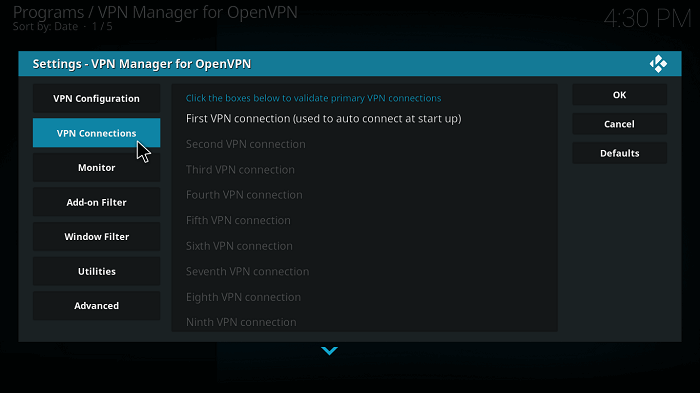
Step 4: Wait for your login details to get validated and select your server when prompted.
Step 5: NordVPN will successfully establish a connection in a while.
That’s it. That’s how easy it is to use NordVPN with Kodi. If you own a Roku device as well, you might want to check out our NordVPN Roku setup guide as well.
How to Disconnect/Logout NordVPN on Kodi
Step 1: Open the main VPN manager screen
Step 2: Click “Change or disconnect VPN connection”
Step 3: Select Disconnect to end your VPN session and log out
How to Change Servers/Countries on NordVPN with Kodi?
Step 1: Visit the same VPN Manager main screen again and click “Change or disconnect VPN connection”
Step 2: You will be prompted with a list of available server locations. Choose one and wait for the connection to re-establish.
NordVPN Kodi: How Can I use NordVPN on Raspberry Pi with Kodi?
Follow these steps to use NordVPN on Raspberry Pi with Kodi, if NordVPN is not working properly or facing some issues then you can use other VPNs on Raspberry Pi with Kodi:
- Download the Kodi OpenVPN plugin on your Raspberry.
- Transfer the downloaded .zip file to your Kodi device.
- After the .zip file is moved to the media center, launch Kodi, and navigate to System > Settings > Add-ons. Now, click on Install from the zip file.
- Find the folder where the .zip file is copied and install it.
- When the Kodi OpenVPN add-on is enabled, you will see the notification in the bottom-right corner of the window.
- Now, create a new .txt file with your username in the first line and password in the second. Give the file any name you want, such as nordvpnpass.txt.
- Now visit https://nordvpn.com/servers/tools/ and download the .ovpn files of your desired NordVPN servers.
- Open the downloaded file and edit the auth-user-pass line to contain the location where you want to store the nordvpnpass.txt file on your Kodi. It should look like this: auth-user-pass /location/of/nordvpnpass.txt
- Transfer both files to your Raspberry Pi.
- Open the OpenVPN add-on you installed earlier and use it to find the .ovpn configuration file that you moved to the media center to connect to VPN.
What makes a NordVPN Kodi combination so appealing?
The world’s largest server and high level of encryption make a NordVPN Kodi combination so appealing. With over 6000 servers, lightning-fast speeds, 256-bit AES encryption, unmatched IP leak prevention, and other cutting-edge features that make it simple to use, quick, and efficient, NordVPN is one of the best VPN services in the VPN industry.
But what makes it stand out from the competition is its special advantages for Kodi users. Whatever you stream with Kodi boxes will remain private thanks to full online anonymity and zero logging. You can freely add plug-ins and stream any movie or TV show you choose without worrying about violating copyright laws.
With a simple setup and a client that even new users can use, NordVPN’s software perfectly matches Kodi’s layout.
Apart from Kodi, you will never have any issues with other devices such as Linux, Pi devices, Samsung TV, Apple TV, and even LG TV – as it is configurable with NordVPN to let you watch geo-restricted content.
Stream Content Securely with NordVPN
For fast Kodi streaming performance, you need fast speed and security features. Luckily, NordVPN offers both. I mean, just check out NordVPN’s speed test results.
It is extremely important to ensure your security before you use Kodi. Although Kodi is a perfectly legal media streaming service, its open-source nature allows unofficial third-party developers to build add-ons to the app. These add-ons are unofficial, so any user caught using these can potentially land in a lot of legal trouble.
All of these worries can be easily eradicated through NordVPN, which uses sophisticated encryption technologies to keep your activities on Kodi hidden from your ISP and other agencies. So even if you stream content on Kodi through torrents, you should have nothing to worry about.
Seriously, you don’t want to miss that.
NordVPN also allows you to add your Kodi add-ons on Linux and Raspberry Pi so that you can stream your favorite shows directly there. As NordVPN is easily configurable with Linux and can also be set up on Raspberry Pi with NordVPN’s easy configuration.
There are numerous other perks of using NordVPN besides just streaming Kodi content. In fact, streaming Netflix with NordVPNis quite easy. This VPN, tailored for keen Stremio streaming aficionados, elevates your Stremio experience, establishing its place as the top choice for customers looking for the best VPN for Stremio. Additionally, if you’re still skeptical, get NordVPN free trial to test its services before purchasing it.
For more information regarding NordVPN, just check out our detailed NordVPN review for all the details.
Other Related Guides By VPNRanks
- Best Kodi Repositories In USA: Access exclusive content and premium features with our handpicked Kodi repositories.
- Best Kodi add-ons In USA: From movies to music, enhance your Kodi experience with the best add-ons.
NordVPN Kodi – FAQs
Does NordVPN work for Kodi?
Yes, NordVPN works perfectly fine with Kodi. Kodi library contains everything from TV shows to P2p downloading, which can put your identity at risk. So, NordVPN encrypts your connection and guards against your ISP, the network administrator, and any unwanted spies.
How do I use NordVPN on Kodi Fire Stick?
To use NordVPN on Kodi Firestick, first download and install the NordVPN program on your computer, then log in with your Username/Password. After that, start Kodi and establish a connection to a US server from the server list. Any Kodi addon can now be used to access your preferred content.
Is it safe to use Kodi with NordVPN?
Yes, it is safe to use Kodi with NordVPN, as NordVPN secures your Kodi traffic, hides your IPs, and guards against your ISP and any unwanted snoops.
Using NordVPN, how do I tell if I am protected when using Kodi?
Go to the official site of NordVPN. Your status should be listed as “Protected” in the bar at the top of the page if your connection is successful. Here, you may see what your IP address is. If the connection works, it should be different from the one your ISP gave you.
Can I use Kodi with NordVPN?
You can use Kodi with NordVPN using two methods: using the dedicated NordVPN app or by loading NordVPN’s .ovpn files as Kodi add-ons. Both methods are pretty straightforward to follow.
Final Words
NordVPN Kodi is the perfect combo: one offers unlimited streaming for free, while the other guards your security and brings access to blocked streams with a single click.
Therefore, if you find yourself on the wrong side of the border and face geographical restrictions on Kodi’s channels, get yourself NordVPN, and remove this obstacle instantly. Just to let you know, you can use NordVPN with Chromecast and many other devices. You can use NordVPN with Synology too.
I hope this blog on NordVPN Kodi helps you enjoy Kodi to the fullest! Share your feedback in the comments section below.

Hi Shahmeer,
I have LibreElec on my Raspberry Pi 4 and have installed NordVPN.
However, when I try to make a VPN connection, I receive the following error message: “Unable to retrieve VPN profile from VPN provider. Check network and then try again.”
Any idea what could be the cause?
Thanks
If you’re receiving this error it means the OpenVPN files have not been installed properly. Try following these steps you probably have missed a step. Try installing NordVPN OpenVPN plugin on Raspberry Pi.
Running kodi (latest)on windows 10 (64) (latest) platform. Tried the openvpn method and it says openvpn not working. Nord works natively on windows but I want to use the ability in openvpn to change vpn based on the particular Kodi application and where it is geolocked. What can I do to get it working?
The OpenVPN method might sometimes not work depending on the system requirements. But if you say you have installed Kodi on latest Windows, it should work. Anyways, you can just simply download and install NordVPN Windows app. To know if the said VPN works on your Kodi or not, you can install DNS Leak addon on Kodi and check if your DNS is leaking or not. You can head to the official Kodi Repository, then program addons, from there you can install DNS Leak addon. Upon opening this addon it will tell you your IP address. Then, you can unblock geo-restricted addons.
Hello,
I installed with the 2nd version. I installed it on a Sony TV and when I click on VPN connections, it puts me “VPN manager for OpenVPN is not supported on this hardware platform”.
I don’t want to install nordvpn in the background but just for kodi
thank you
Hey Mus,
Unfortunately there is only OpenVPN method that helps you to install a VPN within your Kodi device. But since you are facing these errors, it means this method does not support your Sony TV. Having said that, you will need to follow method 1 🙂
I’m using method 1 above on my Mac. But after connecting NordVPN, and then starting Kodi, Kodi is still reporting the local IP address under system information. So I tried the second method, but it keeps saying VPN Manager for OpenVPN is not supported on this hardware platform.
Hi Shahmeer ,
New to Kodi here. I want to install NordVPN on my Kodi . After installation via Zip file, I got a message stating the following
“This add-on uses openvpn, killall and pidof commands to make and manage the VPN connections. You will need to install these if your system does not have them. Click oh to set some system defaults and check if everything is working”
Well, I clicked OK and put in my credentials for NordVPN account but NordVPN is not working. So I guess that I need the commands above. And that is my issue. How do I do this?
Please help.
Thanks.
Hey Marcelo!
I believe you’ve been following the second method right? Those steps are difficult to follow with those commands and all that, I’ll tell you the easy way on how to do it.
I believe you’re trying to access Kodi on Windows right? If that’s the case, you can simply download the NordVPN app for Windows. Once you do that, you can simply connect to any server, preferably a US server. Once you are connected, you can go open Kodi, go to Settings, then system information. Here you will see that your IP has been changed. The fact is, you don’t need to install a VPN on Kodi itself to make it work. Hope that works for you! Cheers..
I just purchased Nord VPN to use on my firestick downloaded and now I’m getting the message that it is not supported. What now?
Hi Corris,
I’m sorry you’re facing issues. Can you confirm if you’re using a 1st generation Firestick device, because VPNs are only supported in 2nd generation devices.
If you’re using a 2nd gen firestick, then I advise contacting customer support through live chat of NordVPN from their official page.
Hope they can help you sort it out!
When I install the Nord VPN on my Kodi, can I use the same Login for my android tablet and MacBook Air?
Does the Nord VPN give me on my Smart tv the same protection without it installing on this Smart TV if I stream with the AIRPLAY function on on my Kodi?
Hi Roger,
Yes you can use the same login for your Macbook Air and Android tablet. In fact, you can use the same NordVPN login for 6 different devices at the same time.
If you don’t have the VPN installed on your Smart TV, then the VPN won’t be able to offer the same protection.
However, you shouldn’t worry about protecting your Smart TV because there isn’t much to protect on a TV because of its limited functionality.
Hope this helps!
Hi Osama
This was a great tutorial! Thank you.
Everything worked except when I go to VPN Connections – First VPN connection (used to auto connect at start up), I get the message “VPN manager for OpenVPN is not supported on this hardware platform.” I am using a MXQ Pro android tv box. Any suggestions? Thanks.
Hello Tony,
The two methods that I have described in this article won’t work for your Android box.
I would suggest using the PlayStore app in your Android Box and install a VPN from there. NordVPN supports various Android Boxes, so this method should work for you.
Hope this helps.
you must make changes to the KODI command line in order for NordVPN to have access to KODI….I have not figured out how to do that.
Is it possible to post a step x step procedure on how to do that?
Hey Terry, there’s no need to change the command line. You can easily connect to NordVPN on the background and start using Kodi. You will witness that your IP changes within Kodi.
I have had that same problem. I have been using the second method. I have seen a bunch of videos and articles that say I need openvpn if I am not running Kodi on OpenElec or LibreElec. I am not sure which one I am running on nor how to tell if any of these two are operating. I am assuming that none of them are given that they both have OpenVPN already installed on them. It is also important to point out that for me kodi is not installed on a computer, it is installed on T95m 4K android box. I hope this is specific enough. Please reply at your earliest convenience.
Hello Tomas,
The two methods that I have described in this article won’t work for your Android box.
I would suggest using the PlayStore app in your Android Box and install a VPN from there. NordVPN supports various Android Boxes, so this method should work for you.
Hope this helps.
My nord vpn keeps saying I have to add “openvpn” a killall and podif and it is not compatible this is the third build that I havennt been able to get it running please help
Hey Jack.
Can you be more specific and tell me if you’re facing problems with the first method or the 2nd?