
Channel 4, the UK’s treasure trove of standout shows, but sadly out of reach for viewers in USA due to geo-restrictions. But I’ve cracked the code to access Channel 4 in the USA, and it’s simpler than you might think—a VPN is your go-to solution. A VPN masks your location by rerouting traffic through UK servers, granting you access!
In this guide, not only will I assist you on how to watch Channel 4 in the US, but I’ll also recommend reliable VPN services, such as ExpressVPN, that ensure you’re catching up on your favorite British content without a hitch. So, whether you’re eager for the latest Derry Girls laughs or the suspense of The Couple Next Door, my insights are your ticket to unrestricted viewing. Keep on reading to learn more!
How to Watch Channel 4 in USA With a VPN
Here’s a step-by-step guide to easily watch Channel 4 in USA:
-
- Choose a VPN service with strong UK server performance. ExpressVPN is highly recommended.
- Install the VPN and connect to a UK server.
- Navigate to the Channel 4 website or download the All 4 app.
- Register and fill in the required details. Use a UK postcode, which can be found online.
- Verify the email address through the confirmation link sent.
- Start streaming Channel 4’s library of content in USA.
Why Do You Need a VPN to Watch Channel 4 in USA?
Accessing Channel 4 from the US is restricted due to location-based content limitations. However, you can bypass these restrictions by using a premium VPN service like ExpressVPN. With a VPN, you can appear to be browsing from the UK, granting you access to Channel 4’s content library from anywhere in the world. When you try to access Channel 4 from the US without a VPN, you’ll encounter an error message denying access:
“Not Available. All 4 is only available in the UK.”
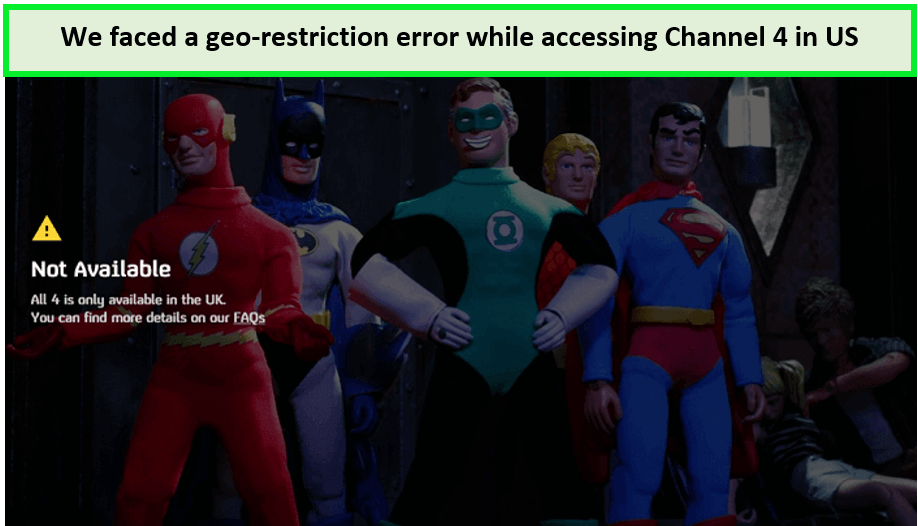
When I tried to play a video on Channel 4, I could not watch it due to this error prompt.
A VPN, circumvents these geo-restrictions by masking your IP address and routing your connection through a server in the UK. This makes it appear that you are accessing the internet from within the UK, granting you access to Channel 4. A VPN also protects your online privacy by encrypting your internet traffic, keeping your activities hidden from ISPs and potential data interceptors.
Best VPNs to Watch Channel 4 in USA [Quick Overview]
Discover the best Channel 4 VPNs, ensuring you don’t miss a moment of the action. Here’s a quick rundown of our selected VPNs that can efficiently unblock Channel 4 in USA:
| VPNs |  |
 |
 |
|---|---|---|---|
| Ranking for Channel 4 | 1 | 2 | 3 |
| Total country count for servers | 105 countries | 100 countries | 61 countries |
| Speed (On 100 MBps) | 89+ Mbps | 81+ Mbps | 83+ Mbps |
| Compatible Devices | iOS, Roku, Android, FireStick, Kodi, Windows, macOS, PS4, etc. | Android, Kodi, Windows, iOS, Roku, macOS, FireStick, PS4, etc. | Android, iOS, Windows, macOS, FireStick, Roku, Kodi, PS4, etc. |
| Simultaneous Connections | 8 | Unlimited | 6 |
| Unblocks Streaming Platforms | Channel 4, Netflix, BBC iPlayer, Hulu, and More | Channel 4, Netflix, BBC iPlayer, Hulu, and More | Channel 4, Netflix, BBC iPlayer, Hulu, and More |
| Split tunnelling | Yes | Yes | Yes |
| Torrenting | Yes | Yes | Yes |
| IP Addresses | Dynamic IPs | Dynamic & static | Dynamic, shared, & dedicated |
| Pricing | $6.67/mo - Save up to 49% with exclusive 1-year plans + 3 months free | $2.49/mo - Save up to 77% with exclusive 2-year plan + 30-day money-back guarantee | $3.99/mo - Save up to 63% with exclusive 2-year plan + 3 months free for a friend |
| Reviews | ExpressVPN review | Surfshark review | NordVPN review |
Best VPNs to Watch Channel 4 in USA [In-Depth Analysis]
I tested 40+ VPNs based on their fast speeds and unblocking capabilities and came across these 3 VPNs that lived up to these criteria. Following are the best VPN to watch Channel 4 in USA:
1. ExpressVPN – Best VPN to Watch Channel 4 in USA

- Ultra-fast servers in 105 Countries
- Excellent unblocking capability for Netflix, Hulu & more
- Best-in-class encryption trusted security, and advanced protection features that block ads, trackers, and harmful sites.
- Connect up to 8 devices simultaneously
- 24/7 customer support through live chat
- 30-day money-back guarantee
ExpressVPN is the best VPN for Channel 4 in USA, combining unmatched unblocking capabilities with blazing-fast streaming speeds. Recognized for its ease of use and efficiency, this VPN ensures you never miss a moment of your favorite British shows in the United States.
ExpressVPN offers a network of multiple servers in 105 countries, including 5 UK server locations: Docklands, East London, London, Midlands, and Wembley. With ExpressVPN’s London server, I unblocked Channel 4 in seconds and faced no buffering while watching Married at First Sight UK.
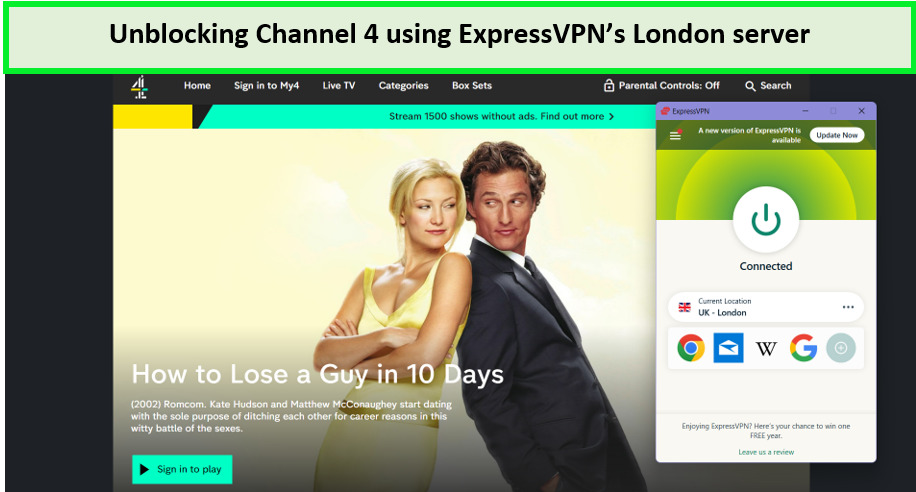
I had a wonderful experience streaming Channel 4 content using ExpressVPN’s servers.
Apart from Channel 4, ExpressVPN can effortlessly unblock various geo-restricted streaming platforms in the USA, including Channel 5, Crave TV, and Showmax in USA, making it a reliable choice for all your streaming needs.
The ExpressVPN speed test gave some impressive numbers, with a download speed of 89.42 Mbps and an upload speed of 84.64 Mbps on a 100 Mbps base connection.
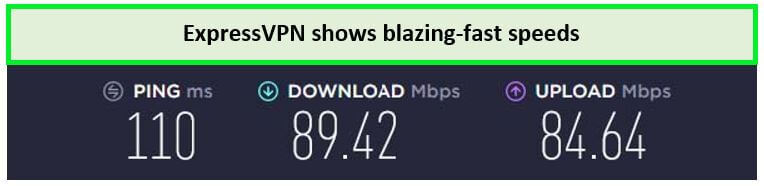
ExpressVPN’s servers offer the fastest speeds for streaming Channel 4 in the US.
ExpressVPN offers 8 simultaneous connections to users, with which you can enjoy streaming on all your favorite devices, including Android, iOS, Windows, macOS, Roku, Kodi, and PS4.
ExpressVPN doesn’t compromise on security. With AES 256-bit encryption, a strict no-logs policy, and a kill switch, your online activities are kept private and secure, away from prying eyes.
Exclusive Deal:
VPNRanks readers can enjoy ExpressVPN for $6.67/mo - Save up to 49% with exclusive 1-year plans + 3 months free! A 30-day money-back guarantee covers all plans.
- Fast servers to watch Channel 4 without any buffering
- MediaStreamer feature
- High-end security features to protect your streaming experience
- Doesn’t offer a free plan
2. Surfshark – Budget-friendly VPN to Watch Channel 4 in USA

- 3,200+ servers in 100 countries
- RAM-only servers (no hard disks)
- Unlimited simultaneous connections
- Unblocks Netflix and More
- 24/7 Customer Service
Surfshark is the budget-friendly VPN for watching Channel 4 in USA. Its affordability is matched by its efficiency in bypassing geo-restrictions, making it an excellent option for those eager to dive into Channel 4’s rich content library from the United States.
Surfshark offers 3200+ servers in 100 countries worldwide with 4 server locations in the UK: Glasgow, London, Edinburgh, and Manchester. I used Surfshark’s Manchester server to rewatch World War Z on Channel 4, and the results were nothing short of amazing.
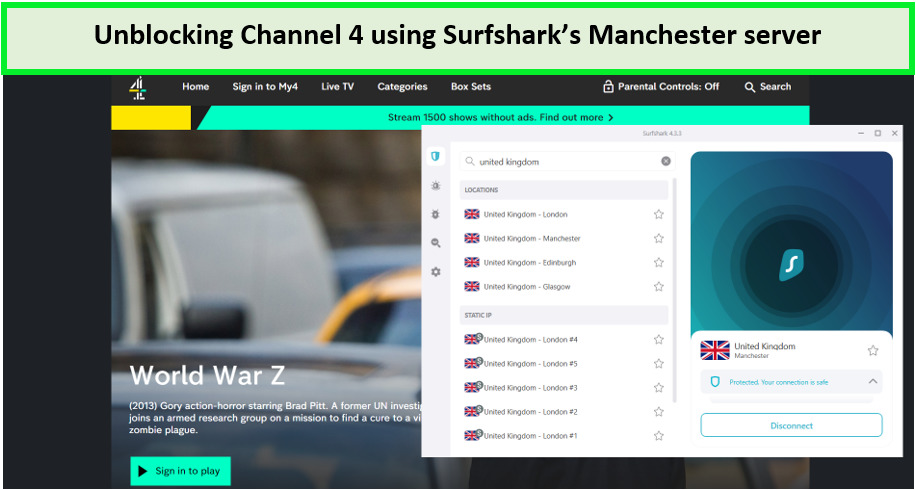
Thanks to Surfshark’s servers, I could unblock Channel 4 and watch various shows and dramas all day.
What’s more, Surfshark isn’t just limited to Channel 4. Its UK servers also enable access to other sought-after geo-restricted streaming platforms in the USA.
When it comes to Surfshark’s speeds, it gave me a download speed of 81.32 Mbps and an upload speed of 76.12 Mbps on a 100 Mbps connection. I did not experience any buffering while streaming.
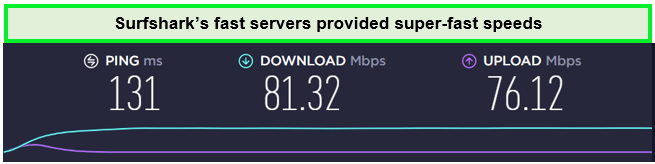
Surfshark speed test results on its UK servers on other platforms.
Unlike many other VPNs, Surfshark offers the advantage of unlimited simultaneous connections. It is compatible with all popular devices and operating systems, including Android, Windows, Mac, and others.
Security-wise, Surfshark doesn’t cut corners despite its low price. It offers robust security features, including AES-256-bit encryption, a kill switch, and a no-logs policy, ensuring your online viewing habits remain private and secure.
Exclusive Deal:
VPNRanks readers can enjoy Surfshark available for only $2.49/mo - Save up to 77% with exclusive 2-year plan + 30-day money-back guarantee! A 30-day money-back guarantee covers all plans.
- Most budget-friendly VPN
- Unlimited simultaneous connections
- Strong security and privacy
- For iOS, split tunneling is not supported
- Occasional slow speeds
3. NordVPN – Largest Server Network VPN for Channel 4 in USA

- 6000 servers in 60 countries
- WireGuard protocol (NordLynx)
- 6 Simultaneous Connection
- DoubleVPN
- 24/7/365 Live Chat Support
- 30 Days Money Back Guarantee
NordVPN has the largest server network VPN to watch Channel 4 in USA. It offers 6000+ servers in 61 countries, with 440+ servers in the UK across London, Edinburgh, Manchester, and Glasgow.
My streaming experience was top-notch as I finally caught up on Rick and Morty’s latest season using NordVPN’s Edinburgh server, ensuring no buffering during my streaming.
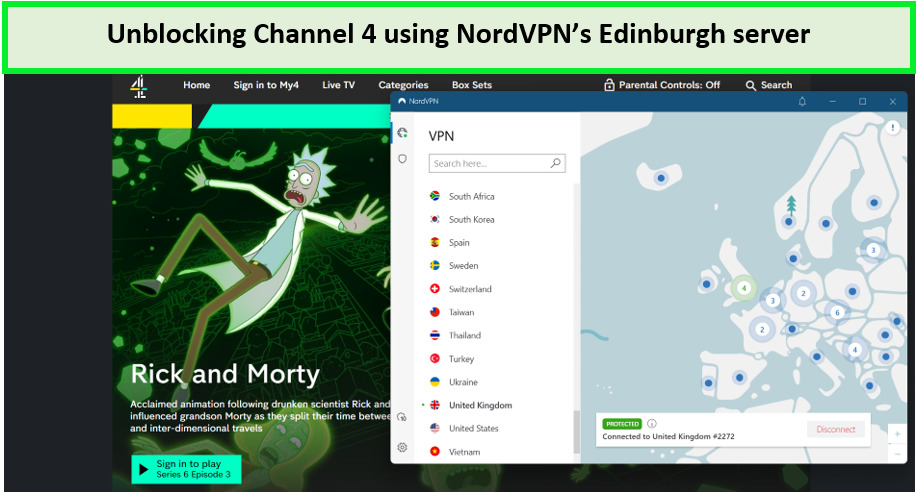
Watching favorite shows and movies on Channel 4 was a relief, thanks to NordVPN’s huge number of servers.
The speed and reliability of NordVPN also make it an excellent choice for accessing other geo-restricted streaming platforms, ITV Hub, TVNZ, Amazon Prime, and UK TV Play in USA.
Moreover, with a download speed of 83.82 Mbps and an upload speed of 44.64 Mbps on a 100 Mbps connection, users can enjoy their favorite British TV shows and global content without the annoyance of slow-loading videos or poor video quality.
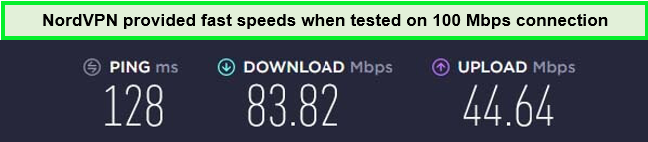
The various servers allowed me to switch to the fastest server easily.
NordVPN offers six simultaneous connections and is compatible with Android, iOS, Mac, Windows, and many more devices. It also offers a Smart DNS proxy that allows you to stream Channel 4 on devices such as Smart TVs, Apple TVs, gaming consoles, and others.
NordVPN keeps your online activity completely encrypted with AES 256-bit encryption, ensuring your data remains safe from prying eyes. Plus, including a kill switch and no-logs policy means your privacy is always at the forefront.
Exclusive Deal:
VPNRanks readers can enjoy NordVPN at the cost of $3.99/mo - Save up to 63% with exclusive 2-year plan + 3 months free for a friend!
- Largest sever network in the US
- Reliably unblock Channel 4 in USA
- Six simultaneous connections
- Credible security features
- Windows app needs work on its responsiveness
Channel 4 Catch-Up in the US: NordVPN Users’ Struggles & Solutions – Here are Redditors’ Recommendations
Redditors are spilling the tea (or maybe that should be biscuits?) about some bumps in the road for Channel 4 access in the US with NordVPN. One user went full-on detective, trying different servers and tech tricks, but Channel 4 kept throwing up a brick wall. Talk about a streaming service with high security!
Here’s what the Reddit hivemind had to say:
- Maybe it’s a Temporary Glitch: Some users suggested NordVPN might be experiencing technical difficulties that are blocking Channel 4 specifically. Think of it like a temporary traffic jam in the internet world.
- Server Shuffle: A few Reddit detectives recommended switching servers within NordVPN. Maybe one server is on Channel 4’s naughty list, but another one might be the secret handshake you need.
- Support Squad Assemble!: Several users championed reaching out to NordVPN’s customer support. They might have some insider knowledge or special tools to help you bypass the Channel 4 blockade.
While some Redditors hit a snag, it’s not a guaranteed roadblock for everyone. Trying different servers, contacting support, or even a good old-fashioned app refresh could be your ticket to catching up on your favorite Channel 4 shows.
How to Sign Up for Channel 4 in USA?
Signing up for Channel 4, also known as All 4, is a straightforward process, and best of all, it’s free! You don’t need to add payment details, just a UK postal code. Here’s a step-by-step guide to registering for Channel 4 from the USA:
- Choose a VPN with a strong presence in UK. I recommend ExpressVPN for its reliability and speed.
- Install the VPN and connect to a UK server to obtain a UK IP address.
- Navigate to the Channel 4 website or download the All 4 app from your device’s app store.
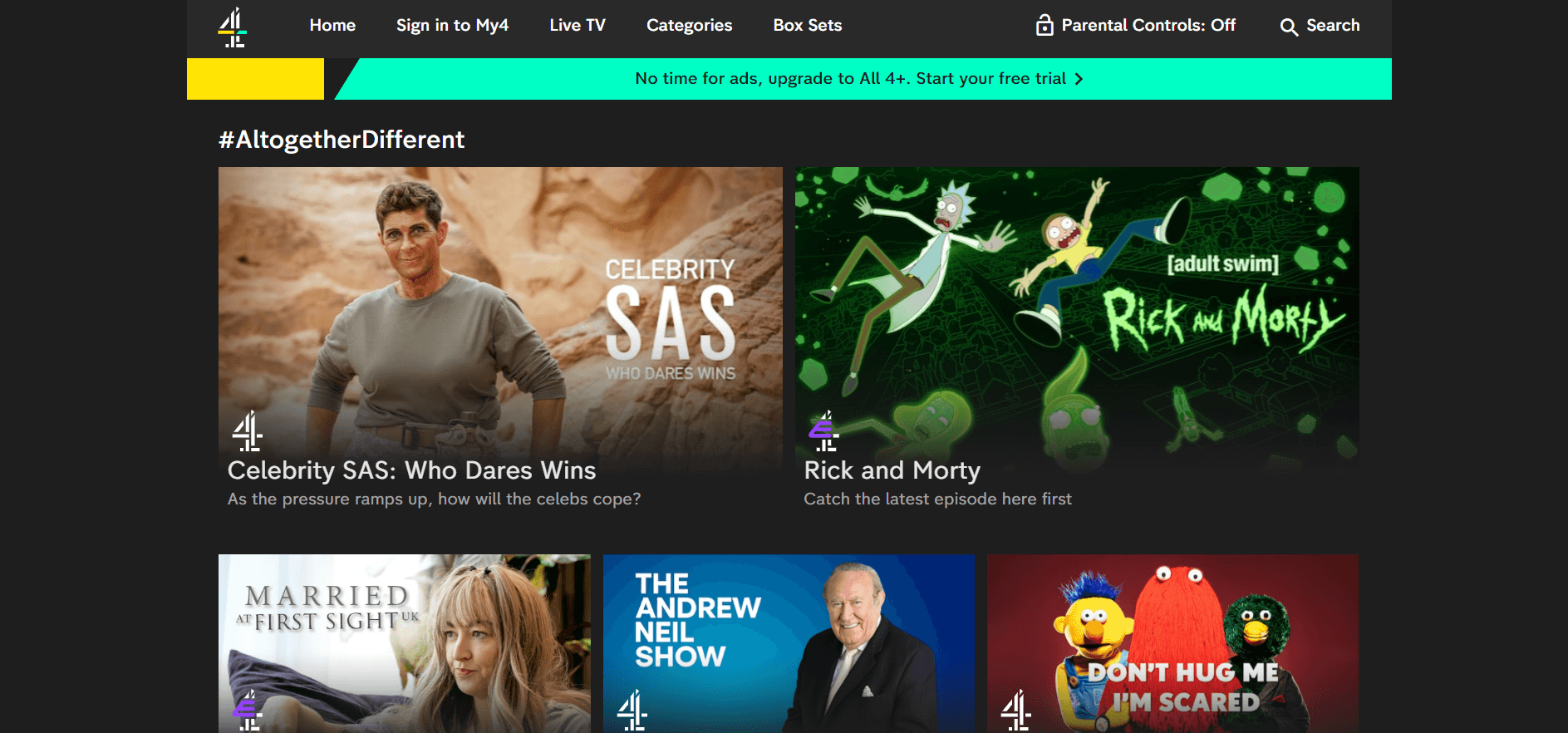
- Click on ‘Register’ to start creating your account.
- Provide your email address and create a password for your new Channel 4 account.
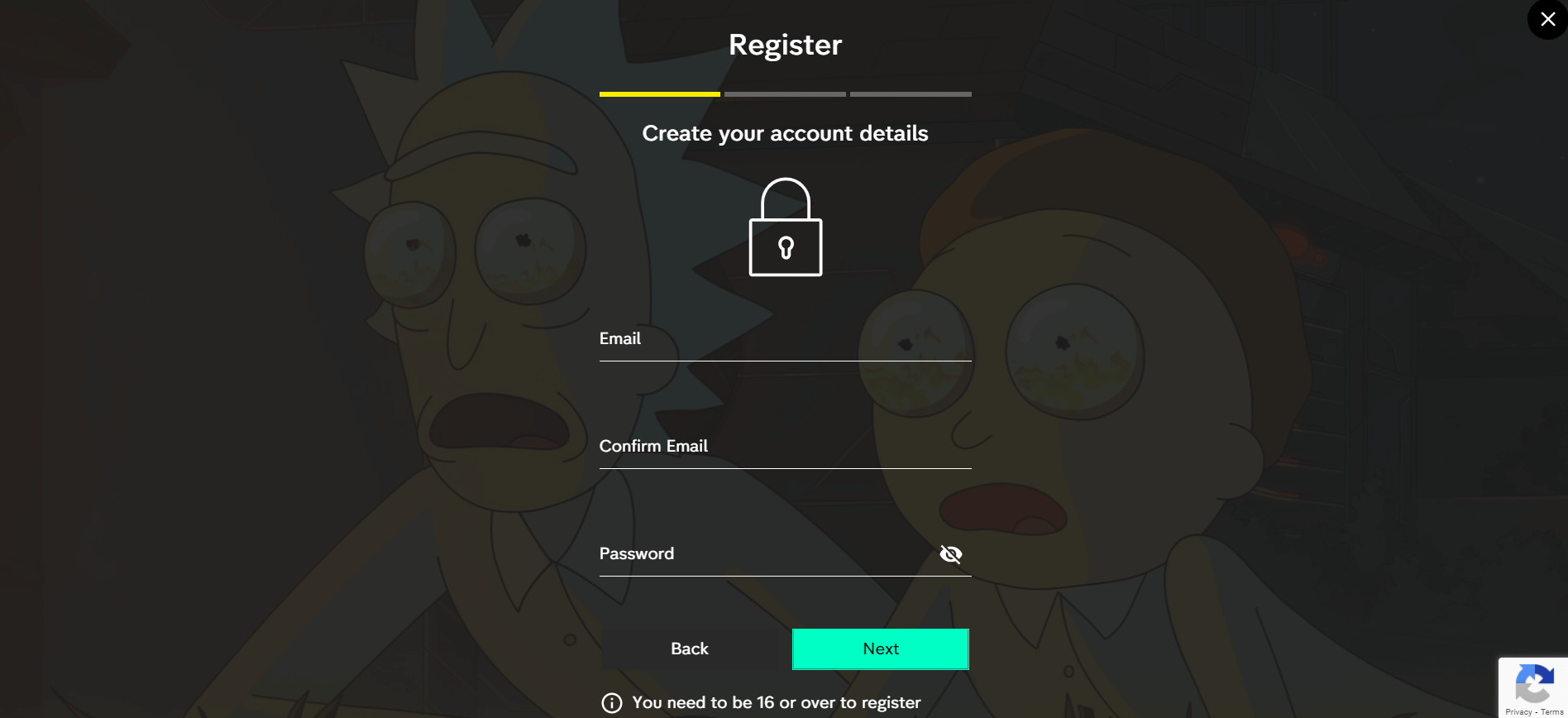
- Verify your email address through the link sent to your inbox.
- Use Google Maps to find a UK location and use the corresponding postcode, or you can use an online postcode generator.
- Complete the registration, and you’re all set to enjoy the vast library of Channel 4 content from anywhere in the world.
What Devices Can I Use to Watch Channel 4 in USA?
Channel 4 can be streamed on various devices, as long as you are connected to a VPN with a UK server. If you’re looking for where to watch Channel 4 in USA, the following devices can be used:
| Android | iOS |
| Mac | Smart TV |
| PC | Xbox One |
| PS4 | |
| Apple TV | – |
| Roku | – |
| Smart TVs | – |
| Android TV | – |
How to Download Channel 4 App in USA on Android?
To download the Channel 4 streaming app on Android in the USA:
- Subscribe to a premium VPN. I recommend ExpressVPN.
- Connect to a UK server via your VPN.
- Create a new Gmail ID with your region, switch to the United Kingdom, and log in.
- Go to the Google Play Store and search for the Channel 4 app.
- Download the app, and enjoy Channel 4 live stream free in USA!
How to Watch All 4 in the USA on iOS (iPad and iPhone)?
iOS users can watch Channel 4 in the USA by following the steps given below:
- Download a Channel 4 VPN on your iOS device. ExpressVPN is recommended.
- Connect your device to a UK server through a VPN.
- Go to Settings –> tap on your Apple account –> Media & Purchases –> Change your region to UK.
- Visit the Apple App Store and download the Channel 4 app.
- Log in and start streaming Channel 4 in USA.
How to Watch Channel 4 on Smart TV in USA?
Here is how to watch All 4 on TV in USA:
- Subscribe to a premium VPN. I recommend ExpressVPN.
- Connect to a UK server.
- Ensure your Smart TV is connected to a VPN-enabled network.
- Download the Channel 4 app from your TV’s app store.
- Log in to enjoy Channel 4 live stream free on the big screen in the USA!
How can I get Channel 4 in the US on Roku?
Here is how can you stream Channel 4 in the US on Roku:
- Download a reliable VPN. I recommend ExpressVPN.
- Log into your VPN account and connect to a UK server.
- Connect the Roku stick to your smart TV with the HDMI connector.
- Add the Channel 4 app from the Roku channel store.
- Sign in to enjoy Channel 4 live stream free in USA!
Can You Watch Channel 4 in USA With a Free VPN?
Using a free VPN in USA to watch Channel 4 in the USA is technically possible but not recommended due to limitations such as limited servers, data caps, slower speeds, and potential security risks.
Free VPNs offer few servers and limited data that won’t let you binge on this streaming service for even two hours. Furthermore, many free VPNs collect minimal logs and leak IP addresses. This data is later sold to third-party advertisers for self-gain. For a more secure and reliable streaming experience, consider using a paid VPN service like ExpressVPN.
What to Watch on Channel 4 in 2024?
Channel 4 offers a diverse selection of content, including reality TV, drama series, documentaries, movies, and more. Here’s everything that you can watch on Channel 4 in 2024:
Popular Shows to Watch on Channel 4 in 2024
Here are some of the must-watch Channel 4 TV shows in 2024:
What’s New on Channel 4 in April 2024?
Here are some of the best and most popular content to stream on Channel 4 in April 2024:
| Celeb Cooking School | Truelove | The Man in the White Suit |
| I Am Andrew Tate | The Wagner Method | Secret Life of the Safari Park |
More Channel 4 Streaming Guides:
Here are some of the best and most popular content to view on Channel 4:
- How to Watch Gogglebox Season 23 in USA on Channel 4: UK series films families and friends reacting to previous week’s TV; launched in 2013, now on 23rd series.
- How to Watch I am Ruth in USA on Channel 4 for Free: Stream ‘I am Ruth’ on Channel 4 in USA for free!
- How to Watch Dispatches in USA on Channel 4: To watch Dispatches on Channel 4, simply tune in.
- How to Watch Emergency in USA on Channel 4: Stay tuned for Emergency in the USA, airing on Channel 4.
How to Fix Channel 4 Not Working With a VPN?
If you encounter issues while accessing Channel 4 with a VPN, there are several steps you can take to resolve your Channel 4 not working issues:
- Clear Cookies and Cache: Your device’s cookies and cache might reveal your location.
- Check for IP Leaks: You can check for IP leaks by searching “what is my IP address” on Google.
- Switch Browsers: Try accessing Channel 4 on a different browser or in Incognito mode.
- Change Server: If one server doesn’t work, switch to another.
- Contact VPN Support: If you’re still facing issues, contact your VPN’s customer support for assistance.
- Switch VPN Service: Use a reliable VPN for effective geo-block bypass, like ExpressVPN.
FAQs
What network is Channel 4 on in USA?
Channel 4 is a British public-service television broadcaster. It operates on its network, known simply as Channel 4, and is not part of any larger network or group like BBC or ITV.
Is Channel 4 free in USA?
Yes! Channel 4 is a free on-demand streaming Channel. If you’re in the USA and want to access the Channel, you can use a premium VPN like ExpressVPN, connect to a UK server, and easily watch your favorite Channel 4 content in the USA.
Is It illegal to use a VPN for Channel 4 in USA?
No, it is not illegal to use a VPN for Channel 4 in USA. Although Channel 4’s terms and conditions could mention it, utilizing a VPN for streaming is in no way prohibited.
Is All 4 the Same as 4oD?
Yes, All 4 and 4oD refer to the same streaming service offered by Channel 4. The platform has undergone rebranding over the years.
Why does Channel 4 not work on VPN in USA?
Channel 4 will not be working on a VPN because the streaming service has blocked your VPN-provided IP addresses. As a result, you can’t access Channel 4 at all. I suggest you use a trustable Channel 4 VPN like ExpressVPN so that there are no leaks; your IP address will be blocked by Channel 4.
How can you watch Channel 4 in America?
You can watch Channel 4 in America by downloading a premium VPN like ExpressVPN and connecting to any of its UK servers. Once you have a UK IP address, you can bypass geo-restrictions on British TV channels like Channel 4 in the USA.
How can I watch Channel 4 in USA on my TV?
You can get Channel 4 on your TV by downloading the All 4 app on your smart TV, PS4, or any streaming stick. But if you’re residing in the US, you’ll also need a reliable VPN like ExpressVPN to bypass geo-restrictions and access All 4.
Conclusion
Channel 4 is one incredible VOD service that is, sadly, restricted in the United States. But hopefully, now you know how to stream Channel 4 in USA. Follow my step-by-step guide to unblock and watch Channel 4 in USA using a VPN. Channel 4’s programming diversity means viewers in the United States can indulge in some of the finest British television from the comfort of their homes.
ExpressVPN is the most efficient VPN to unblock geo-restricted services and watch fantastic shows in the US. So, set up the best VPN, and prepare to explore the rich variety of shows Channel 4 has to offer.