Are you trying to watch YouTube TV on a budget, given that it’s unavailable due to licensing and legal restrictions? If so, the best approach is to use the best free VPN For Youtube TV.
Through rigorous testing, I’ve found that although the best free VPN services serve as a temporary fix, they often come with drawbacks, such as slow speeds and the potential risk of your data being sold to third parties.
I can personally recommend ExpressVPN, which offers a free trial and has consistently proven to be effective at bypassing geo-restrictions. Nevertheless, my other free VPN recommendations may also serve as reliable options for your streaming needs.
Keep on reading to find the best free VPN for YouTube TV:
Quick Overview: Best Free VPN For Youtube TV
Here is a quick look at my top picks for the best free VPN Youtube TV:
- ExpressVPN – Best Free-trial VPN for Youtube TV: Servers in 105 countries. Moreover, a Lightway protocol and advanced security features provide a fast, secure streaming experience.
- Windscribe – Best Free VPN for YouTube TV: Excellent security and privacy features. Fast servers for a hassle-free streaming experience.
- ProtonVPN – Best Free VPN For Youtube TV with Unlimited Bandwidth: 5 completely free VPN server locations, unlimited bandwidth and data, and premium security and privacy features ensure you get secure streaming.
To learn more about the criteria I used to pick my top choices, refer to my Methodology.
Why Do You Need A VPN For YouTube TV?
You need a VPN to access YouTube TV due to geo-restrictions and varying content availability caused by licensing and copyright issues. A free VPN can connect you to a US server, making it seem like you’re in America, allowing you to bypass these restrictions and stream all your favorite shows and movies from any location.
To keep themselves safe from violating licensing agreements and copyright rules, some streaming services like YouTube TV keep themselves safe by restricting the usage of their services to limited areas. If you tried to access YouTube TV, you would probably face this error:
“It looks like you’re outside of the United States. YouTube TV is only available in the US”
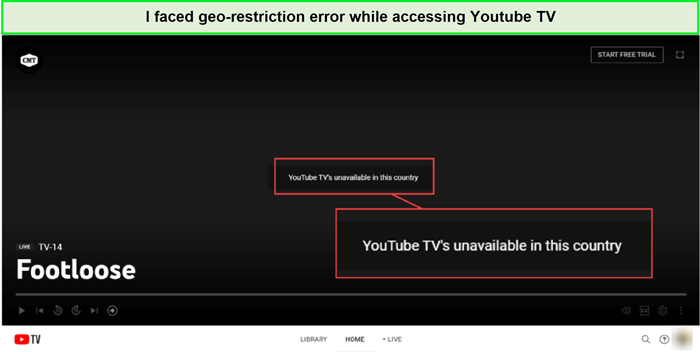
I encountered geo-restriction error outside–USA
Lastly, using a VPN for YouTube TV can improve your overall streaming experience. Some ISPs, such as streaming video content, may throttle your bandwidth when they detect high data usage. A VPN like ExpressVPN prevents your ISP from seeing your online activities, reducing the likelihood of bandwidth throttling and providing a smoother, buffer-free streaming experience.
3 Best Free VPN for Youtube TV – Detail Analysis
Let us get into a detailed analysis of the best free VPN for Youtube TV:
1. ExpressVPN – The Best Free Trial VPN for Youtube TV


- Ultra-fast servers in 105 Countries
- Excellent unblocking capability for Netflix, Hulu & more
- Best-in-class encryption trusted security, and advanced protection features that block ads, trackers, and harmful sites.
- Connect up to 8 devices simultaneously
- 24/7 customer support through live chat
- 30-day money-back guarantee
ExpressVPN is the best free trial VPN for Youtube TV. It earned the top badge due to its premium security, privacy features, and Lightway protocol for fast streaming. Also, there is a smart DNS feature called Mediastreamer. It allows you to bypass all the internet restrictions in a few taps.
Servers
ExpressVPN has a vast number of servers in 105 countries. Moreover, it offers 24 US servers, which is enough for anyone to connect to the YouTube TV.
Unblocking capabilities
I tried to unblock YouTube TV using an ExpressVPN US server based in New York. I got a successful VPN connection in less than a minute. Soon after that, I could access all the content on YouTube TV without any restrictions.
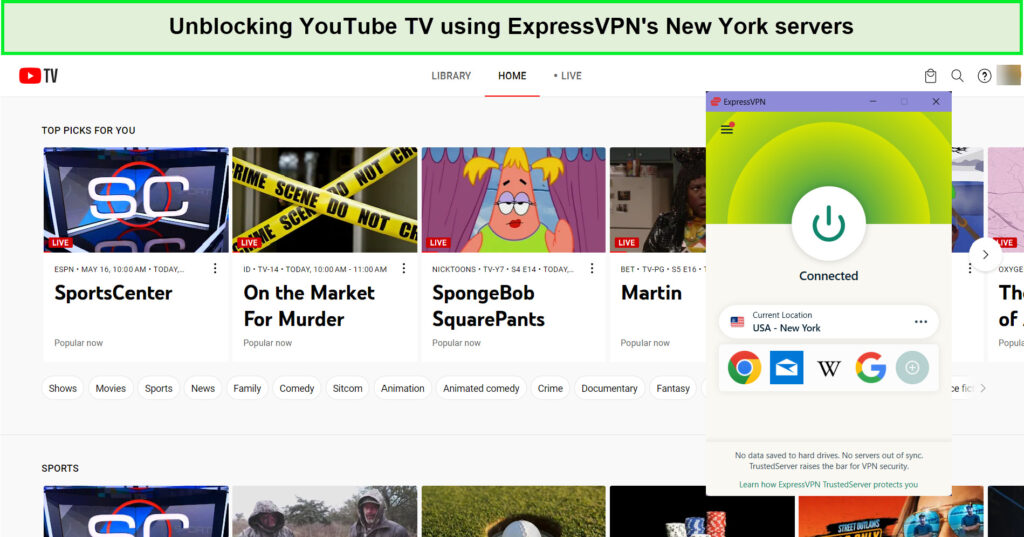
I had no trouble accessing YouTube TV with ExpressVPN.
Speed
I then conducted the ExpressVPN speed test on the same server. The speed test I conducted was on a 100 Mbps Internet connection. It caused the upload speed to go up to 84.64 Mbps, whereas the download speed went up to 89.42 Mbps.
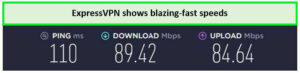
ExpressVPN provided excellent speeds for YouTube TV.
Security and Privacy
ExpressVPN boasts a robust array of safety measures and privacy-oriented features. It employs advanced 256-bit AES encryption, a strict no-logs policy, DNS leak protection, and an ExpressVPN kill switch All these features make ExpressVPN a top-tier choice for users struggling with choosing the right free VPN for YouTube TV.
Ease of Use
Moreover, ExpressVPN is compatible with different operating systems, including Android, Linux, iOS, macOS, and Windows. You can also use it on an array of different devices such as smartphones, laptops, desktops, Kodi, ExpressVPN Firestick, Roku, gaming consoles, and many more.
Also, 24/7 customer support assists you if you need any help with your VPN connection.
Price
ExpressVPN is a paid VPN service and comes with multiple subscription plans. The most economical ExpressVPN plan comes for $6.67/mo - Save up to 49% with exclusive 1-year plans + 3 months free payment plan. Moreover, you can opt for a 30-day money-back guarantee if you want to try the service out for free.
Moreover, there is an ExpressVPN free trial on ExpressVPN for mobile users.
You can see my ExpressVPN review here to learn more about this amazing VPN service.
- P2P optimized servers
- Extensive server network
- High-speed connections
- Bypass geo-restrictions on Youtube TV
- Supports multiple devices
- Wide platform compatibility
- Slightly higher cost
- Limited simultaneous connections (5)
2. Windscribe – Best Free VPN for YouTube TV


- Strong Encryption Protocols
- Free Version Offered
- 3 Days Money Back Guarantee
- 50 Server Locations (11 in Free Version)
- Accepts Bitcoin Payments
- Offers OpenVPN encryption
Windscribe is the best free VPN for YouTube TV, with 10 GB of free data per month. Windscribe provides one of the most sophisticated privacy features and the ability to bypass geo-bans.
Servers
Windscribe offers around 111 servers in 68 countries. It also comes with 11 free server locations, including the USA, that are completely free to use.
Unblocking capabilities
I tested Windscribe’s ability to bypass geo-restriction on YouTube TV by connecting to the US server and then trying to access the content outside America. I used the US-Atlanta server for this purpose. I established the connection readily, and soon after that, I could stream all the content on YouTube TV without any hassle.
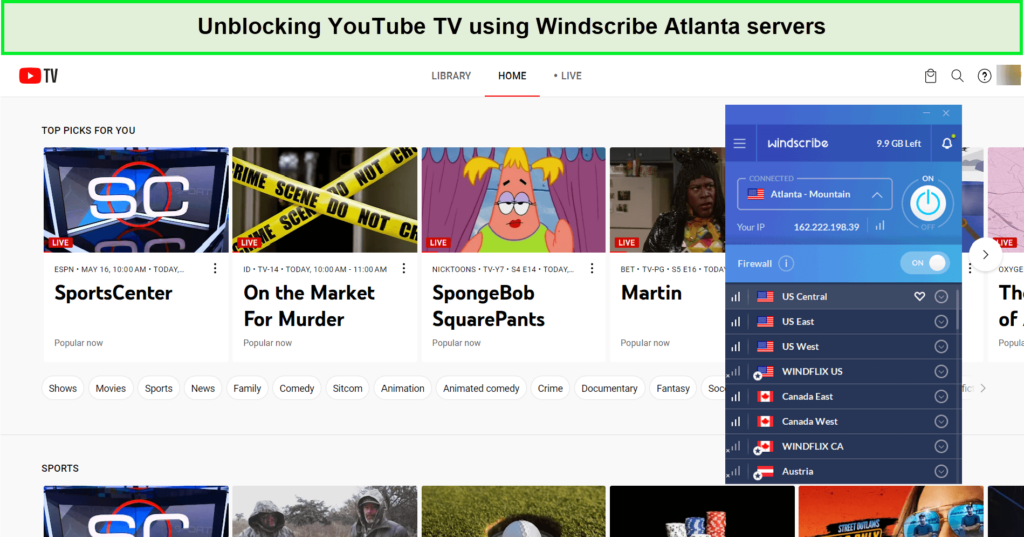
I had no trouble accessing YouTube Tv with Windscribe.
Speed
I also conducted a Windscribe speed test over a fine 100 Mbps Internet connection. The results amazed me! There was an upload speed of 34.75 Mbps. Moreover, the download speed soared to 65.21 Mbps.
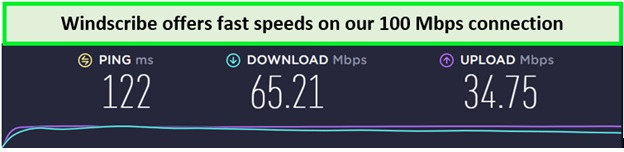
I got fast connection speeds with Windscribe.
Security and Privacy
Windscribe incorporates advanced encryption and tunneling protocols, AES-256 cipher with SHA512 authentication, and a strict no-logs policy.
Ease of Use
Moreover, you can use this VPN with multiple devices and operating systems. Also, you can set up Windscribe on a Wifi router and secure all your Internet-connected devices. Windscribe has specific applications for Linux, Windows, Android, iOS, and macOS devices. Moreover, you can use it on Kodi, Roku, Firestick, and gaming consoles too.
You also get 24/7 customer support to ask for help if the VPN is not working great for you.
Price
Windscribe offers only 11 servers and 10 GB of data for a Windscribe free trial. However, to unlock all the features and access the VPN completely, you need to get the paid subscription and upgrade to the premium plan.
Also, there is a refund policy of Windscribe, so you may cancel Windscribe subscription at any time if you are unhappy with the results.
Check out more about this best free VPN for Youtube TV in my Windscribe review here.
- Dedicated “Windflix” servers for streaming
- Bypass geo-restrictions on popular platforms
- Strong encryption and security protocols
- Supports multiple devices simultaneously
- Unmetered bandwidth for premium users
- User-friendly interface
- Limited server locations for free users
- Possible occasional connection drops
3. ProtonVPN – Best Free VPN For YouTube TV with Unlimited Bandwidth

- Freemium Version to the Users
- Users can Cancel at any Time
- In-built Kill Switch
- Multi-Hoping Capability
- OpenVPN and IKEv2(For Mac)
- Tor Servers
ProtonVPN is a free VPN with unlimited bandwidth for YouTube TV. It comes with multiple advanced security features so you can easily access YouTube TV without any hassle.
Servers
ProtonVPN offers 6000+ servers in 98 countries; it also provides 5 servers free of cost, including the one for the USA.
Unblocking capabilities
I tested ProtonVPN’s unblocking capability by connecting to the US server and then trying to stream YouTube TV. I got the connection quite instantaneously, and soon after that, I could access all the content on YouTube TV.
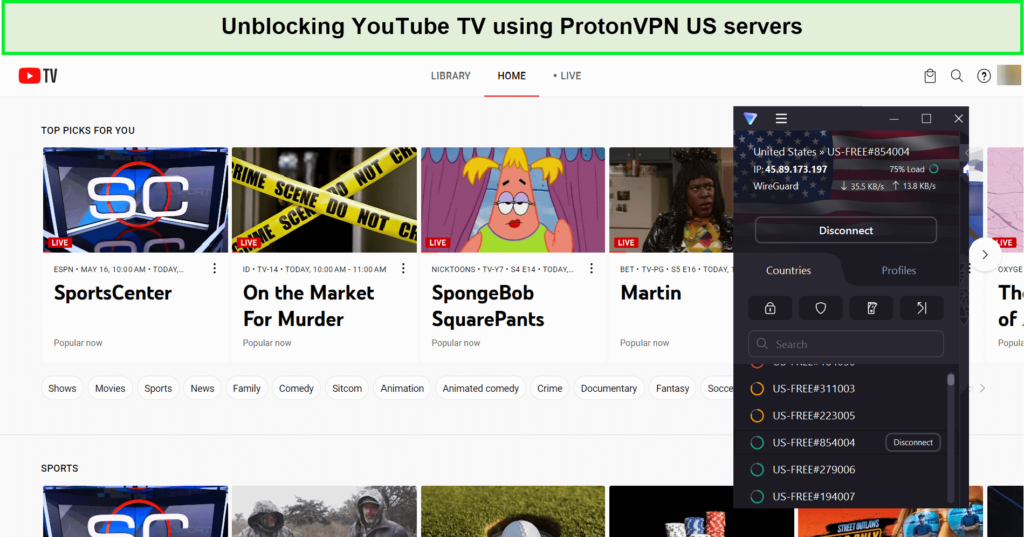
I could easily unblock YouTube TV with ProtonVPN.
Speed
The ProtonVPN speed test brought incredible results over a 100 Mbps Wifi connection. I reached the download speed of 75.59 Mbps, and the upload speed soared to the level of 89.59 Mbps.
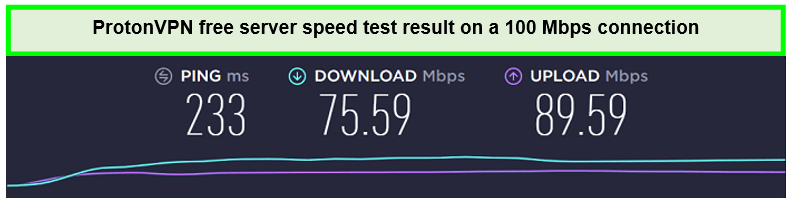
I got respectable results in my Proton VPN speed test.
Security and Privacy
Now, the point is, “Is ProtonVPN safe to use?” ProtonVPN employs robust AES-256 encryption, a strict no-logs policy, and secure protocols like IKEv2/IPSec and OpenVPN. These high-level security measures ensure that users’ data remains safe from prying eyes, providing a secure environment for streaming and browsing.
Ease of Use
ProtonVPN comes with apps for the most popular operating systems, including Android, Linux, Windows, iOS, and macOS. It is also compatible with many streaming devices, including Firestick, Kodi, smart TVs, laptops, desktops, smartphones, and more.
Also, you may setup Roku with ProtonVPN. Also, you may configure it on your router for an overall VPN connection on all your devices. Also, you get 24/7 customer support to ask for any VPN-related problem.
Price
ProtonVPN offers a plus plan through which you can unlock all its features. There is also a ProtonVPN free trial feature available.
In case you are unsatisfied with the feature’s performance, there is also a ProtonVPN refund policy for you.
Know more about ProtonVPN in my ProtonVPN review here.
- Dedicated streaming servers for Plus plans.
- Bypass geo-restrictions on popular platforms.
- Strong encryption and security protocols.
- Strict no-logs policy.
- Based in privacy-friendly Switzerland.
- Supports multiple devices simultaneously.
- User-friendly interface.
- Free version available with unlimited bandwidth.
- No dedicated streaming servers for free users.
- Slower speeds compared to some competitors.
Comparison of Best Free VPN for YouTube TV
This comprehensive side-by-side comparison breaks down the key features of each free YouTube TV VPN to help you quickly compare and decide on the free VPN for YouTube TV:
| VPNs |  |
 |
 |
|---|---|---|---|
| Rating | 9.8/10 | 7.4/10 | 6.8/10 |
| No of server locations | 105 countries | 11 free servers | 5 countries |
| USA Servers | Available | Available | Available |
| Download Speed (out of 100 Mbps) | 89.42 Mbps | 65.21 Mbps | 65.12 Mbps |
| Monthly data | Unlimited | 10 GB | Unlimited |
| Performance with YouTube TV | Excellent | Good | Average |
| Logging policy | Keeps No logs | Keeps No logs | Keeps No logs |
| Simaltenous Connections | 8 | Unlimited | 1 on the free plan |
| Official Website | Visit Site | Visit Site | Visit Site |
How Do I Choose the Best Free VPN for Streaming YouTube TV?
To find the best VPN for streaming YouTube TV, I’ve established a set of criteria to evaluate each service:
- Unblocking Capability: The VPN must effectively unblock YouTube TV and provide access to geo-restricted content.
- Server Network: A vast network with multiple US servers is essential for a reliable connection and optimal streaming performance.
- Speed: High-speed servers with unlimited bandwidth are crucial to avoid buffering and enjoy high-quality streaming.
- Security: Strong encryption and security features like a kill switch and DNS leak protection are necessary to maintain online privacy while streaming.
- Privacy Policy: A strict no-logs policy ensures that the VPN provider does not store identifiable user data.
- Ease of Use: User-friendly apps for various devices, including mobile and desktop platforms, enhance the streaming experience.
- Customer Support: Efficient customer support is vital for resolving any issues promptly.
By carefully examining these factors, I confidently selected the best free VPN for YouTube TV streaming, ensuring users have a secure, fast, and reliable viewing experience.
How to access YouTube TV with a free VPN?
Accessing YouTube TV with a VPN is straightforward. Here’s how you can do it:
- Choose a reliable VPN provider with servers in the USA. I recommend Windscribe or ExpressVPN’s free trial.
- Download and install the VPN app on your device.
- Open the VPN app and sign in using your credentials.
- Connect to a VPN server located in the USA to obtain a US IP address.
- Once connected, navigate to the YouTube TV website or launch the app.
- You should now be able to access the full range of YouTube TV content as if you were in the USA.
What Can I Watch on YouTube TV?
YouTube TV provides a diverse range of content, offering over 90 channels in its standard subscription. Here are some of the most popular networks available:
- ABC
- BBC America
- CBS
- Disney Channel
- ESPN
- FOX
- MLB Network
- NBC
- SyFy
- TNT
Free VPNs to Avoid for YouTube TV
While there are several reliable free VPNs available, some services may not provide the level of security, privacy, and performance required for streaming YouTube TV. Here are a few free VPNs that I recommend avoiding for YouTube TV:
HOXXVPN
HOXXVPN is a free VPN service that has raised several concerns related to security and privacy. With a limited number of server locations, users may experience slow speeds and buffering while streaming YouTube TV. Additionally, HOXXVPN has been reported to log user data, which could potentially compromise your privacy.
Learn more about this provider in my HOXXVPN review.
HolaVPN
HolaVPN is a peer-to-peer VPN service that has drawn criticism for its controversial practices. Rather than using dedicated servers, HolaVPN relies on its users’ devices and bandwidth to route traffic, which may result in poor performance and connection speeds. Furthermore, HolaVPN has faced allegations of selling user bandwidth and using their devices maliciously.
Learn more about this provider in my HolaVPN review.
Hidemyass
Although Hidemyass offers both free and paid VPN plans, its free version comes with significant limitations that make it less suitable for streaming YouTube TV. With a restrictive data cap of 10GB per month and limited server locations, users might experience slow connection speeds and difficulty bypassing geo-restrictions.
Learn more about this provider in my HideMyAss review.
FAQs: Best Free VPN for YouTube TV
Can I use a free VPN for YouTube TV to bypass geo-restrictions?
Yes, you can use a free VPN for YouTube TV to bypass geo-restrictions. You just need to sign up for the best VPN for YouTube TV VPN that has servers in the US. By connecting to a US server, you can access the content on YouTube TV as if you were physically present in that region.
However, not all free VPNs provide equal levels of performance and dependability. For an uninterrupted streaming experience, it’s best to opt for a trustworthy free-trial VPN like ExpressVPN, which offers a wide range of server locations, swift connection speeds, and strong security features.
What are the limitations and restrictions of using a free VPN for YouTube TV ?
Using a free VPN for YouTube TV comes with limitations and restrictions. Free VPNs are vulnerable to DNS, IP, and WebRTC leaks, which can expose your real IP address to geo-restricted streaming sites like YouTube TV. For an uninterrupted streaming experience, opting for a trustworthy free-trial VPN like ExpressVPN is best.
Is it Legal to Use a VPN for YouTube TV ?
Yes, it is legal to use a VPN for YouTube TV; many users turn to VPNs to watch their favorite content on YouTube TV while traveling outside the United States. Although using a VPN breaches YouTube TV’s Terms of Service regarding geo-restrictions, the platform typically responds by blocking VPN servers rather than pursuing legal action against users.
Do you need a Smart TV for YouTube TV ?
No, YouTube TV offers flexibility with its range of compatible devices. You can stream your favorite content using the YouTube TV app on various platforms, including Android, iOS, Roku, Amazon Fire TV Stick, Chromecast, and gaming consoles like PlayStation and Xbox.
How do I use ExpressVPN’s free trial for YouTubeTV?
To use ExpressVPN’s free trial for YouTube TV, follow these simple steps:
- Sign up for ExpressVPNby choosing any subscription plan.
- Download and install the ExpressVPN application on your device (computer, smartphone, tablet, or streaming device).
- Launch the ExpressVPN application and log in using your account credentials.
- Choose a server located within the United States and connect to it.
- Once connected, open your web browser or the YouTube TV app on your device.
- Navigate to the YouTube TV website or refresh the page if it’s already open.
- Enjoy streaming your favorite shows and live TV channels on YouTube TV with the added security and privacy provided by ExpressVPN.
- Remember to cancel your subscription within the 30-day.
Conclusion
Finding the best free VPN for YouTube TV is essential for a secure and enjoyable streaming experience. By carefully considering factors such as encryption, server locations, geo-restriction bypassing capabilities, speed, and price, I have shortlisted ExpressVPN, ProtonVPN, and Windscribe as the best free VPNs for YouTube TV.
Remember that free VPNs may have limitations, so choosing a reputable provider such as ExpressVPN is important to ensure your privacy, security, and overall streaming experience are not compromised. With the right free VPN, you can access and stream YouTube TV from anywhere in the world.