An IP address is a string of unique numbers that can accurately identify your geolocation. Think of it as your home address. But unlike your home address, your public IP address in New Zealand is visible to everyone online.
This can allow anyone online to potentially track you and prevent you from accessing geo-restricted content in New Zealand. Don’t believe me? Just type in “IP location finder” on Google and you’ll know exactly what I mean.
This is why it seriously pays off to Hide IP addresses in New Zealand. Today, I’ll share with you six (6) methods you can use to hide your IP address in New Zealand from hackers, governments, advertisers, and others.
So without further ado, let’s get started..
Table Of Content
How to hide IP Address in New Zealand?
Luckily, the task of hiding IP addresses in New Zealand does not look quite difficult, you can conduct it without any fuss since it does not need any rocket if you are using a right VPN service like ExpressVPN. ExpressVPN has proven to be best VPN to mask your IP and protects you from online threats as discussed in our detailed Review of ExpressVPN in New Zealand.
Through three (3) simple steps, you can achieve your mission straightaway. Here is what you can do:
- Subscribe to a VPN like ExpressVPN (Save 49%)
- Download and install the desired app on your device
- Connect to your required to hide your IP address in New Zealand and location online
Moreover, a VPN offers unbeatable advantages to its users. You can contemplate these benefits in the form of encryption, secure and anonymous torrenting; overcome region-blocking hassles in New Zealand, and so on. The advantages of availing are no different as you can attain the same kinds of benefits after altering your IP addresses.
Check out a few VPN services that may come in handy to hide IP address in New Zealand while you are online or to hide IP address in New Zealand while torrenting.
| VPN Providers | Price ($) | Special Deals | More Info |
|---|---|---|---|
|
Overall Best VPN

ExpressVPN
|
12.95
$6.67
Per Month |
Exclusive Offer
Save 49% today! |
|
|
Fastest VPN Service

Surfshark
|
12.95
$2.49
Per Month |
82% Off
2 Year Plan |
|
|
Best for Geo-Unblocking

NordVPN
|
11.95
$3.99
Per Month |
69% Off
2 Year Plan |
|
|
Feature-rich VPN

PureVPN
|
10.95
$3.29
Per Month |
81% Off
Exclusive 2 Year Offer |
|
|
Best for Private Browsing

CyberGhost
|
12.99
$2.03
Per Month |
83% Off
3 Years + 4 Months Free |
What is an IP Address
Without establishing among interconnected networks, you cannot use the internet. In this scenario, the role of IP (internet protocol) addresses becomes crucial. In nonprofessional term, IP address is the fundamental way of creating connection, defining, organizing along with delivering information packets through one point to another.
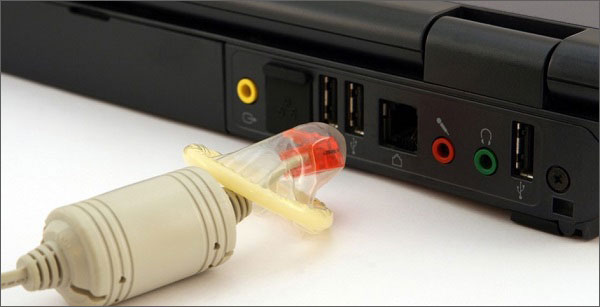
In more simple words, these are system identifiers. Likewise, version four of internet protocol (IPV4) suggests IP addresses are a 32-bit number. Therefore, every system that connects to the internet has its unique IP address.
When you use any device like your system, laptop, mobile phones, and others all have their own IP addresses. If you dig deep into the concept of IP address, these are sensitive information pieces as they disclose the location of every device to users. This is how the whole notion works practically.
Why Hiding IP Address is so important in New Zealand?
When you are connected to the internet, you are assigned an IP address by your Internet Service Provider (ISP). Your IP address in New Zealand acts as your virtual identity and represents you in the virtual realm. Make no mistake, it is imperative to hide IP address in New Zealand to protect it from prying eyes. You may ask, why? Let me describe you in a bit of detail:
- Your IP address can be used to locate your geographical location. Would you want that?
- Your IP address, if targeted, can reveal your identity. Would you want any stranger to check on what you have browsed over the past few months?
- Your IP address can be used to track your current and past browsing and downloading activities.
- Your IP address, if tracked, can be used against you.
There are numerous reasons to hide IP address in New Zealand. Here is the list of major reasons that encourage users to spoof their IP addresses:
Change your location
If you want to mask IP address online in New Zealand, you must change your location. Yes, you have read it correctly. This is because you may assume your IP addresses as street addresses that educate internet protocol where to send requested information packets.

Surprisingly, IP addresses keep following information that includes:
- Country
- Region
- City
- Zipcode
- Longitude & latitude
Also Read:
Overcome IP blockages
The official authorities take huge benefit of your IP addresses in New Zealand. They can identify your exact online location through your IP address. As a result, they are able to block your access to certain information.
IP address blocking issues are on the higher side. As the government in countries like Russia, UK, China, the US, and others restrict their users from accessing specific sites. Hence, the spoofing act comes to rescue you in these circumstances.
Bypass IP Bans
You can negate IP bans after masking your original IP addresses in New Zealand. Through IP bans, various streaming service performs the task of geo-restriction hassle-free. Thus, you have to alter your IP locations in order to unblock your preferred media streaming sites in New Zealand.
Secure from Targeted Attacks
When it comes to hiding IP addresses free online in New Zealand, you should rely on the best IP Masking VPN in New Zealand. By doing so, you can protect yourself from various concerns like cyber-bullying and cybercriminals attacks. When you change your IP addresses, you can reduce cyber-attack risks on your systems to another level.
Make you Anonymous Online
In the last but not the least, IP masking approaches offer you the desired level of anonymity over the internet. This is how you can secure your crucial information from online snoopers, ISPs, and data surveillance agencies.
There is no denying anonymity has become a need of the hour that can only be fulfilled once you hide your IP address in New Zealand online.
| VPN Providers | Price ($) | Special Deals | More Info |
|---|---|---|---|
|
Overall Best VPN
ExpressVPN
|
12.95
$6.67
Per Month |
Exclusive Offer
Save 49% today! |
|
|
Fastest VPN Service
Surfshark
|
12.95
$2.49
Per Month |
82% Off
2 Year Plan |
|
|
Best for Geo-Unblocking
NordVPN
|
11.95
$3.99
Per Month |
69% Off
2 Year Plan |
|
|
Feature-rich VPN
PureVPN
|
10.95
$3.29
Per Month |
81% Off
Exclusive 2 Year Offer |
|
|
Best for Private Browsing
CyberGhost
|
12.99
$2.03
Per Month |
83% Off
3 Years + 4 Months Free |
6 Methods to Hide Your IP Address in New Zealand & Stay Anonymous
Interestingly, you can also adapt to other approaches that allow you to alter your IP addresses in New Zealand. Here is the list of different methods that consists of:
- Use Proxies
- Opt TOR
- Select Mobile network
- Use Public Wi-Fi
- Unplug your Modem
- Contact Your ISPs
Use Proxies
Proxies do help users in changing their IP addresses in New Zealand. However, the only download that relates to proxies is its slow performance. These work just like a bridge that allows you to pass your internet traffic easily. Furthermore, it passes your information to the required destination.
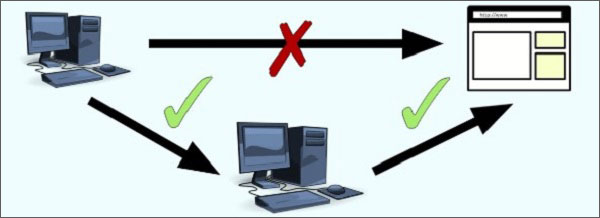
Proxies take charge of your connection by interrupting your online traffic. Still, VPNs outperform proxies by a long distance in terms of speed and security. Likewise, proxies do not encompass spoofing like VPNs that protect all your data.
Opt TOR
“The Onion Router” is another freemium way of hiding your IP addresses in New Zealand stress-free. It helps you to connect to the volunteer-operated server’s network. Hence, you can avail of new IP addresses as VPN provides. In addition, TOR offers other advantages to its users as they can gain access to their desired sites that are unreachable with normal browsers.

However, it has turned out to be safe havens for cybercriminals as they can use TOR for accomplishing their illegal needs. Unfortunately, it also irritates its user through its slow loading time problems. Lastly, it is not foolproof too because governments can make use of its loopholes next level
Select Mobile Network
Similarly, you can use cell phone data to change your IP addresses in New Zealand. At the cost of your privacy, you may carry out this function. Hence, you can obtain an entirely different IP address in the end. If you rely on your mobile data, chances are that you are eyeing for short term solutions.

Image Credit: PCSteps
Use Public Wi-Fi
By connecting to public Wi-Fi networks, you can achieve your IP address alteration objective in New Zealand. Still, you will have to anticipate different downsides while using this method. The said approach does not encrypt your internet traffic nor makes you secure and invisible online.
Unplug your Modem
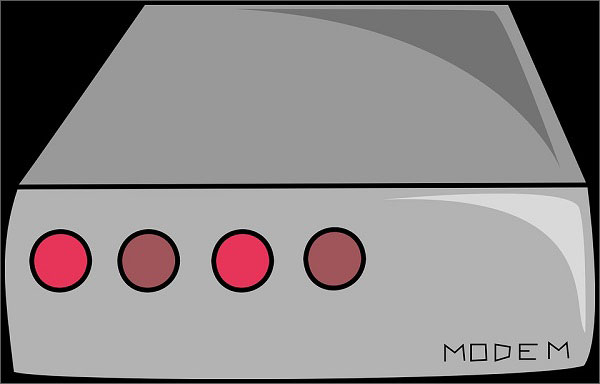
You can unplug your modem for a short while. As a result, you can change your IP addresses in New Zealand after reconnecting it. Here is how you can unplug your modem:
- Open command prompt as administrator and type ipconfig/ release hit enter
- Write ipconfig/ renew and hit enter again
- Turn off your system and shut down all your Ethernet hubs and switches
- Unplug your cable/modem for a long time as much as you can wait
- Turn on to see the magic by getting a brand new IP address
If you have connected your Windows devices through the router, you should follow below-mentioned steps:
- Provides your credentials to log in to your router’s admin console and release the IP address
- Turn off your system and shut down all your Ethernet switches or hubs
- You should unplug your cable/ DSL modem
- Wait for a brief period
- You can see the magic by observing a new IP address
Contact Your ISPs
You can change your IP addresses by forcing your ISPs to provide you dynamic IP address benefits. After contacting your ISPs, you can get your job done. Sadly, this track may not work in your favor all the time but may work most of the time for you.
Hide IP Address in New Zealand for Torrenting
Torrenting may be legal in some countries, but the Western countries and the copyrights advocates are doing their best to put an end to online piracy. Some European countries and the United States are fighting hard to keep the users away from downloading copyrighted material through torrents and they have already put many individuals behind the bars for violating copyright law.

It is important to hide IP address in New Zealand while torrenting if you decide to download something. Though I do NOT recommend the users to download the copyrighted material, if they are doing it they should be extra careful and be watchful of the snoopers and surveillance agencies. The users, though, can make use of VPN for torrenting in New Zealand to hide IP address.
Hide IP Address in New Zealand for Online Gaming
Have you ever been DDoS attacked by your opponent because you were winning? If you are a pro-gamer, you must be aware of the common struggles of an online gamer. A Virtual Private Network can help you with hiding IP address online in New Zealand by simply connecting you to a different server and assigning you a different IP address.
What good would it do, you may ask? Let me describe it to you in detail. Connecting through a different server via a best gaming VPN in New Zealand may not only reduce your gaming lag, but it can also save you from the unwanted DDoS attacks. Should the thought of attacking your IP cross your opponent’s mind, he will end up being frustrated because of not being able to locate your original and pseudo IP address.
Different Countries IP Addresses:
- Get a Hungarian IP Address in New Zealand
- Get a Malaysian IP Address in New Zealand
- Get a Georgian IP Address in New Zealand
- Get a Cyprus IP Address in New Zealand
- Get a Romania IP Address in New Zealand
- Get a US IP Address in New Zealand
- Get a Indian IP Address in New Zealand
- Get a Peru IP Address in New Zealand
- Get a Luxembourg IP Address in New Zealand
- Get a Estonian IP Address in New Zealand
- Get a Israel IP Address in New Zealand
- Get a Switzerland IP Address in New Zealand
FAQs
How to hide IP address in New Zealand on Mac Safari
You can hide your IP addresses on Mac in New Zealand with a VPN, TOR, proxy server, public Wi-Fi, and mobile networks. To change the IP address on Safari, follow below described steps:
- Open Safari and select preferences
- Go to advanced>proxies>settings>HTTP
- Avail a new IP address through a free proxy service
- Copy and paste the IP address along with the port number
- Press OK and apply
How to hide IP address on iPhone free in New Zealand
The same goes for the iPhone too. You can select a VPN to mask your IP addresses in New Zealand instantly. You can choose proxies, TOR, mobile networks, public Wi-Fi and other approaches to change your IP addresses.
How to hide IP address in New Zealand in Windows 7 using VPN free?
You can use a VPN to change your IP address in New Zealand on Windows by subscribing to your desired VPN service. Once you have downloaded the VPN app, you can connect to the VPN server of another country to alter your IP address.
How to hide IP address in New Zealand to play online games?
You can use a VPN that changes your IP address in New Zealand completely. By doing so, you can play online games securely and anonymously.
Wrapping Up
How to hide IP address in New Zealand is surely the next big thing in the coming future. This act is included in one of those security measures that you take to secure your privacy. As I said earlier, using a VPN is one of the best ways to hide your IP addresses from several surveillance factors.
I sincerely hope that my efforts will surely reap your rewards in exploring the real benefits of changing your online locations.
It is time for me to drop the mic, Adieu. Please tell me about the experiences you incur while altering your IP addresses in New Zealand.