When people usually hear about Ivacy’s feature-packed apps and affordable prices, they question: Is Ivacy VPN legitimate in Australia? Well, yes, it is. We confirmed this in our Ivacy VPN review Australia!
Ivacy is among the few premium VPNs in Australia that offer value for money. For starters, Ivacy offers a legitimate no-logs policy. It also boasts an extensive server park comprised of 3500+ servers in 100+ countries across 180 locations, Including 4 servers located in Australia that work with both Netflix and torrenting in Australia.
Despite costing only AU$1.53/mo (US$ 1/mo) for its 5-year plan, Ivacy offers compatibility on multiple devices and additional security features like Kill Switch, Split Tunneling, OpenVPN (TCP/UDP), and recently added WireGuard protocol.
All in all, Ivacy deserves a flawless rating. However, the fact that it is based in Singapore (which is a corporative member of the 5 Eyes Alliance), is not compatible with Tor in Australia, and also has a cumbersome refund policy, is exactly why this service managed to achieve a 4.0/5.0 stars rating in this Ivacy VPN review Australia 2023.
Ranked #6 out of 56 VPNs
We have spent thousands of hours and days testing 160+ VPN services using our carefully curated testing process to recommend you the best VPN. Here are a few statistics:
-
 Total Hours of Testing1000+
-
Weekly Speed Tests110
-
VPN Services Reviewed160+
-
Streaming Platforms Tested Daily50+
-
IP & DNS Leak Tests Performed100+
-
How Much we have spent on testing$30,000+
 Total Hours of Testing1000+
Key Findings – Ivacy VPN Review Australia
Let’s have a quick overview of our findings after conducting our Ivacy VPN review Australia:
- Pricing in Australia – You can get this VPN at a super-affordable cost of AU$1.53/mo (US$ 1/mo) by opting for its 5-year plan.
- Servers and Locations – We discovered that Ivacy’s servers are spread across 100 countries and work great for streaming, torrenting, and gaming.
- Security Features – All security features of Ivacy were tested to be robust; a kill switch, no-logs, and encryption.
- Speed and Performance – We tested Ivacy’s speeds on our 100 Mbps connection and faced an average speed drop of 30-35%.
- Streaming in Australia – As Per our tests, Ivacy works excellently with Netflix, Hulu, BBC iPlayer, and other streaming services in Australia and lets you enjoy their content in HD.
- Torrenting in Australia – Suitable for torrenting in Australia since it offers an optimized server and fast speeds.
- Compatibility – We installed Ivacy on multiple devices/OSes, and turns out that it easily works on macOS, iOS, Windows, FireStick, Android, Roku, and more.
- Installation and Ease of Use – Easy-to-use apps on most devices.
- Bypass Censorship – Works well in China as per Ivacy customer support claim.
- Customer support – It offers multiple customer options, including 24/7 live chat, which is simply outstanding!
- Server network is decent
- Affordable price
- Unblocks American Netflix, Hulu, and BBC iPlayer
- Allows torrenting
- Accepts payments through cryptocurrency
- 24/7 live chat support
- Headquarters is not in a privacy-friendly jurisdiction
- It doesn’t offer a kill switch on iOS devices
Pricing – How Much Does Ivacy VPN Cost in Australia?
Ivacy is a cost-effective VPN service starting at just AU$1.53/mo (US$ 1/mo) . Here’s an overview of the plans offered by Ivacy VPN in Australia:
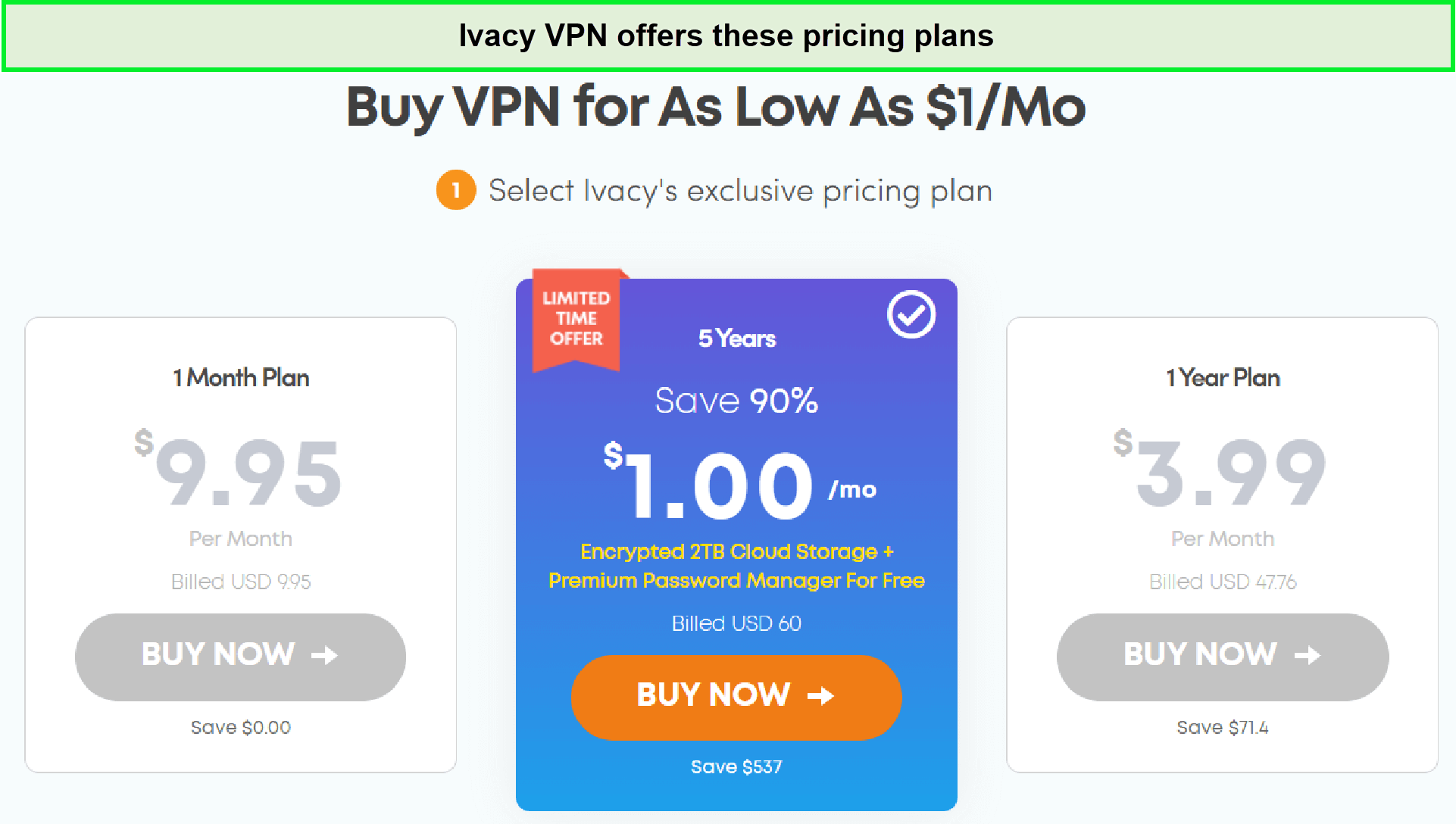
Ivacy’s long-term plans are affordable.
This provider offers three basic subscription plans, which are listed in the table below:
| Pricing Plans | Monthly Price | Total Price |
|---|---|---|
| 1-month plan | AU$14.70/mo | – |
| 1-year plan | AU$5.17/mo | AU$62.06 |
| 5-year plan | AU$1.53/mo (US$ 1/mo) | AU$88.66 |
With every subscription, there are also multiple security add-ons available. These include Dedicated IP (costing AU$2.94/mo) and port forwarding (costing AU$1.48/mo).
As a frequent VPN reviewers in Australia, we rarely come across services that provide budget-friendly rates for quality service. Ivacy is an exception to this norm. If you think that the monthly prices are too expensive, you can always opt for Ivacy’s cheapest plan of AU$1.53/mo (US$ 1/mo) , however, the catch is its the VPN’s 5-year plan. In fact, if you’re pleased with its services, you can go for Ivacy VPN’s lifetime subscription too. How cool is that?
This VPN has all the advanced tools to protect your online privacy. More interestingly, Ivacy VPN also offers a free trial in Australia, making it super hard to resist.
Payment Methods
The VPN provides multiple payment modes in Australia, including Card payments, PayPal, BitPay, AliPay, Perfect Money, and Paymentwall. Even more impressively, you can pay via multiple cryptocurrencies, including Bitcoin.
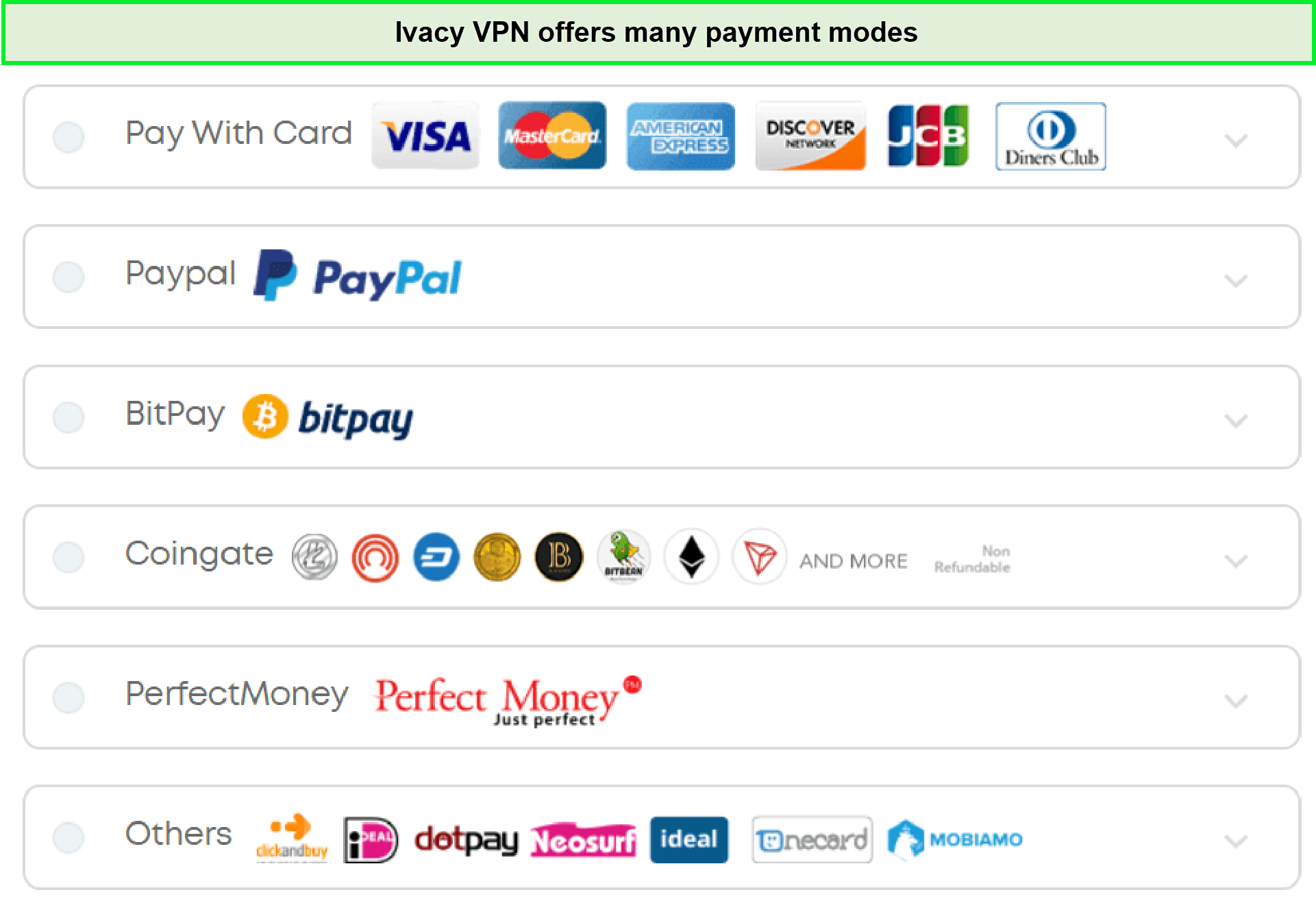
Ivacy accepts payment through a bunch of channels.
Refund Policy
Even though Ivacy is quite affordable, we’re not big fans of its refund policy. Despite advertising a 30-day refund, you can only claim a refund within 7 days if you’ve bought the monthly package.
In addition, you will have to fulfill these below-described requirements to get a full refund:
- Ivacy has not suspended your account due to the terms of service breach
- You did not use Bitcoin, BitPay, or any other anonymous option to pay your dues
If you fulfill the above criteria, Ivacy may start processing your refunds within two days once you have made the valid refund request after canceling your Ivacy account.
Servers and Locations – How Many Servers does Ivacy VPN have?
Ivacy’s server list consists of 3500+ servers across 100+ countries and 180+ locations, Including 4 servers located in Australia. These are outstanding numbers if you stop to consider the economical price of this VPN. Here are a few server locations from the list of servers offered by Ivacy:
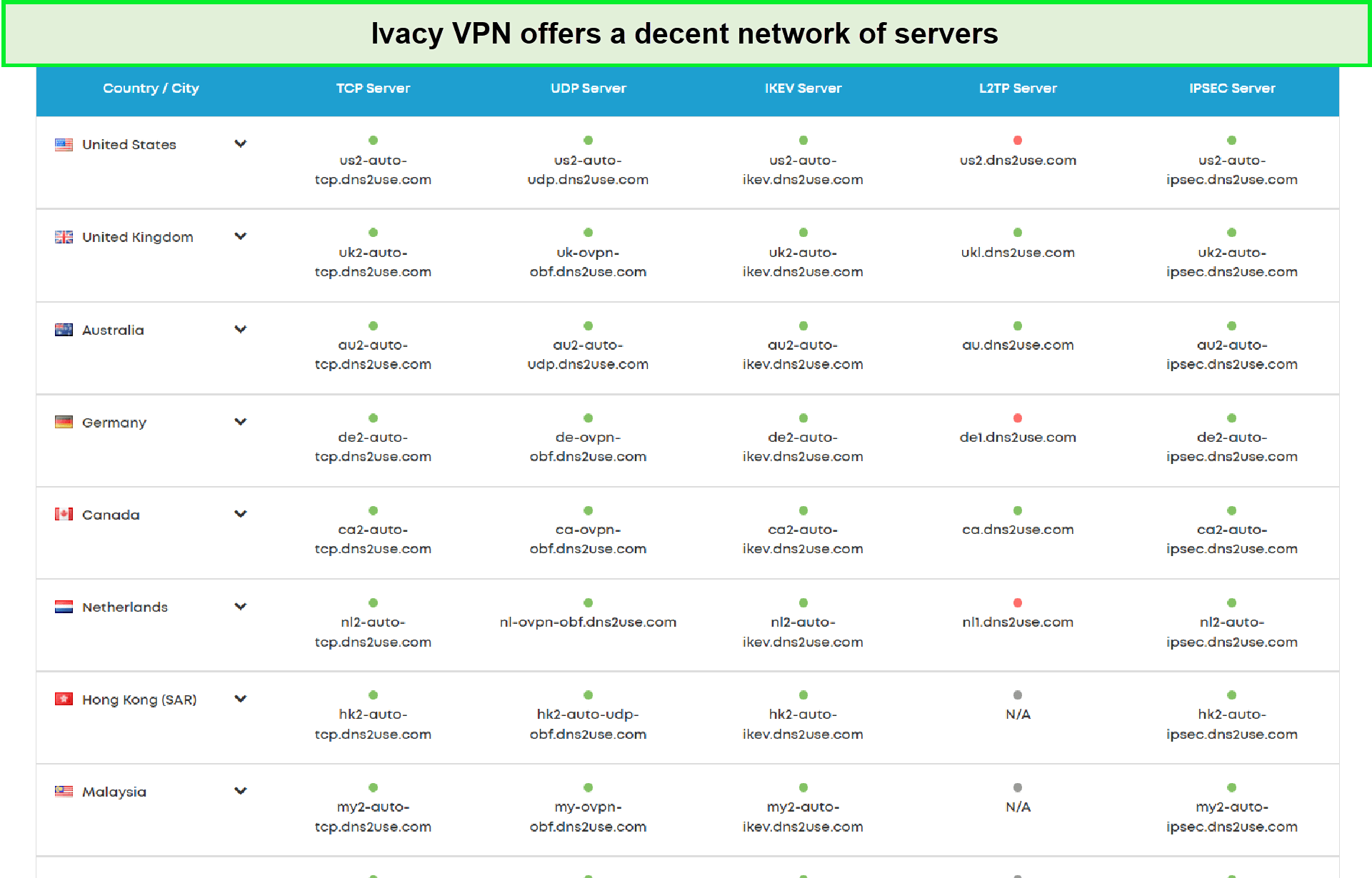
Ivacy offers the most number of servers in the US.
This extensive server network is the perfect mix of physical and virtual servers, using which you can rattle the restrictions without being noticed by your ISPs. Ivacy offers the best servers in the following countries:
| Country | Locations Count | Locations |
|---|---|---|
| United States | 13 | Phoenix, Miami, New York, Los Angeles, Chicago, Houston, New Jersey, Atlanta, Ashburn, San Francisco, Washington DC, Salt Lake City, Seattle |
| United Kingdom | 2 | Manchester, London |
| Canada | 3 | Vancouver, Toronto, Quebec |
| Australia | 4 | Brisbane, Melbourne, Sydney, Perth |
| Greece | 1 | Athens |
| Germany | 1 | Frankfurt |
| India | 1 | Mumbai |
To access Ivacy’s server locations list, you need to click the toggle saying ‘Automatic.’ Once you do that, you’ll find the entire list of servers.
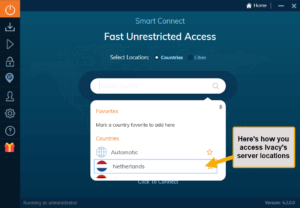
After choosing a location, click the power button to connect.
However, we encountered one minor issue – it took an unusual amount of time to connect to Ivacy’s servers. It didn’t matter how far or close the location was – it almost took 25 seconds to connect to a VPN server.
Moreover, we faced several issues while connecting to its Australian server. During our tests, we couldn’t connect to its Perth server location, which was frustrating in the end.
How Is Ivacy VPN’s Privacy and Security in Australia?
In the security department, Ivacy delivers top-notch encryption and security features in Australia. It protects you over the internet and keeps you safe through its AES 256-bit encryption. However, it does lack a few features on certain devices.
Split Tunneling
Ivacy supports split tunneling only on Windows and Android devices in Australia so far.
Split tunneling allows you to establish two tunnels; one you can carry on tasks with your actual IP address and the other you can use a different IP address for streaming or any other task. For instance, you can pay your utility bills through your actual IP and stream Netflix UK through another IP simultaneously.
Simultaneous Connections
Through Ivacy you can connect up to 10 devices with a single account. As a result, you can connect your entire family’s devices through one account, and that too at the same time. Despite the simultaneous connections, you’ll receive consistent speeds on each device that’s the beauty of Ivacy VPN in Australia.
We tested the VPN’s claims by connecting our office’s devices and boy were we surprised with the results because we didn’t face any issues at all while streaming on multiple devices in Australia.
Dedicated IP
Ivacy allows the use of dedicated IPs. As a result, you can whitelist certain websites and whenever you connect to the website, you’ll be in possession of the same dedicated IP address each time. Thus, you won’t be asked to verify your identity because websites often block shared IPs.
We’ve frequently used a dedicated IP for secure banking and encountered no issues. It helped us avoid fraud and data leaks.
Secure Download
Ivacy offers an antimalware feature that ensures you don’t end up downloading any harmful software on your device. Whenever you download any file, Ivacy’s antimalware feature monitors it in real time so you can avoid any serious threats in the near future.
Encryption
Ivacy uses military-grade AES 256-bit encryption. It means your plaintext data is concealed using the AES 256-bit algorithm consisting of 256 bits key length. As a result, it’s immensely hard to crack and intercept your online data.
So, even if someone tries to intrude or snoop into your connection, it would be absolutely impossible for them to do it. In short, with this encryption standard, there’s practically no way to monitor your activities, including streaming, torrenting, and gaming.
Tunneling protocols
Ivacy offers tons of protocols to users, just like all the premium VPN services in the industry. However, they differ from one another on each device. You can choose between WireGuard, OpenVPN (UDP and TCP), L2TP/IPsec, and IKEv2 protocols on Windows. On Mac, the only available protocols are IKEv2, IPSec, and OpenVPN (UDP and TCP).
Here’s what you need to know about every protocol:
- WireGuard: This is the latest next-generation protocol that is being offered by most VPNs. It is the perfect balance of speed and security you need while using a VPN. However, Ivacy only offers this feature on Windows, iOS, and Android.
- OpenVPN (UDP & TCP): This is a pretty popular protocol amongst all VPNs. It comes with two options: UDP and TCP. The former is faster, while TCP offers a more stable connection.
- L2TP/IPSec: This is the most outdated tunneling protocol, which we don’t recommend using. Even though VPNs still offer it, there are much better protocols available for your security.
- IKEv2: This protocol is better in terms of speeds than OpenVPN. However, it’s only available on Windows, macOS, iOS, and Android.
Kill Switch
Let’s be honest for a second; VPNs tend to disconnect now and then. Now, if you’re just browsing the web, this might not be a big issue. However, if you’re torrenting in Australia, this can mean risking your privacy.
To stop your IP address from accidentally leaking, Ivacy offers a built-in kill switch, which disconnects your internet whenever you lose your VPN connection. This nifty little feature is not just a gimmick and actually works as advertised.
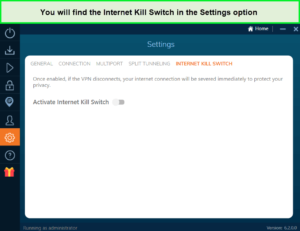
Turn the toggle On to enable the kill switch feature.
But there’s a catch – Ivacy’s kill switch is only available on Windows and Android. Moreover, while conducting an Ivacy VPN Android review in Australia, we enabled its kill switch and stayed disconnected even after reconnecting to the VPN server.
Logging Policy
Is Ivacy safe in Australia? Well, yes. In fact, Ivacy follows a solid no-logs policy. More specifically, this VPN does not store any Meta logs or activity logs.
Ivacy has done a pretty decent job of maintaining its zero-logging policy. In fact, they have done some exceptional work as compared to other VPNs in the industry. The only information that Ivacy stores are users’ names, email addresses, and payment methods. Overall, Ivacy is an actual no-log VPN service as per their privacy policy.
Leaks – DNS, IP, & WebRTC Leak Tests
Much like other premium VPNs in Australia, Ivacy passed our VPN leak test with excellence.
DNS Leak Test
This feature works to perfection, as our tests showed no DNS leak at all. Many times, Windows uses your default DNS instead of the one provided by your VPN. This can easily expose your location and identity. Ivacy’s DNS leak protection routes your request from the VPN’s DNS server. This keeps your location from being exposed.
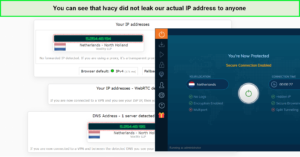
This ensured that Ivacy is absolutely safe to use!
As you can see from the screenshot above, our default IP address is nowhere to be seen.
IP Leak Test
Similarly, when we checked for IP leaks, Ivacy showed no signs of leaks. For this test, we visited ipleak.org while connected to the US server of Ivacy. As we said, Ivacy did not expose our actual IP address online.
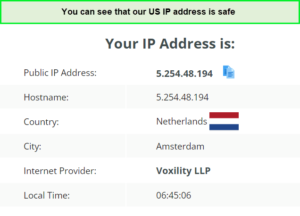
Our actual IP address was absolutely safe with Ivacy.
WebRTC Leak Test
Lastly, Ivacy also passed the WebRTC leak test without any issues. In fact, when we visited ip8.com, it only showed the IP address of the VPN server we were connected to and not our default IP address.
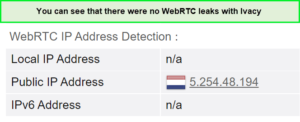
Our activities were safe while using this VPN.
Speed and Performance – How fast is Ivacy VPN?
Ivacy is quite fast in terms of speed. It does not disappoint its users on the speed front. However, the speeds mostly depend on the tunneling protocol and server location you connect to. While the download speeds were pretty solid, we faced a significant drop in the upload speeds.
For our Ivacy VPN speed review, when connected to its US servers, the VPN achieved 80 Mbps download speed and 52.51 Mbps upload speed on our 100 Mbps connection.

Ivacy VPN provided good speeds for streaming, gaming, and torrenting.
Here’s a brief table with all the speed test results compiled:
| Server Location | Download Speed | Upload Speed | Pings |
|---|---|---|---|
| Australia | 77.67 Mbps | 51.09 Mbps | 137 ms |
| Canada | 71.67 Mbps | 50.25 Mbps | 220 ms |
| Germany | 68.92 Mbps | 43.75 Mbps | 122 ms |
| Netherlands | 75.25 Mbps | 62.17 Mbps | 124 ms |
| Saudi Arabia | 62.92 Mbps | 41.84 Mbps | 482 ms |
| Switzerland | 62.25 Mbps | 41.61 Mbps | 154 ms |
| Taiwan | 73.84 Mbps | 67 Mbps | 393 ms |
| United Kingdom | 41.75 Mbps | 64.56 Mbps | 125 ms |
| United States | 80 Mbps | 52.51 Mbps | 207 ms |
The results show that while Ivacy is fast in Australia, its speeds are inconsistent across the board. However, during our evaluation, the OpenVPN turned out to be pretty good for download speeds in Australia.
The fastest servers were the ones in the United States, whereas we saw major drops in speeds using its UK server. In case you don’t want to risk it and want a fool-proof VPN with blazing-fast speeds, then we suggest you get ExpressVPN in Australia.
Is Ivacy Good for Streaming in Australia?
Yes, Ivacy is excellent for streaming in Australia. While testing, we could access multiple streaming platforms and stream content in HD without lags, stutters, or any ISP throttling which was a huge relief. We were able to watch our favorite shows without any hassle!
We were able to unblock Amazon Prime using Ivacy’s optimized servers. While using these servers, accessing multiple regions of Prime Video in Australia was easy. We could stream multiple titles from the US library without any buffering.

We could easily stream the latest Amazon Original ‘Homecoming’ on Prime Video in Australia.
Moreover, unblocking BBC iPlayer with this VPN was equally effortless. All the videos took just a few seconds to load, and we faced no lags while streaming in Australia. After unblocking this platform, we understood that Ivacy is good for unblocking US-based streaming platforms and all available options worldwide.
Does Ivacy VPN work with Netflix in Australia?
Yes, Ivacy actually unblocked US Netflix in Australia, which is seriously impressive since many VPNs fail to do so. While testing, the VPN provider functioned well and offered fast speeds so we could stream in 1080p. But, Ivacy doesn’t work with many libraries, so you might have to choose another option like the best VPNs for streaming in Australia for that.
For our streaming tests, we evaluated Ivacy with Netflix in Australia and were able to unblock 10+ Netflix libraries. All the content we played was absolutely buffer-free, and the quality did not drop below 1080p. As a result, we didn’t face any lags or issues while streaming a bunch of movies and shows.
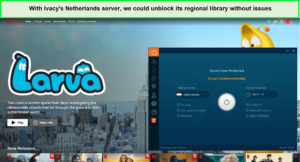
The Ivacy Netflix in Australia combo was great as we could stream all the content titles it offers in HD quality.
Is Ivacy VPN Good for Gaming in Australia?
Yes, Ivacy is a good choice for gaming in Australia as it helps you escape ISP throttling and achieve a seamless gaming experience. Using Ivacy’s static IPs, our pings were above 150ms, and we were only subjected to minimal lags. That’s why we recommend you play with the closest server location. Honestly, Ivacy is a gaming VPN that’s much better than most VPNs we tested in Australia.
We tested Ivacy’s performance by playing CS GO on our Windows device and were able to enjoy it with barely any lags. There’s a significant amount of running and shooting in this game, so the lags would’ve been noticeable. However, using the closest server location, we were able to move our character at every press of the key.
Is Ivacy VPN Good for Torrenting in Australia?
Yes, Ivacy VPN is a good VPN for torrenting. All of its servers are P2P optimized and based on our Ivacy VPN review Australia, we received high download bitrates while testing the VPN. It also includes a kill switch to avoid leaking your IP and port forwarding feature if you’re willing to get to it as an add-on.
Is Ivacy VPN Compatible with Different Devices in Australia?
Yes, Ivacy is compatible with many different devices in Australia. In fact, you can use the same credentials on 10 devices using its multi-login feature. Not only that it offers great apps with intuitive UI for iOS, Android, Windows, macOS, and even Amazon Fire devices in addition to the major platforms.
Even more impressively, it offers browser add-ons for Chrome, Firefox, and Edge. Ivacy VPN can even be manually configured on Linux, routers, and Kodi.
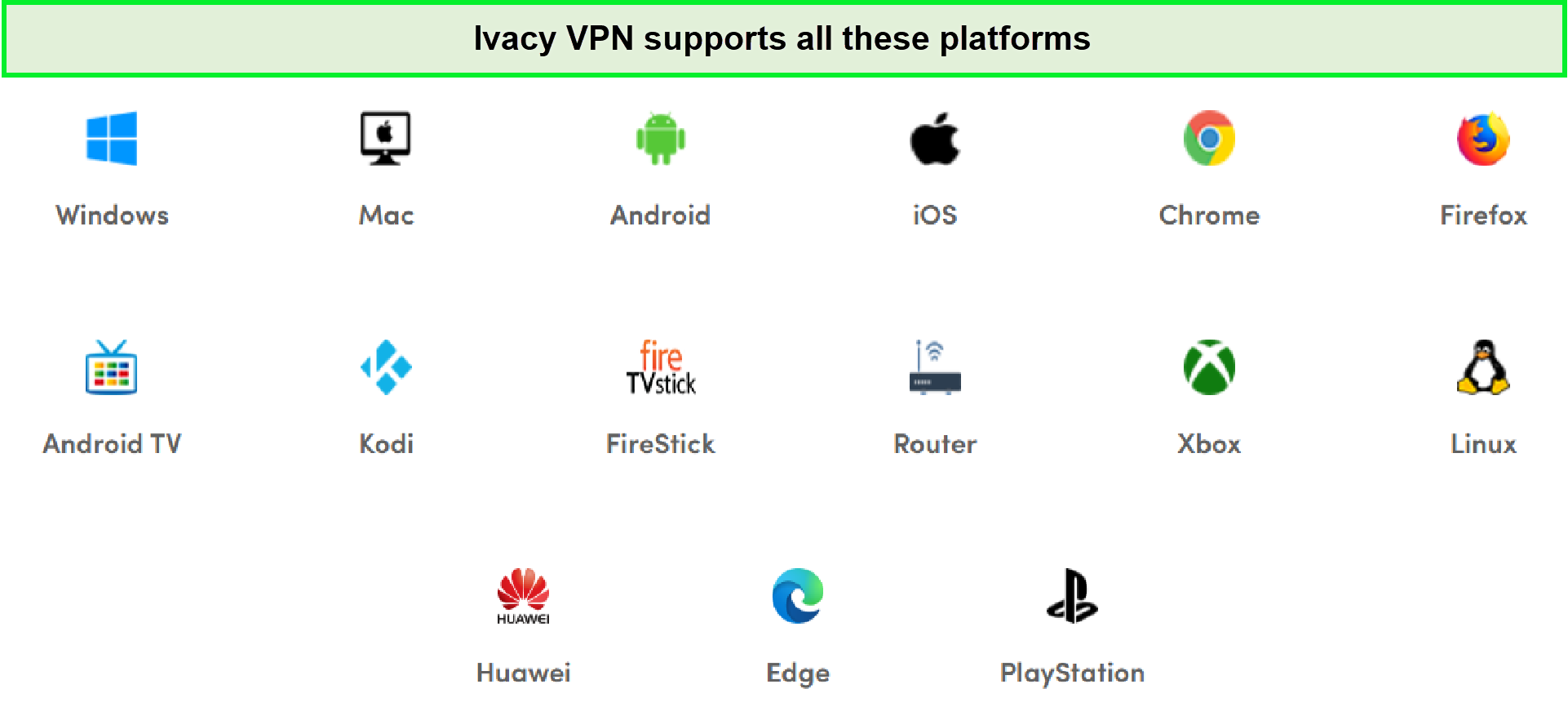
Ivacy VPN offers native apps for many devices in Australia.
We easily managed to install Ivacy VPN for FireStick in under 5 minutes. You can also configure Ivacy on Roku in Australia, but since Ivacy doesn’t offer Smart DNS, we couldn’t conduct an Ivacy VPN Smart DNS review in Australia. This is why setting it up on Roku is a little more complex than Fire TV. Overall, getting everything set up is super easy. But if any of the apps don’t work for you, you can find helpful tips in this Ivacy not working in Australia article.
Installation and Ease of Use
For your ease, we’ve tested the VPN on multiple platforms. Overall, we found the Ivacy VPN download process quite straightforward given the setups are available on its website. Once you download the VPN in Australia, you can use your Ivacy VPN login credentials to sign in and connect to any server of your liking.
Desktop Compatibility
When it comes to desktop apps, Ivacy VPN’s Windows version, as is frequently the case, has the most features. For Windows users, Ivacy has designed a sleek and user-friendly client that provides ultimate privacy with a single click.
You will find 8 navigation options on the left when you use its Windows app. These options include Smart Connect, Secure Download, Streaming Unblocking, and Dedicated IP.
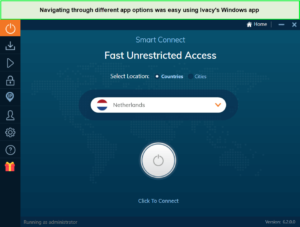
You can go through its options by using the left-side panel.
The Mac app, on the other hand, although it looks similar, lacks a kill switch feature and split tunneling feature. While not offering a split tunneling feature is okay, a kill switch is absolutely necessary to protect your IP and location if your VPN connection is lost.
Thanks to an excellent interface, the apps are simple to use. However, we don’t like the fact that you can’t change the location until you’ve disconnected from the server. The same holds for any settings adjustments.
Mobile Compatibility
Regarding mobile app compatibility in Australia, its iOS app is disappointing, to be honest. We’re saying this because it only offers the freedom to choose between IKEv2 and L2TP/IPSec protocol, both of which are dated by today’s standards. The Android app of Ivacy in Australia is far better. However, both clients share a similar general appearance and feel.
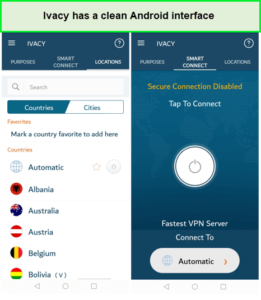
You will find the entire list of servers with a single click.
The Android app in Australia offers protocol selection, split tunneling, and multi-port functionality. It also allows users to choose servers by their needs, including streaming, safe downloading, or unblocking, making it very user-friendly. In conclusion, Ivacy VPN mobile apps are simple to use. Although, this is partly caused by a lack of features.
Browser Compatibility
After our Ivacy VPN app reviews Australia, we moved on to its browser extensions. Not a lot of VPNs nowadays offer browser extensions. However, that is not the case with Ivacy, and we love it!
Ivacy VPN offers extensions in Australia for Chrome, Firefox, and Edge. However, there aren’t many features available in the extensions. Besides a quick IP change, while browsing, you won’t be able to tweak or use any other features that are exclusively available in the desktop or mobile apps.
As for the UI, the flag of the country you’ve connected to is displayed on the icon, which is useful and informative, and we liked that. The size of the extension is just 6.0MiB, making it lightweight, and it’s updated frequently.
Bypass Censorship
In our Ivacy VPN review Australia, we also tested if the VPN was capable of bypassing censorship in countries with restrictive laws like China, Oman, Qatar, and many other countries. You never know if your next business trip could be to any of these countries without a VPN, and we doubt you’ll be able to survive without a VPN.
Does Ivacy VPN Work in China?
Surprisingly, yes it does. Compared to a number of VPNs out there, Ivacy does work in China. We could hardly believe it so we had to confirm the claim by talking to one of the customer support agents of Ivacy. You can see our conversation right below:
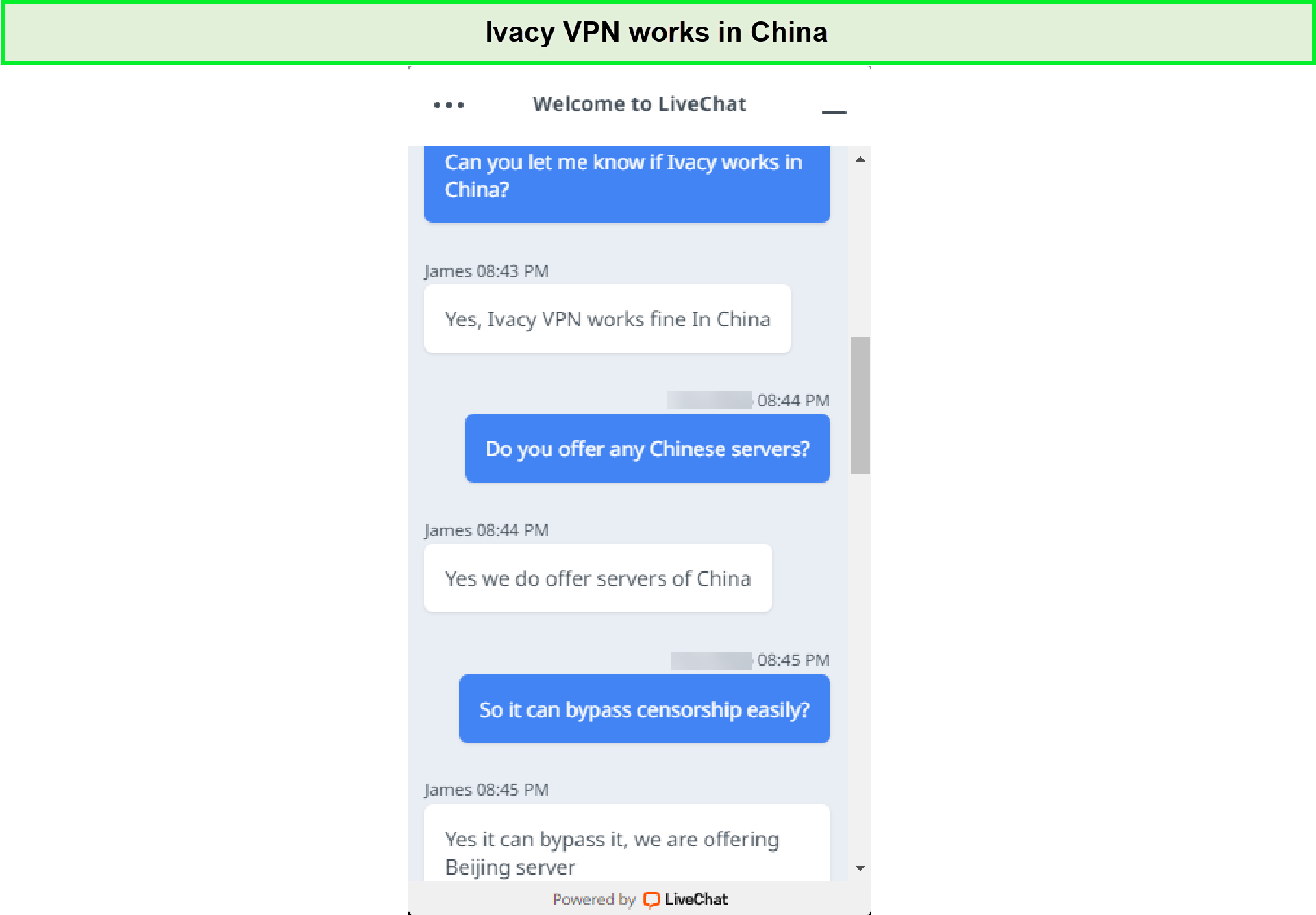
Ivacy customer support told us the VPN works well in China.
So we believe Ivacy VPN is one of the few VPNs that are still working in China and haven’t been banned by the country yet so far. Perhaps you can reach out to a Chinese friend of yours who can help you give solid information if Ivacy’s claims are indeed valid about bypassing censorship in China.
All in all, in case you run into any issues you can reach out to Ivacy customer support. You may also refer to Ivacy’s guide for using the VPN in China.
Ivacy VPN Review Australia – Customer Support & Reliability
| Support Type | Availability |
|---|---|
| 27/7 live chat | ✅ |
| Articles/guides | ✅ |
| Phone support | ❌ |
| ✅ | |
| FAQs | ✅ |
In terms of customer support, Ivacy offers one of the most comprehensive customer support systems in the industry. The provider has a thorough knowledge base comprised of guides, technical information, and other relevant data about VPN in Australia.
In addition to comprehensive guides and tutorials, Ivacy also offers a 24/7 live chat feature which we got to test out on a few occasions. In reply to most of our queries, the agent provided us with an in-depth answer that directly addressed our concerns. Overall, we found the customer support of the VPN to be flawless.
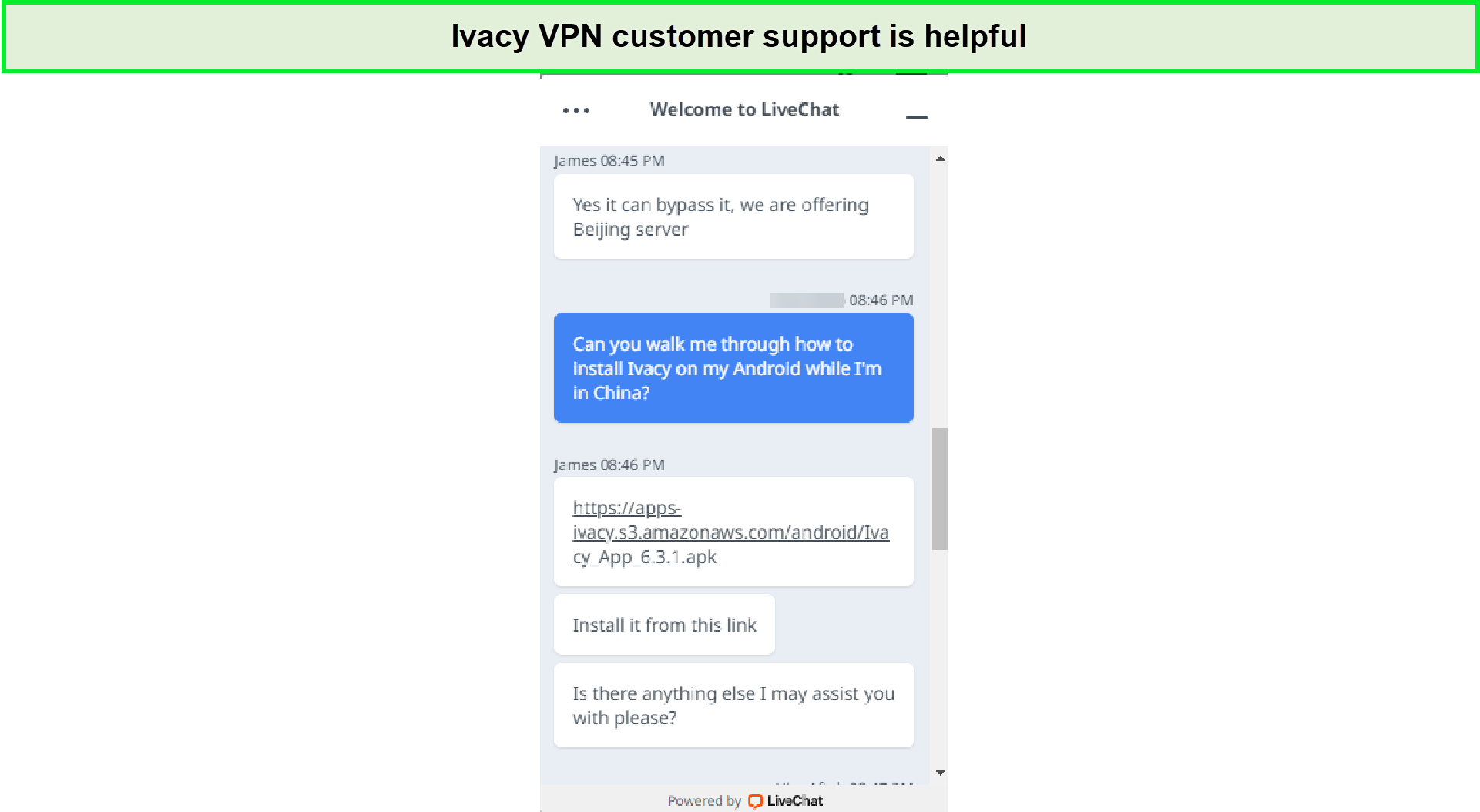
We found the Ivacy customer support pretty impressive.
If you don’t wish to use the live chat support option, you can get some useful information by reading their FAQ section, which is mentioned by the name of common questions on the official site.
Alternatives of Ivacy VPN in Australia
Here are other alternatives for Ivacy if you disapprove of this VPN service in Australia. Check out these services:
- ExpressVPN review Australia
- Betternet VPN review in Australia
- ZenVPN review Australia
- Surfshark VPN review Australia
- NordVPN review Australia
- CyberGhost VPN review Australia
- PIA VPN review Australia
FAQs – Ivacy VPN Review Australia
Can I use Ivacy VPN for free in Australia?
No, Ivacy VPN is a 100% free VPN that requires no subscription fee. However, you can still download and use its client apps that come with “limited functionality” such as one server only. That may be the cost of using the VPN for free and without providing any account information. Instead, you can opt for Ivacy’s free trial in Australia which is a better option.
Is Ivacy a good VPN in Australia?
Yes, Ivacy is a good VPN in Australia. It uses military-grade 256-bit encryption, doesn’t collect user logs, and provides above-average speeds. It also supports torrenting so you can definitely choose this VPN in Australia.
Will Ivacy VPN slow my speeds down in Australia?
Yes, it is likely Ivacy VPN may slow down your speeds in Australia. But it’s nothing to worry about. Most VPNs in general slow down your speeds. With Ivacy VPN in Australia, you’ll barely notice the difference in speeds as the fluctuations in the download speeds will be pretty negligible and not severe at all.
Do you have to pay for Ivacy VPN in Australia?
Yes, you need to pay for Ivacy VPN in Australia through its monthly plan which is costlier than what most competitors charge. However, if you opt for its long-term plan such as 1 year, you can avail of a huge discount and pay only AU$5.17/mo. In fact, its 5-year plan will cost you just US1.00/mo. Unbelievable right? But that’s what it is!
Final Verdict: Do we recommend Ivacy as a VPN in Australia?
Yes, Ivacy is a great VPN in Australia. The fact that Ivacy offers tons of features, affordable price plans, excellent compatibility with Netflix/torrenting in Australia, and incredible customer support makes it totally worth the AU$ 1.53/mo (US$ 1/mo) price. We also found its features list and performance to be in part with some of the industry’s giants.
However, at the time of writing this Ivacy VPN review Australia, we encountered a few issues that we wish didn’t exist. For instance, the fact that Ivacy is based in Singapore is a bit of a letdown for us. Aside from that, we also found Ivacy’s refund policy to be rather cumbersome.
Based on the already covered pros and cons, Ivacy achieved a 4.0/5.0 stars rating in this Ivacy VPN review Australia. You can also look at other unbiased VPN reviews for detailed pros and cons of popular VPN services in Australia.
