$4.99/mo - Save 61% With Exclusive 2-Year Plan + 4 Months Free!Claim Now

Hide.me VPN Review in UAE 2026

  • Last updated February 22, 2025
  • written by
    Senior Writer

This VPN is feature-packed and offers fast speeds, great unblocking, and top-tier expert settings, though the Windows app has some minor technical issues. It’s perfect for those seeking more advanced options.

According to VPN reviews 2026, hide.me is a popular choice with both a free version and affordable premium plans, claiming to offer one of the best deals in the VPN world. But does the free version truly keep you safe, and how does the premium option compare to other VPNs?

Based on my hide.me VPN Review in UAE, I found the premium plan to be a great option for anyone looking for an affordable, privacy-focused VPN. The free version is decent but slower and limited. You can try the premium version risk-free with its 30-day money-back guarantee—I got a refund with no questions asked.

If you’re looking for even better performance and features, ExpressVPN is my top recommendation.

In a Hurry? Here’s What You Need to Know

Pros

  • Fast speeds across the network, similar to top VPNs.
  • Wide server distribution with strong privacy tools.
  • High security with robust features to keep you safe.
  • Proven privacy policy with regular transparency reports.
  • Great for torrenting, supporting secure P2P file sharing.
  • Unblocks major streaming services like Netflix, Disney Plus, and Amazon Prime.
  • Easy to set up on all devices.
  • Reliable customer support, available even on weekends.

Cons

  • Lag during gaming, even on nearby servers.
  • Minor kill switch issues.
  • Old ‘no log’ audit, needs an update.
  • Complex desktop apps may confuse new users.
  • Lack of transparency about virtual locations.

Hide.me VPN Features – 2026 Overview

hide.me VPN Features – 2026 Update Details
💰 Price $2.49 per month
🔄 Money-Back Guarantee 30 days
🔒 Logs Policy No logs kept
🌐 Server Network 2600+ servers
📱 Device Limit Up to 10 devices
⚡ Kill Switch Available
📍 Location Malaysia
🛠 Support 24/7 live chat
🚀 Torrenting Support Yes

Hide.me VPN Review in UAE – My Rating Criteria

I have tested hide.me VPN review in UAE according to my 9 steps rating criteria that consists of:

Security – Is this VPN secure enough?

According to our hide.me VPN Review in UAE, it does not record any of your information and online activities. hide.me VPN has a transparent system in place and is based in Malaysia where data retention is banned by law.

Unlike other VPN services that operate under US and UK laws, this VPN service operates freely and is not bound to record and store logs of your online activities.

All your activities are safe and no one stalks your browsing/downloading activities. In terms of protocols and encryption, It offers a highly functioning multi-protocol system that supports all the contemporary and popular security protocols.

It assists users through IKEv2, IKEv1, SSTP, OpenVPN, PPTP, L2TP/IPSec, and SoftEther protocols.

Leaks – IP, DNS, WebRTC & Virus Tests

As per our hide.me VPN Review in UAE, we came to know that this provider is secure enough in terms of IP, DNS, or WebRTC leaks. Here are the snapshots:

IP Leak:

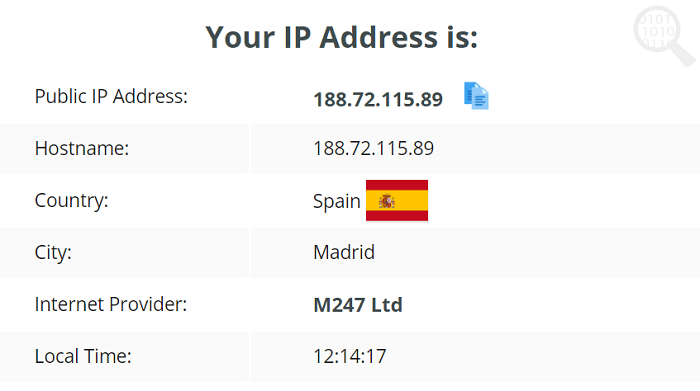
First, I tested for IP leaks while using a Spanish server. As you can see from the screenshot below, it didn’t leak my IP address.
P-Leak-Test-Hide.me

DNS Leak:

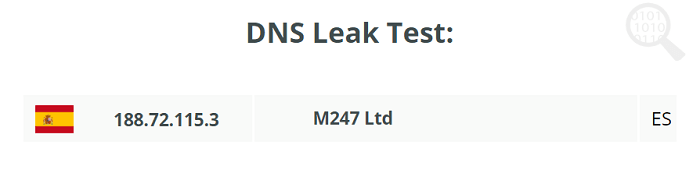
Next, I checked for DNS leaks, and hide.me passed this test too. As you can see from the screenshot below, I’m connected to a DNS server from Spain.
DNS-Leak-Test-Hide.me

WebRTC Leak:

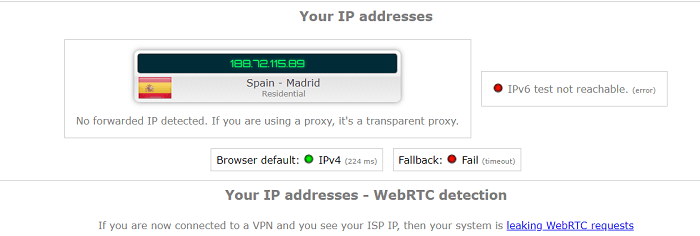
As for WebRTC leaks, again, hide.me showed no sign of leaks. Even after double-checking, it showed no signs of obvious WebRTC leaks.
WebRTC-Leak-Test-Hide.me

 Virus Test:

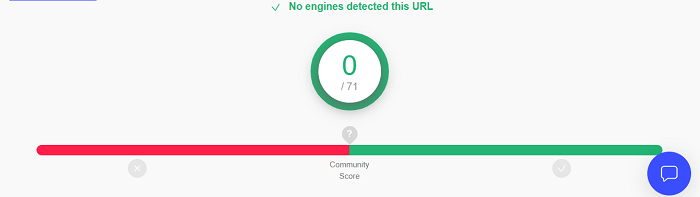
I tested its Android app URL through VirusTotal and attained no virus at all.
Virus-Test-Hide.me

Wide Server Network

With hide.me, you get access to 2,600 servers across 91 countries, giving you plenty of connection options. While some VPNs may offer more, hide.me’s servers are well spread out globally, ensuring great coverage. Most are in Europe, but there are also plenty in Asia, the Americas, and even some rare spots like Bulgaria and Croatia.

In the Americas, there are 25+ servers, while Asia has 20+, including locations like Taiwan, South Korea, and the Philippines. Some VPNs, like Surfshark, may have more in Asia and Africa, but hide.me still covers a wide range of countries.

For more precise connections, 8 countries have city-level servers, including the US, UK, France, Canada, and Australia. The US alone has 16 different regions to choose from, helping you find the fastest servers nearby.

Even with the free version, you still get access to 8 server locations, including the US, Finland, Germany, and Singapore, without any loss in connection quality. During tests, the servers connected quickly and were always stable.

One of hide.me’s biggest strengths is that it owns all of its servers, so no third parties are involved. This adds an extra layer of privacy and security that other VPNs renting servers might not offer.

Best Location for Speed

The Best Location feature automatically selects the fastest server for you, based on where you are and the server load. It’s a great way to ensure you always get the best connection speed.

Physical Servers Only

Unlike some VPNs, hide.me doesn’t use virtual servers. All its servers are physically located where they say they are, giving you more transparency. Plus, they’re RAM-only, so every time the server restarts, it wipes any stored data, keeping you safe.

Fixed IP Addresses

When you connect, you get a fixed IP address that stays with you until you disconnect. While it’s not the same as a dedicated IP (which only you would have), it still helps avoid things like CAPTCHAs.

You can choose a fixed IP by going to your client area on the hide.me website. Pick your country, and you’ll get an IP to use with the Custom Location feature in the app.

Streaming-Optimized Servers

For streaming, hide.me offers special servers in 20+ countries, including the US, UK, Argentina, and Australia. These servers are designed to give you fast and smooth streaming of local content, which is a feature often seen with top providers like CyberGhost.

In short, hide.me’s network offers wide server coverage, strong privacy features, and optimized servers for streaming. Whether you’re using the free or paid version, you’ll enjoy fast and secure connections with ease.


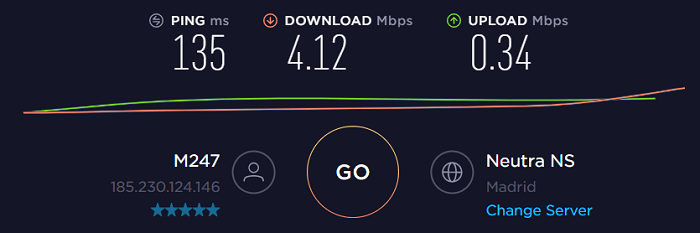
Speed – On the Lower side

The premium version of the VPN provided excellent speeds in most of my tests. My UK tester only noticed a slight slowdown on one server that was 15,000 km away. This is impressive since many VPNs struggle with distant servers.

However, the free servers were much slower. From Kenya, I tested various free locations (none were nearby), and speeds dropped by 64% to 82%. But when I switched to the paid servers in the same locations, the speed loss was much smaller, ranging from 8% to 49%.

Testing Method

I tested servers worldwide to check hide.me’s performance. For the best streaming experience, I recommend using local servers. Please use VPNs responsibly and follow local laws.

I focused on 3 key speed metrics:

  • Download Speed – Shows how fast you can get data (important for streaming, browsing, etc.). Measured in Mbps.
  • Upload Speed – Shows how quickly you can send data (important for emails, uploads). Measured in Mbps.
  • Ping – Measures how fast data travels, affecting gaming. Measured in ms.

My UK tester used the WireGuard protocol for its speed, and the chart shows average speeds from multiple tests.

Nearby Server Performance

Speeds on nearby servers dropped by only 4.5%, and distant servers showed an average drop of 19.3%. For distances under 5,000 km, hide.me performs better than many VPNs, which typically reduce speeds by 10-20%. Beyond 6,000 km, some VPNs slow down by 65%, but hide.me usually performs better.

Long-Distance Performance

On servers over 8,000 km away, other VPNs like ExpressVPN are almost twice as fast. Still, hide.me does well within an 8,000 km radius.

Local Speed

Our tests show hide.me consistently offers fast speeds on nearby servers. For instance, the Frankfurt server only reduced speed by 4%, and no European server dropped speeds by more than 5%.

Long-Distance Speed

As expected, long-distance servers lose more speed. For example, servers in Brazil and Japan (8,000+ km away) reduced speeds by over 60%. To avoid slowdowns, stick to servers within an 8,000 km range.

10G Servers

hide.me has special 10G servers for faster connections. Our tests showed the Brazilian 10G server reduced speed by less than 20%, even from 8,000 km away. However, sometimes the same server slowed speeds by 60% due to high traffic.

Bolt Fast Proxy”

Bolt is designed to boost VPN speeds on Windows by using TCP over UDP. While it may improve performance, I didn’t notice a significant change in our tests.


Easy Setup & Installation Across Devices

hide.me offers a sleek, modern app design that is simple to navigate. However, for someone new to VPNs, the wide range of options might be a bit overwhelming. For instance, the multihop servers feature isn’t immediately clear. It would be helpful if hide.me provided more details about how each feature works.

A unique issue I found was the naming of certain features. For example, Custom Locations” wasn’t obvious at first. It turns out that this option allows access to static IP addresses, but the title doesn’t explain that clearly.

One feature I enjoyed is the map view, making it super easy to find and connect to servers. Unfortunately, this is currently only available on the Windows app version 4.1.0, which is still in beta. I tested both the stable and beta versions, and the beta includes new features that offer even more flexibility.

In addition to the map view, the new app version allows you to customize your dashboard by adding or removing widgets. Plus, resizing the window was a breeze—you can simply drag the edges to adjust it.

Here’s a quick guide to installing hide.me in just a few simple steps:

  1. Download the app: Get the app from hide.me’s website for Windows/Linux or from the app store for mobile/Mac.
  2. Install: Run the file or tap install” on your device.
  3. Log in: Enter your details, and you’re ready to connect!

Compatibility – Apps and supported devices

I like the number of native apps hide.me offers, but I wish it had a smart DNS feature. This would make changing locations on devices that don’t support VPNs, like gaming consoles and some smart TVs, much easier. Still, hide.me offers a great range of apps for popular devices.

If you don’t want to download the apps or browser extensions, hide.me has a free online proxy. You simply enter the site’s URL and choose from three countries: the Netherlands, Germany, or Finland. The proxy hides your IP address, but it doesn’t offer the same level of data protection as the apps.

Desktop Apps — Windows, Mac, and Linux

The Mac and Windows apps share most of the same security features, but Linux misses out on a few. It’s common for Mac apps to be less featured compared to Windows, so I appreciate the attention given to the Mac version.

One key difference is that the Windows app supports more protocols and has extra options like Fallback Configuration, Bolt “Fast Proxy”, and custom ports. These features aren’t crucial unless you’re into tech. For instance, the fallback feature automatically switches protocols to keep your connection stable, which isn’t available on mobile apps.

The Linux app comes with split tunneling, SmartGuard, leak protection, and full protocol support. It’s impressive that you can use this app with a free account, considering there are few free VPNs for Linux.

Android and iPhone (iOS)

You get almost the same features on mobile devices as you do on desktop, including a kill switch for extra protection. Some features, like StealthGuard, are missing, but split tunneling on Android makes up for it.

The app interface on mobile looks just like the desktop version, so switching between devices is easy. If your device doesn’t support the PlayStore, you can download the APK file directly from the website.

Browser Extensions — Chrome, Firefox, Edge

hide.me offers free browser extensions, but I wouldn’t recommend them. They only connect to proxies in Germany, the US, and Switzerland, and once you enable SOCKS, location options disappear.

These are just proxies and won’t fully encrypt your device. While SOCKS provides some encryption, it only works for your browser, not your whole device. There are options like “Always Enable ProxySOCKS” and “Disable WebRTC” for added protection.

Apps for Amazon Fire TV, Fire Stick, and Android TV

For supported TVs, downloading hide.me is as simple as adding a new app or channel. Just search for it in your TV’s app store, and you’re good to go. However, I wish there was an easier way to install it on other smart TVs.

It’s also one of the few VPNs that offers a native app for Apple TV. Many VPNs require router configurations to cover devices that don’t support VPN apps.

Router Compatibility

hide.me supports several router models like AsusWRT-Merlin, DD-WRT, and OpenWrt, though it doesn’t sell pre-installed routers. There are guides on the website, and they also recommend compatible routers if you don’t already own one.

Installing the VPN on your router allows you to protect every device on your network, including gaming consoles. However, all devices will connect to the same server.

One standout feature of ExpressVPN is its dedicated router app that lets you decide which device connects to which server. While hide.me doesn’t have this feature, adding it would be a game changer.


Multiple Device Connections

With hide.me, you can connect up to 10 devices at the same time. This is more than what most VPNs offer, as many only allow 5 devices. Plus, it works smoothly when connected to different gadgets.

I personally tried it on my two phones, a Windows laptop, and an Android TV. Even while streaming YouTube on all of them using the same server, there was no drop in quality or speed.

While some VPNs like PIA and Surfshark let you connect unlimited devices, hide.me’s 10 connections should be enough for most users. However, if you’re using the free version, keep in mind you can only connect one device at a time.


Pricing  — Excellent Value for Your Money and a Great Free Plan

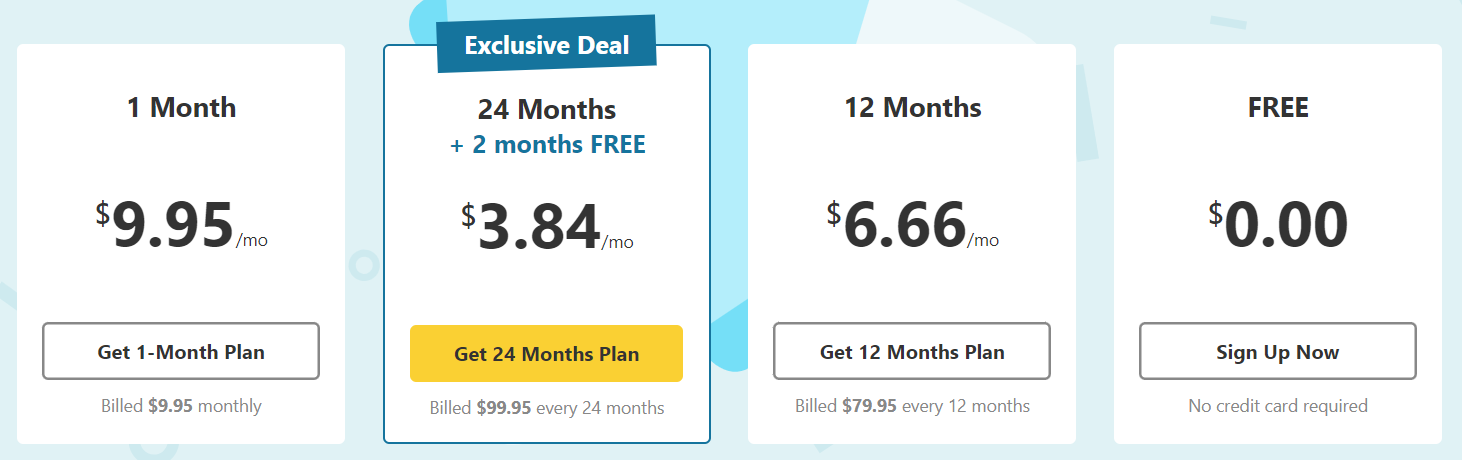
Not many VPNs offer as much value as hide.me. It has three plans, and its cheapest subscription is only $2.49/month when you choose the longest term, which even includes 3 free months.

Each plan provides the same features, and the only difference is the length of the subscription. For the best value, it’s smart to pick the longest plan. Even the monthly plan is one of the most affordable options among top VPNs.

Though CyberGhost and PIA may have slightly cheaper long-term options, it’s tough to find a VPN with this quality at such a low price.

The free plan is also a standout. It’s completely ad-free, gives you unlimited data, and allows you to connect to 8 locations. Plus, it works on all the devices hide.me supports, with all safety features included. This makes it a great way to test its capabilities.

However, if you want access to streaming servers, SmartGuard, port forwarding, fixed IPs, or the Bolt ‘Fast Proxy’, you’ll need a subscription. You can try them for free by requesting a trial via email. While the website mentions there are no trials, I was able to get 5 free days by simply asking.

All subscriptions come with a 30-day money-back guarantee. If you want a refund, you’ll need to request it via email, as live agents aren’t able to process refunds. You can also cancel through the payment gateway, but that only stops future charges. For a full refund, it’s better to contact hide.me directly.

I appreciated that my refund request was approved without any hassle.

You have plenty of options when it comes to paying. You can use credit cards (Visa, Mastercard, Amex, and Diner’s Club), PayPal, Google Pay, Apple Pay, SEPA, SOFORT, bank transfers, and even cryptocurrencies like Bitcoin, Dogecoin, Ethereum, and more.

And if you’re looking for premium VPNs at discounted rates, I would suggest you check out my handpicked list of VPN deals in UAE right now.


Trustworthiness – Trustpilot ratings, Reddit & Customer Support

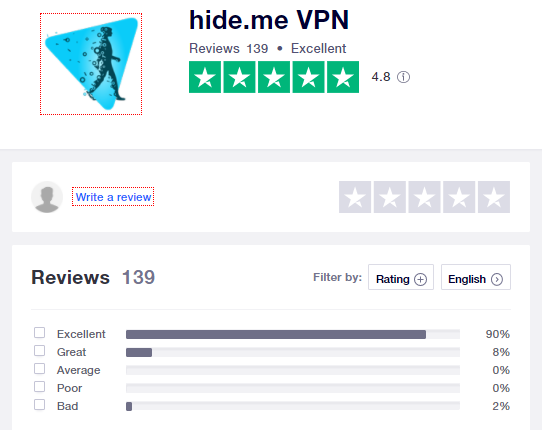
Reddit users are divided about Hide.me VPN. Some praise its free option and zero-log policy, emphasizing its independent audit for privacy verification. Others warn against free VPNs, urging users to opt for paid alternatives for better security.

A few concerns were raised about potential issues with the parent company’s routing practices. Some users had bad experiences, like internet connection problems after uninstalling the VPN. Overall, opinions range from cautious approval to dissatisfaction. [Source]

hide.me-trustpilot


Compare Ratings

I have mentioned the prominent attributes of these VPNs below to let you decide about your privacy appropriately.

Feature ExpressVPN Hide.me VPN
Overall Rating ⭐⭐⭐⭐⭐ (9.6/10) ⭐⭐⭐⭐⭐ (8.9/10)
Anonymity ⭐⭐⭐⭐⭐ ⭐⭐⭐⭐
Reliability ⭐⭐⭐⭐⭐ ⭐⭐⭐⭐⭐
Performance ⭐⭐⭐⭐⭐ ⭐⭐⭐⭐
Features ⭐⭐⭐⭐⭐ ⭐⭐⭐⭐
Support ⭐⭐⭐⭐⭐ ⭐⭐⭐⭐
Value for Money ⭐⭐⭐⭐⭐ ⭐⭐⭐⭐

Alternatives of Hide.me VPN

Although this service generously offers unlimited bandwidth for absolutely no cost, some users still might be looking for more. They can check out one of the following reviews for some alternatives to this hide.me VPN Review in UAE.


FAQs – Hide.me VPN Review in UAE

Yes, hide.me is safe. It uses military-grade encryption and passed all leak tests. Plus, it has a kill switch and advanced security features like split tunneling and double VPN.

Yes, hide.me offers a free version with access to 8 locations and unlimited data. It works on Windows, Mac, Linux, Android, and iOS.

Yes, both the paid and free plans include unlimited data, making it one of the few free VPNs without usage restrictions.

Yes, but the slowdown is minimal. On nearby servers, speeds dropped by only 5%, which is better than most VPNs.

hide.me is one of the best but not the fastest. ExpressVPN is quicker and better for gaming while offering similar security features.


Final Verdict 

Based on my hide.me VPN Review in UAE, it offers great value with its low-cost long-term plan and a free option that’s perfect for casual browsing. It provides strong security, fast speeds, and is ideal for streaming and torrenting, making it a solid choice for most users.

While it may not be the best for gaming and could benefit from adding a smart DNS feature, it’s still a reliable VPN at an affordable price. For those prioritizing privacy and security without breaking the bank, hide.me is a great option.