In this Betternet VPN review in Netherlands, we will test the provider in 10 categories, including streaming, speed, servers, security, privacy, torrenting, and more to help you make a considerate decision on whether you should use this VPN or not.
Betternet VPN is one of the hugely popular VPN services with a free and paid VPN plan. Most users opt for the free version instead of the premium one partly because it is a mediocre VPN service.
The reason why we are calling this VPN service mediocre is that it is based in the United States, it keeps logs, it doesn’t work with Netflix, it offers limited servers, and it has an unsatisfactory rating on Trustpilot.
According to our Betternet free VPN review the free version of Betternet is not safe or reliable. The VPN throttles speed sometimes, it lacks basic security features, and it has a weak privacy policy. Coming on to customer support, then there is no live chat feature, the VPN only offers assistance through its FAQ page, email support, or ticketing system.
Overall, after compiling this review Betternet VPN, we’ve given the provider a rating of 2.6 out of 5.0 and we don’t recommend using Betternet because of all the factors we just mentioned.
Instead, we recommend our readers sign up for a reliable VPN like ExpressVPN because of its safe jurisdiction, rich server network, high-end security features, and blazing-fast speed.
January Update 2023: The son of Iran’s Vice President for Women and Family Affairs, Hamid Rezazadeh, is said to be the founder of Betternet. Iran severely limits online freedom, including the use of VPNs.
Betternet has rejected these accusations. However, we’re keeping a close eye on the matter and looking into it ourselves. We will revise this evaluation in light of our conclusions. In the meantime, you may use a free VPN for Iran and protect your online privacy.
Betternet VPN Review in Netherlands: Key Findings
Here are the key findings of our detailed Betternet VPN review in Netherlands:
- Pricing – Betternet has a monthly subscription plan of €12.99 per month ($13.71 in USD) or €7.99 per year ($8.43 in USD).
- Servers – Betternet has not disclosed its server count. However, the VPN offers servers in almost 80 countries globally.
- Security – While the VPN uses the industry-standard AES 256-bit encryption, Betternet is not a safe or trustworthy VPN because the apps are said to contain malware.
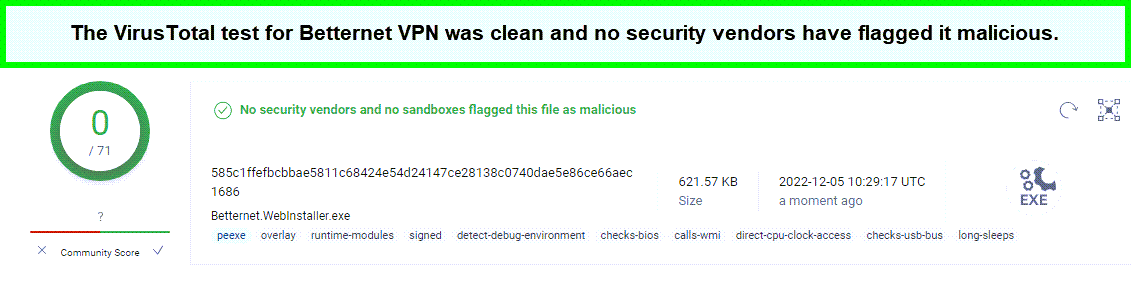
- Privacy – Betternet does not leak your IP, DNS, or WebRTC information. Additionally, no vendors have flagged this VPN as malicious on VirusTotal.
- Speed – Betternet offers decent speed for streaming in HD and downloading. But speeds on faraway servers can increase the speed loss percentage.
- Streaming – Betternet can unblock popular platforms such as Hulu, HBO Max, Disney+, and BBC iPlayer. However, the VPN cannot unblock Netflix.
- Torrenting – While the VPN allows torrenting and P2P on some servers, we don’t recommend using Betternet for torrenting because of the no kill switch option on Mac.
- Device Compatibility – Betternet has compatible apps for Windows, Mac, iOS, Android, and Betternet VPN Chrome. However, the VPN does not offer compatibility with routers, gaming consoles, or streaming devices.
- Installation & Apps – Betternet VPN has a straightforward interface with clear options that helps users to navigate freely through the app.
- Reliability & Support – The provider offers a dedicated page, “Betternet Help” with guides for all compatible devices and an FAQ page. It also offers email support and ticketing.
- Registration is not required for the free version
- Custom VPN apps for all platforms
- Easy-to-install and user-friendly interfaces
- Decent speed
- Unblocks BBC iPlayer, Hulu, HBO Max, and Disney Plus
- Not safe or reliable
- Apps contain malware
- No kill switch on Mac
- Not suitable for torrenting
- Unknown server count
- No live chat feature
Betternet VPN Review in Netherlands – Key Features At a Glance
| Servers in 80 Countries |
| €95.88 per year ($101.19 per year) |
| 7-Day Free Trial |
| 10 Simultaneous Connections |
| Compatible with Windows, Mac, Android, iOS, and Chrome |
| 37.40 Mbps Download Speed and 28.27 Mbps Upload Speed in the US |
| Keeps Logs |
| DNS Leak Protection |
| Kill Switch |
| Headquartered in the United States |
| Supports P2P traffic on some servers |
| FAQ page, Email Support, and Ticketing for Customer Assistance |
Pricing
Betternet offers a 7-day trial along with 2 premium plans, a monthly plan that costs €12.99 per month ($13.71 per month) and a yearly plan that costs €95.88 per year ($101.19 per year).
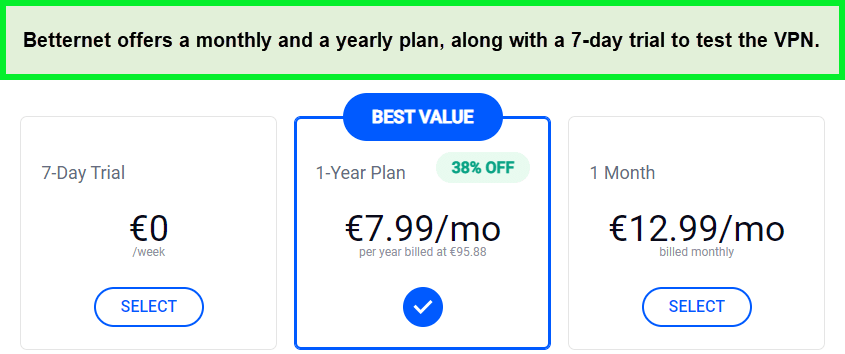
Signing up for the 1-year plan will reduce the monthly cost to €7.99 per month or $8.43 per month.
Additionally, coming onto the free VPN Betternet VPN review in Netherlands free VPN, to use the free trial, you’ll need to provide your credit card details. You can use the free trial and remove your credit card information in under 7 days if you don’t want the provider to charge you.
Payment Method and Refund Policy in Netherlands+
Betternet’s payment options are seriously lacking. It only accepts payment via Play Store, iTunes, and Credit Cards. There is no PayPal or Bitcoin option available, which is really disappointing. As ardent advocates of anonymous paying methods, we strongly hope the providers make room for cryptocurrencies in the future.
The macOS and iOS users can subscribe to a plan through iTunes. Similarly, Android users can purchase a Betternet VPN subscription via Google Play Store. However, Windows users need to download the free version first and then sign up for a plan within the app.
As for refunds, Betternet offers a 45-day money-back guarantee for “Premium” subscriptions. However, their refund process can be quite confusing and complicated. You can get your money back in 45 days but you have to provide a lot of information like your email address, your premium account access code, and the order number of your transaction, which is a thumbs down in the Betternet Premium review.
Also, if you purchased your subscription plan from Microsoft or Apple, you’ll need to contact them for your refund.
Servers
Betternet offers servers in 80 countries globally for users having the premium version. The version of Betternet VPN free offers access to 10 locations but you won’t be able to choose a specific location.
Betternet has the most servers available in Europe and Asia, with the Pacific region.
Here is a table on how Betternet divides its server into different regions:
| Regions | No. of Countries |
| Europe | 48 |
| Asia Pacific | 28 |
| The Americas | 16 |
| Middle East and Africa | 7 |
Betternet doesn’t disclose its server count, but it’s safe to say that it’s somewhere around 1800, which is a decent number. Other VPN service providers, however, are more likely to have far larger server networks. Like ExpressVPN, with more than 3,000 servers spread out in 90 countries.
Security – Is Betternet Safe in Netherlands?
No, Betternet is not a safe or trustworthy VPN in Netherlands. While the VPN uses the industry-standard AES-256 encryption with no IP, DNS, and WebRTC leaks reported upon conducting the test, we found the following factors to be red flags:
- Betternet apps contain malware, according to Researchers.
- Betternet apps were found to contain tracking libraries.
- Betternet was hacked in 2017 and the Betternet VPN extension of the VPN was used to spread malware.
Does Betternet Keep Logs in Netherlands?
In this Betternet VPN review in Netherlands we found that Betternet keeps logs of a huge amount of information, including your original IP address, connection timestamps, location, and device information. The VPN also logs the information on anonymous usage. Not only does it breach your privacy but also your trust when you put on them after purchasing its subscription. We don’t recommend users opt for a VPN that doesn’t care about privacy. Here is the information on what Betternet collects:
- Account information: Name, username, email address, and password.
- Billing and payment information: Billing name, billing contact details (street addresses, email addresses), and payment instrument details.
- Identity verification information: Email addresses or phone numbers.
Does Betternet Offer a Kill Switch Feature in Netherlands?
Yes, Betternet offers a kill switch but only on Windows, iOS, Betternet VPN iPhone, and Android in Netherlands. The VPN doesn’t offer this feature in the Mac version.
Your internet connection is automatically cut off by a kill switch if the VPN connection fails. This stops data like your IP address from getting out of the encrypted tunnel. This important security feature is present in the majority of the best VPNs.
Privacy – Does Betternet Leak your IP, DNS & WebRTC in Netherlands?
No, Betternet VPN is actually leakproof in Netherlands. In my leak test using the app, Betternet performed quite well and showed no sign of IP, DNS, and WebRTC leaks. However, we won’t recommend users of Betternet VPN download the extension as it can leak your DNS and WebRTC requests.
Here is the Betternet leak test using the dedicated app:
IP Leak:
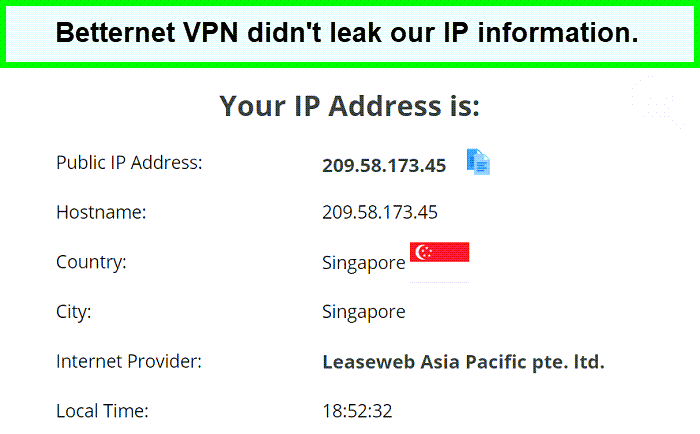
To test IP leaks, we connected to the Singapore server. As you can see from the screenshot below, Betternet is not leaking my actual IP address.
DNS Leak:
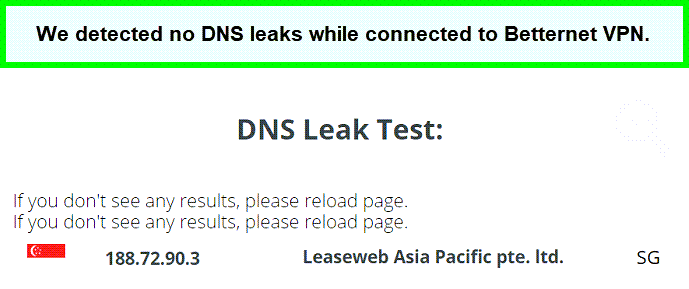
After the IP leak test, we performed a quick DNS leak test and Betternet passed without any issues. The screenshot below clearly shows that we are using Betternet VPN’s DNS server which is great.
WebRTC Leak:
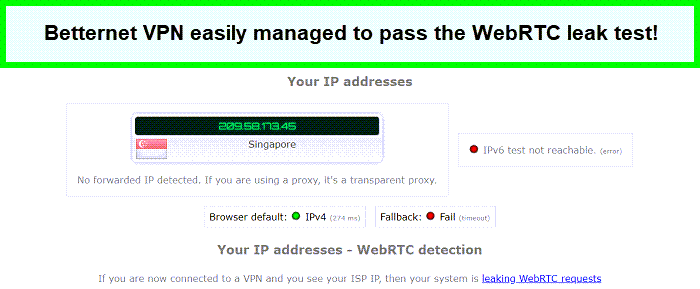
Lastly, we also checked for WebRTC leaks using the Singapore server and Betternet VPN passed this test too which really surprised me, to say the least.
Virus Test:
To go the extra mile, we also performed a quick virus test on the Betternet Windows file and we found no hidden malware within Betternet VPN.
Speeds
Betternet offered decent speeds on the servers we tried. This allowed us to stream on popular platforms with HD quality, with minimum buffering issues and no server disconnections.
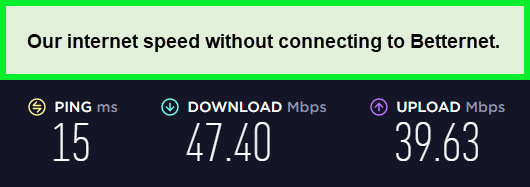
Our speed without the VPN was 47.40 Mbps download and 39.63 Mbps upload with a ping of 15 ms. We considered these numbers as our base connection and tested the VPN on 3 servers in major countries, the US, the UK, and Australia. Here are the speed test results:
Betternet Speed Test on the US Server
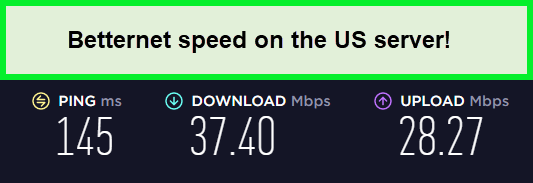
Betternet achieved a download speed of 37.40 Mbps and an upload speed of 28.27 Mbps on the US server. Comparing this result to our base connection, Betternet had a decrease of 21.1% in downloads and 28.67% in uploads.
Betternet Speed Test on the UK Server
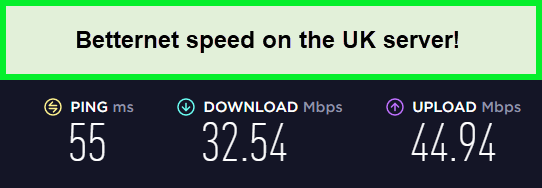
Betternet achieved a download speed of 32.52 Mbps and an upload speed of 44.49 Mbps on the UK server. Comparing this result to our base connection, Betternet had a decrease of 31.35% in downloads and an increase of 13.4% in uploads.
Betternet Speed Test on Australian Server
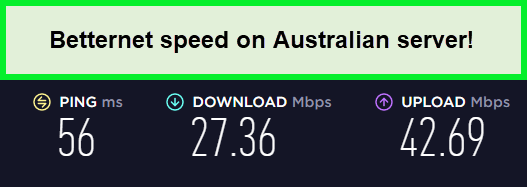
Betternet achieved a download speed of 27.36 Mbps and an upload speed of 42.69 Mbps on an Australian server. Comparing this result to our base connection, Betternet had a decrease of 42.28% in downloads and an increase of 7.72% in uploads.
Here is a summary of the overall speed test of Betternet VPN:
| Location | Download Speed | Upload Speed | Ping |
| Speed Without VPN | 47.40 Mbps | 39.63 Mbps | 15 ms |
| The US | 37.40 Mbps (21.1% decrease) | 28.27 Mbps (28.67 decrease) | 145 ms |
| The UK | 32.54 Mbps (31.35% decrease) | 44.94 Mbps (13.4% increase) | 55 ms |
| Australia | 27.36 Mbps (42.28% decrease) | 42.69 Mbps (7.72% increase) | 56 ms |
Streaming
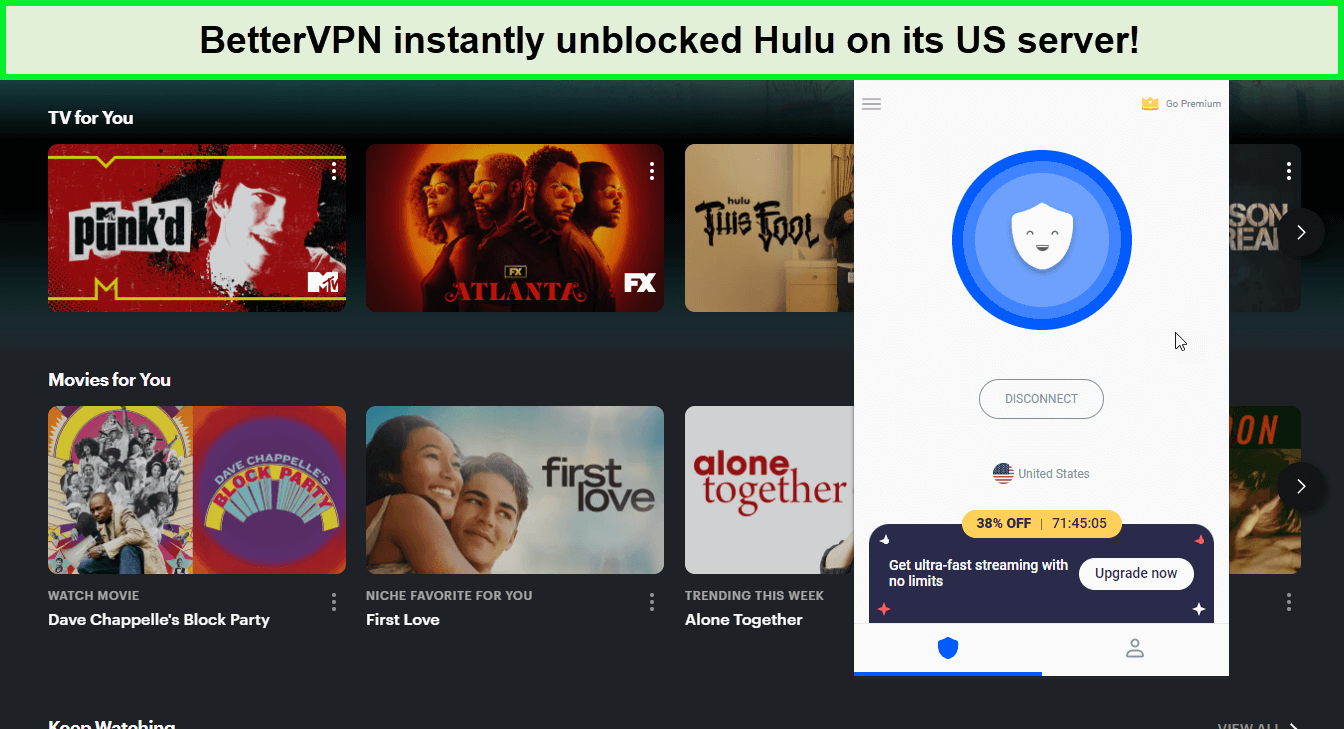
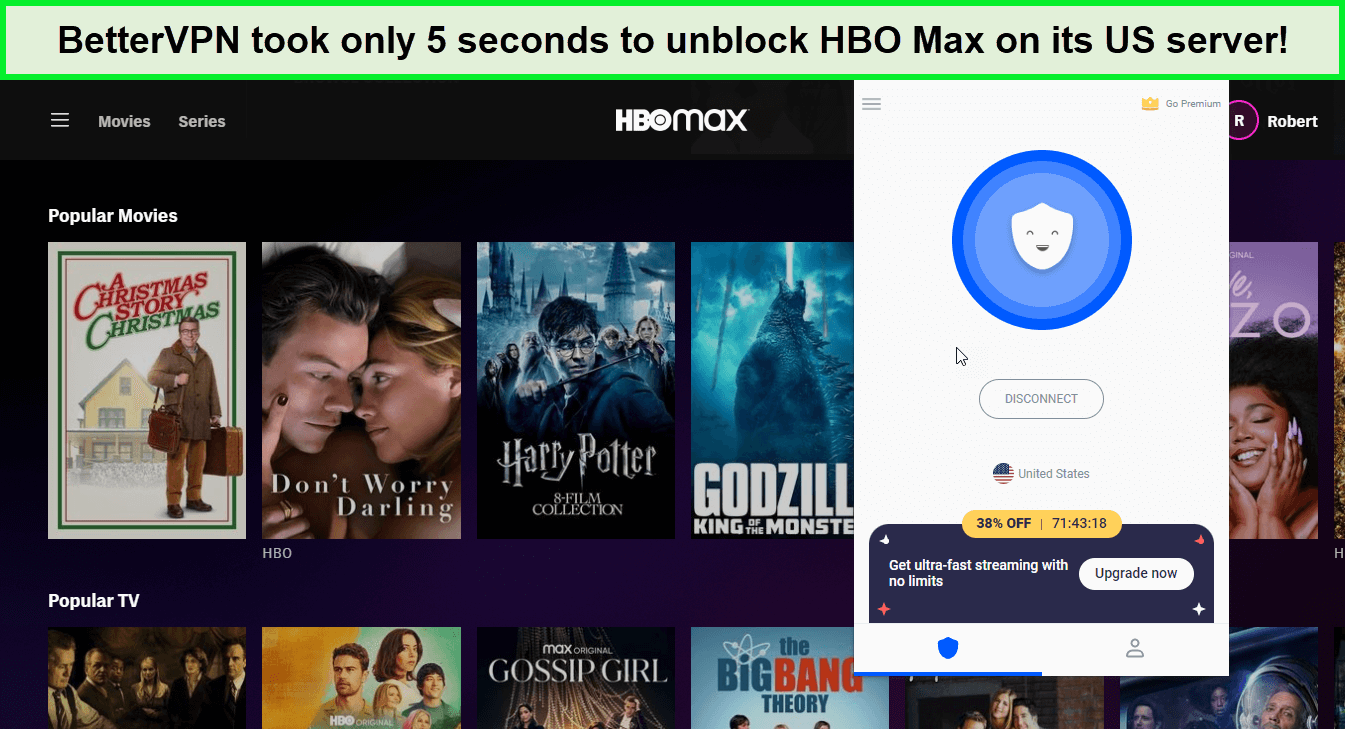
In this Betternet VPN review in Netherlands we found that Betternet successfully unblocked Disney Plus, Hulu, HBO Max, and BBC iPlayer, which is quite impressive. We connected to the US server, which instantly unblocked and let us access Hulu, Disney+, and HBO Max within seconds.
It reported a minor speed drop of only 17%, allowing us to stream the content on these platforms in HD without any buffering issues.
Unblocked: Disney+, Hulu, HBO Max, BBC iPlayer
We were successful in unblocking Disney+, Hulu, HBO Max, and BBC iPlayer. These are one of the major streaming platforms with high-end geo-blocks due to their popularity. So it was surprising and amazing at the same time.
After connecting to its to the US server, we instantly got access to Disney Plus. Disney Plus is known to have the toughest technologies to fight VPNs and it was a surprise that Betternet could easily unblock Disney Plus without any issues.
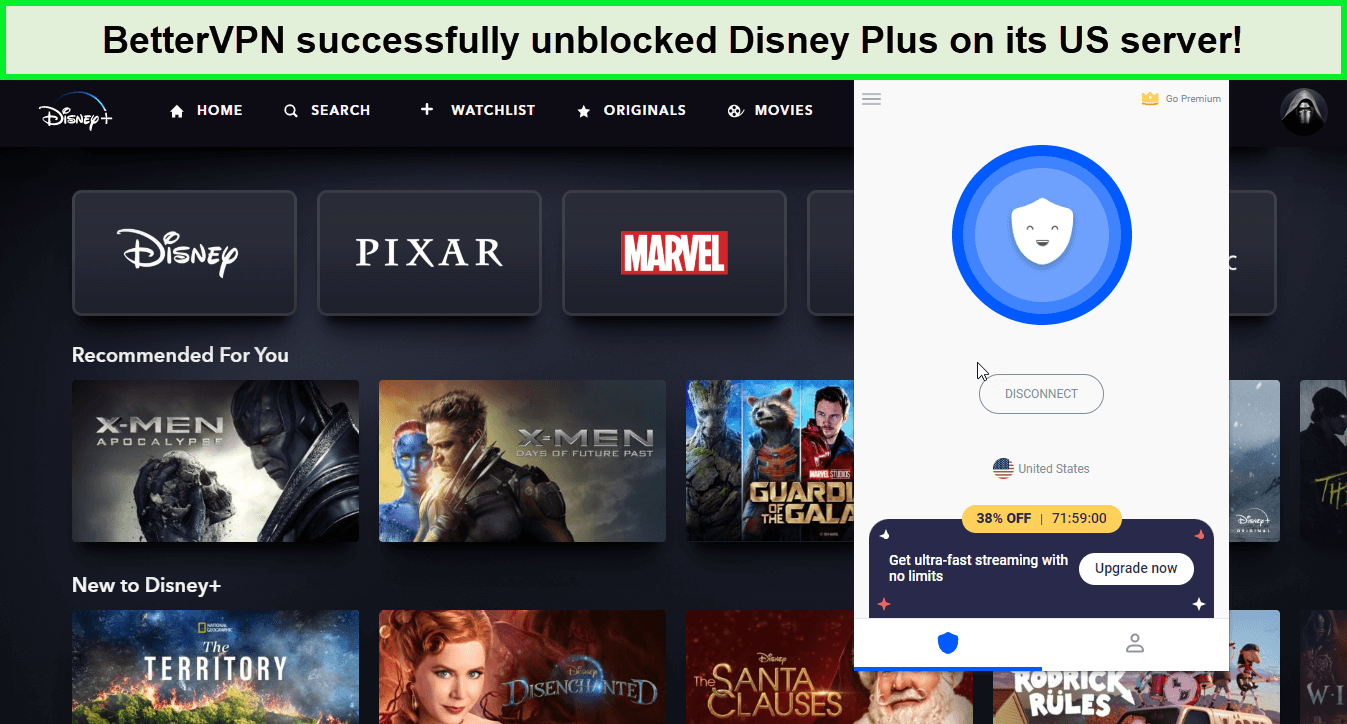
Using the same US server, Betternet successfully unblocked Hulu. It only took 6 seconds for the platform to play the title for us.
Betternet unblocked HBO Max on our second try. However, the platform worked fine and we had no issues playing the DC shows and movies.
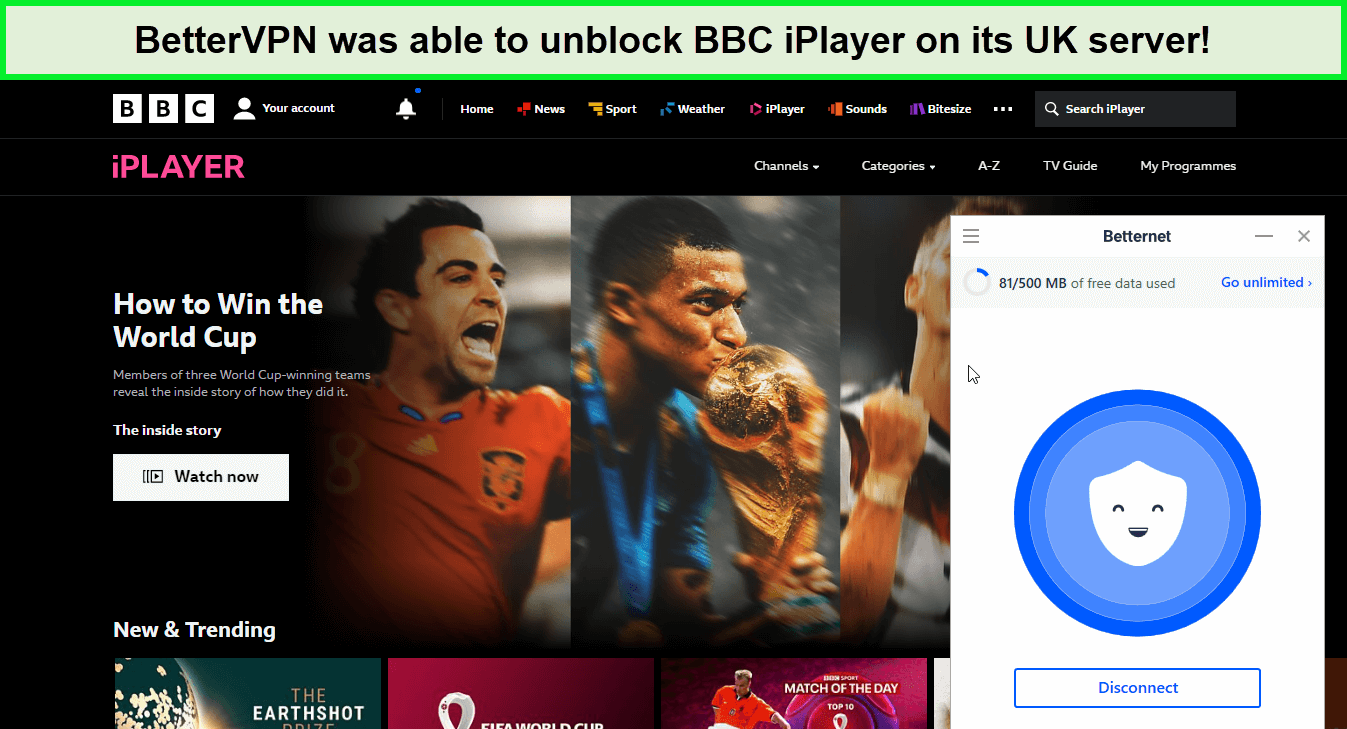
Everyone is trying to unblock BBC iPlayer because of the world’s greatest ongoing event; FIFA World Cup 2023 in Netherlands. To our surprise, Betternet was able to unblock BBC iPlayer on the UK server easily.
During our 15 minutes streaming test, we only had to face the buffering screen 1 time in the first minute. As soon as the connection was stable, the video stream was running clearly, in HD quality.
Torrenting
You can use Betternet for torrenting, but we don’t recommend it. The VPN has no kill switch on Mac which means that your original identity might get leaked if the VPN connection dropped accidentally.
And even though we don’t support downloading copyrighted stuff via torrent, if you don’t utilize a properly secure VPN, you face the risk of accidentally clicking on something that can put you in danger.
Instead, we suggest users sign up for one of the best torrenting VPNs in Netherlands that allow P2P traffic on all servers. Moreover, always check your country’s laws before downloading copyrighted content.
Device Compatibility
Betternet’s compatibility with devices is pretty limited as it only works with Windows, macOS, iOS, Android, and Google Chrome.
Unlike other top-tier services like ExpressVPN, there are no options to set up Betternet on routers, streaming devices such as Roku, Apple TV, and Firestick, or gaming consoles including Xbox, PS4/5, and Nintendo Switch.
Moreover, coming onto the in-depth Betternet unlimited free VPN proxy review, the provider doesn’t offer extensions for Microsoft Edge or Mozilla Firefox, which was a thumbs down as many users prefer Firefox for the security it offers.
Instead, sign up for one of the best VPNs that work with gaming consoles (PS4/PS5 and Xbox One in Netherlands), smart TVs, and routers in Netherlands.
Betternet for Windows Hands-on Experience
For Windows, Betternet offers a simple user interface. Although you don’t get a ton of options or features, in terms of performance, Betternet works quite well.
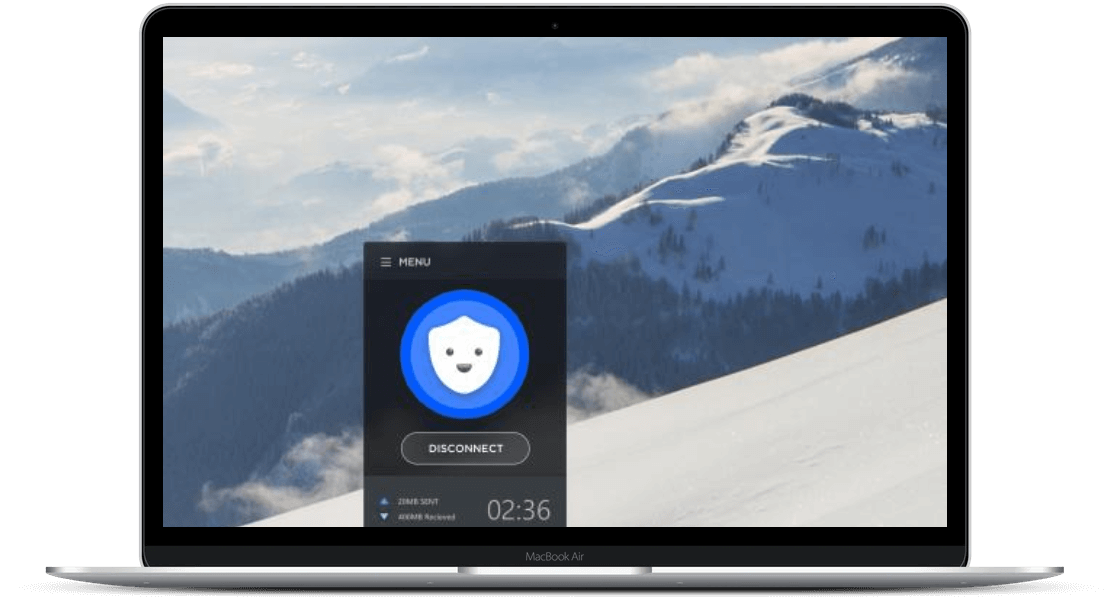
In the app, you can use a simple one-click connect button to quickly connect to a VPN server. You can also see the elapsed connection time at the bottom of the app window as well, which is quite convenient.
Betternet for macOS Hands-on Experience
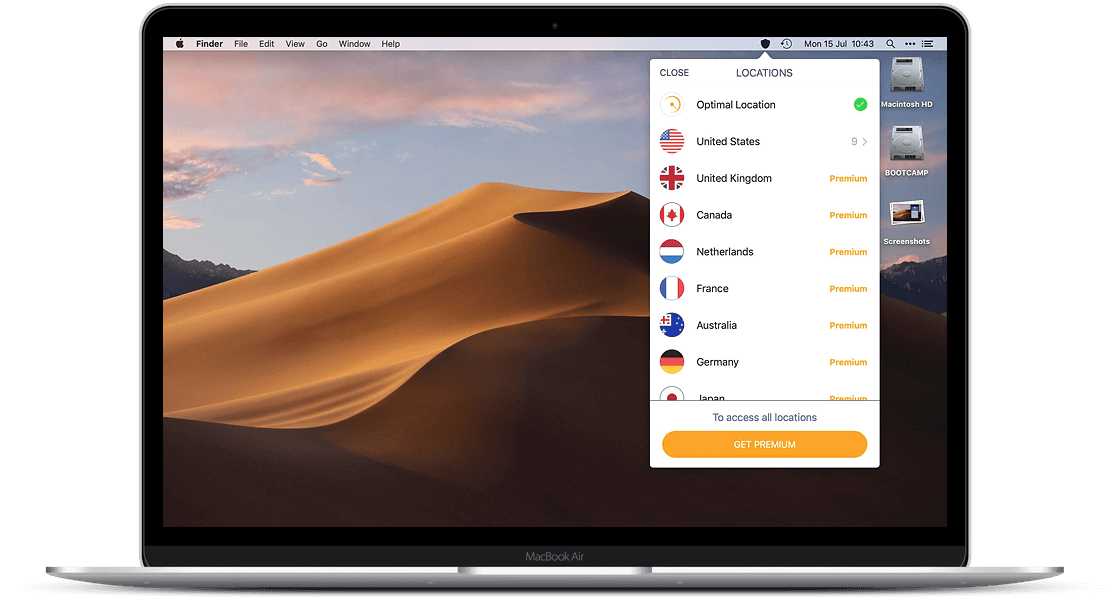
Similar to the Windows app, Betternet also offers an easy-to-use app for macOS as well. Again the interface is clean and allows users to quickly connect to the server of their choice with just a click of a button.
Betternet for iOS user experience
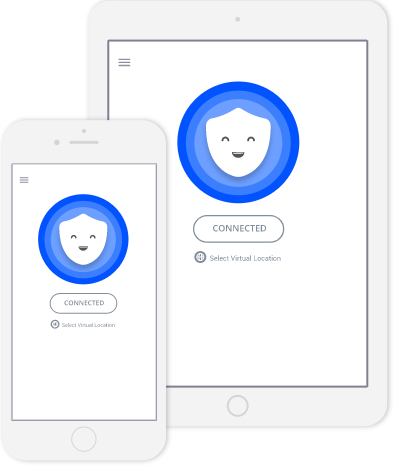
As for the iOS app, it works great. Now we’re not saying this VPN is secure, we’re just saying that the app works great. The Betternet iOS app also has a simple user interface with a quick connect and disconnect button.
Betternet for Android user experience
Lastly, we also got to play around with Betternet’s Android app and it also worked quite well. However, we liked the iOS version better because it’s faster.
Installation & Apps
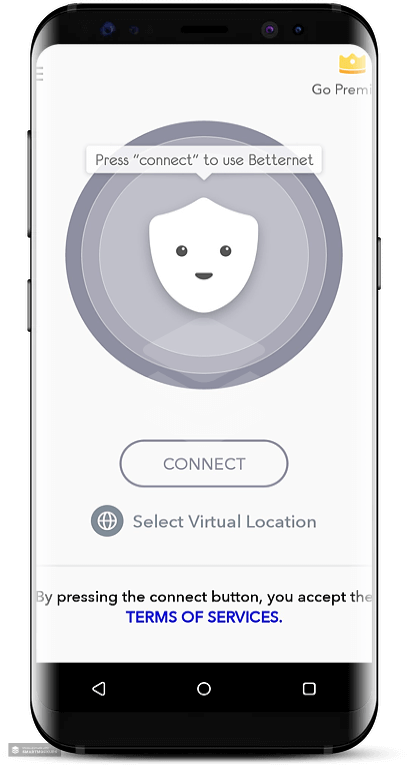
Betternet was easy to install and it has a straightforward interface. You can easily navigate through the apps thanks to the clear buttons and intuitive graphics.
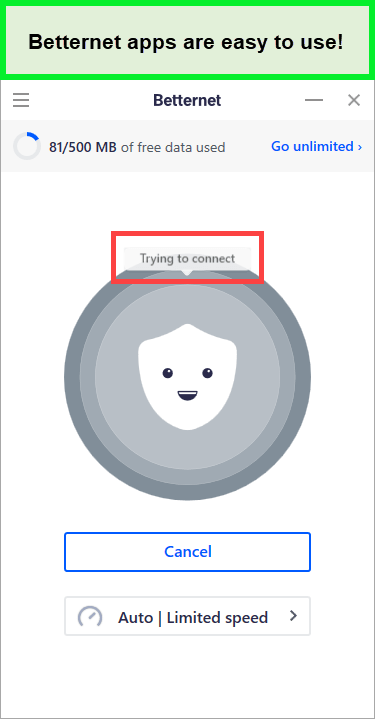
Simply select the location you prefer, click the button in the center, and wait a few seconds for the connection to establish.
The visual makes it clear that the server is looking for a solution when it has trouble connecting, which we found helpful because some VPNs appear to be frozen at this point.
Overall, Betternet apps are easy-to-navigate with simple installation methods. You shouldn’t be having problems operating them.
FAQ – Betternet VPN Review in Netherlands
Is Betternet VPN safe in Netherlands?
No, Betternet VPN is not a safe VPN in Netherlands. While the VPN offers industry-standard AES 256-bit encryption, it has a very high malware presence, according to this study. The same study also detected a significant presence of third-party tracking libraries in its Android app.
Does Betternet sell your data in Netherlands?
Ultimately, this means that free VPNs like Betternet sell your data in Netherlands. They are selling their actual clients. They provide advertisers with access to you. This means that the priority is not to provide you with a good product, but rather to provide advertisers with access to a good product, your money.
Why do people use Betternet in Netherlands?
Betternet is a US-based VPN that offers a free version, decent speed, an easy-to-navigate interface, the Catapult Hydra encryption protocol, and servers that can unblock popular streaming sites like Hulu, HBO Max, Disney Plus, and BBC iPlayer.
Do you have to pay to use Betternet in Netherlands?
No, you don’t have to pay to use Betternet in Netherlands. Betternet offers a totally free version that comes with 10 locations. However, you cannot select your virtual location. Also, there is a 500 MB limit per day and you will see ads.
The VPN also offers a 7-day trial from which you can use the premium version. However, it requires your credit card information but you will only be charged after the 7-day period, not before.
Is Betternet VPN unlimited in Netherlands?
Yes, Betternet is an unlimited bandwidth VPN, but only if you sign up for the premium version in Netherlands. The free version of Betternet comes with a data cap of 500 MB per day. The premium version gives unlocks more bandwidth and features. You can also try the 7-day free trial to test the premium version of Betternet without paying a cent.
Alternatives of Betternet
- AzireVPN Review 2023 in Netherlands
- Mullvad VPN Review in 2023 in Netherlands
- AVG Secure VPN Review in Netherlands
- X-VPN Review 2023 in Netherlands
- VPNArea Review in Netherlands
- Hola VPN Review in Netherlands
- Opera VPN Review in Netherlands
- Private Internet Access VPN Review in Netherlands
- Trust.Zone Review in Netherlands
- Windscribe Free VPN Review in Netherlands
Do I Recommend Betternet in Netherlands?
No, we don’t recommend Betternet VPN in Netherlands.
At the time of writing this in-depth Betternet VPN review in Netherlands, we came across multiple issues. While there are a few pros to this VPN service, there are far more cons associated with it. Not only is it expensive compared to other VPNs like ExpressVPN, but it also lacks features like Split Tunneling and Ad-blocker.
Not only that, Betternet keeps logs and doesn’t even work with Netflix, which is quite disappointing. Overall, we’ve given Betternet 2.6/5.0 stars simply because it offers a 7-day free trial.
