Based in Switzerland, PrivadoVPN is a comparatively new security service introduced in 2019. In our PrivadoVPN review in Hong Kong, we found it to be a pretty reliable service using safe protocols while facilitating good connection speeds. Additionally, it has a strong privacy policy and offers secure apps with threat protection, parental control, and an ad-blocker.
With servers in 60 countries allowing 10 device connections, PrivadoVPN works with AES-256-bit encryption. Typically, small VPN providers are uncountable in existence, but they lack good performance. All in all, it seems to offer promising services. Therefore, to test how different PrivadoVPN was from conventional small VPNs, we have compared it to other metrics in our PrivadoVPN review in Hong Kong.
In case, you’d like to explore a reliable VPN apart from PrivadoVPN, refer to our other VPN reviews in Hong Kong.
Ranked #21 out of 56 VPNs
We have spent thousands of hours and days testing 160+ VPN services using our carefully curated testing process to recommend you the best VPN. Here are a few statistics:
-
 Total Hours of Testing1000+
-
Weekly Speed Tests110
-
VPN Services Reviewed160+
-
Streaming Platforms Tested Daily50+
-
IP & DNS Leak Tests Performed100+
-
How Much we have spent on testing$30,000+
 Total Hours of Testing1000+
Key Findings for PrivadoVPN Review in Hong Kong
Here are the key findings for the PrivadoVPN review in Hong Kong.
- Pricing – The VPN offers free and paid services at US$3.99 per month for 2 years, whereas the free version has limited bandwidth and server availability.
- Servers and Locations – The VPN has 319 servers in 46 countries and 60 cities worldwide, whereas the free plan includes 12 server locations.
- Security and Features – AES-256-bit encryption, kill switch, ad-blocker, threat protection, and parental controls.
- Speed and Performance – The VPN has good-speed servers and supports OpenVPN, WireGuard, IKEv2, and SOCKS5 protocols.
- Streaming – The VPN has an average performance in streaming.
- Torrenting – PrivadoVPN supports torrenting and safeguards the network traffic with a SOCKS5 proxy.
- Easy to Use – All PrivadoVPN apps are simple to use and easy to navigate.
- Compatibility – PrivadoVPN offers apps for Android, Windows, macOS, iOS, FireTV, and AndroidTV.
- Bypass Censorship – PrivadoVPN seems to have weak strength for bypassing strict censorship and geo-restrictions.
- Customer Support – The VPN has ticketing support, a blog, a knowledge base, setup guides, and live chat.
- Good speed servers
- Military-grade encryption
- Parental controls, ad-blocker, threat protection
- Supports torrenting
- OpenVPN, IKEv2, WireGuard, SOCKS5 protocols
- Easy-to-use apps
- Excellent privacy policy
- Physical servers
- Unstable performance for streaming
- Small-sized server network
- No live chat and email support
- Pretty high prices
- Unsure about its VPN support in China
- No third-party audits
Pricing – How much does PrivadoVPN cost?
PrivadoVPN is offering 3 payment plans along with a free VPN version. The three paid subscription packages provide similar features and functionalities. You get the same level of security, and unlimited data bandwidth, for up to 10 device connections for all major operating systems.
| Plan | Price | Discount | Refund |
|---|---|---|---|
| 1-month | US$10.99 | NA | NA |
| 1 year | US$4.99 | 55% | 30-days |
| 2 years | US$3.99 | 64% | 30-days |
The monthly PrivadoVPN subscription costs US$10.99, yearly for US$4.99 (each month), and the 2-year plan is available for US$3.99 (each month). The annual and 2-year plans can be refunded within 30 days of purchase.
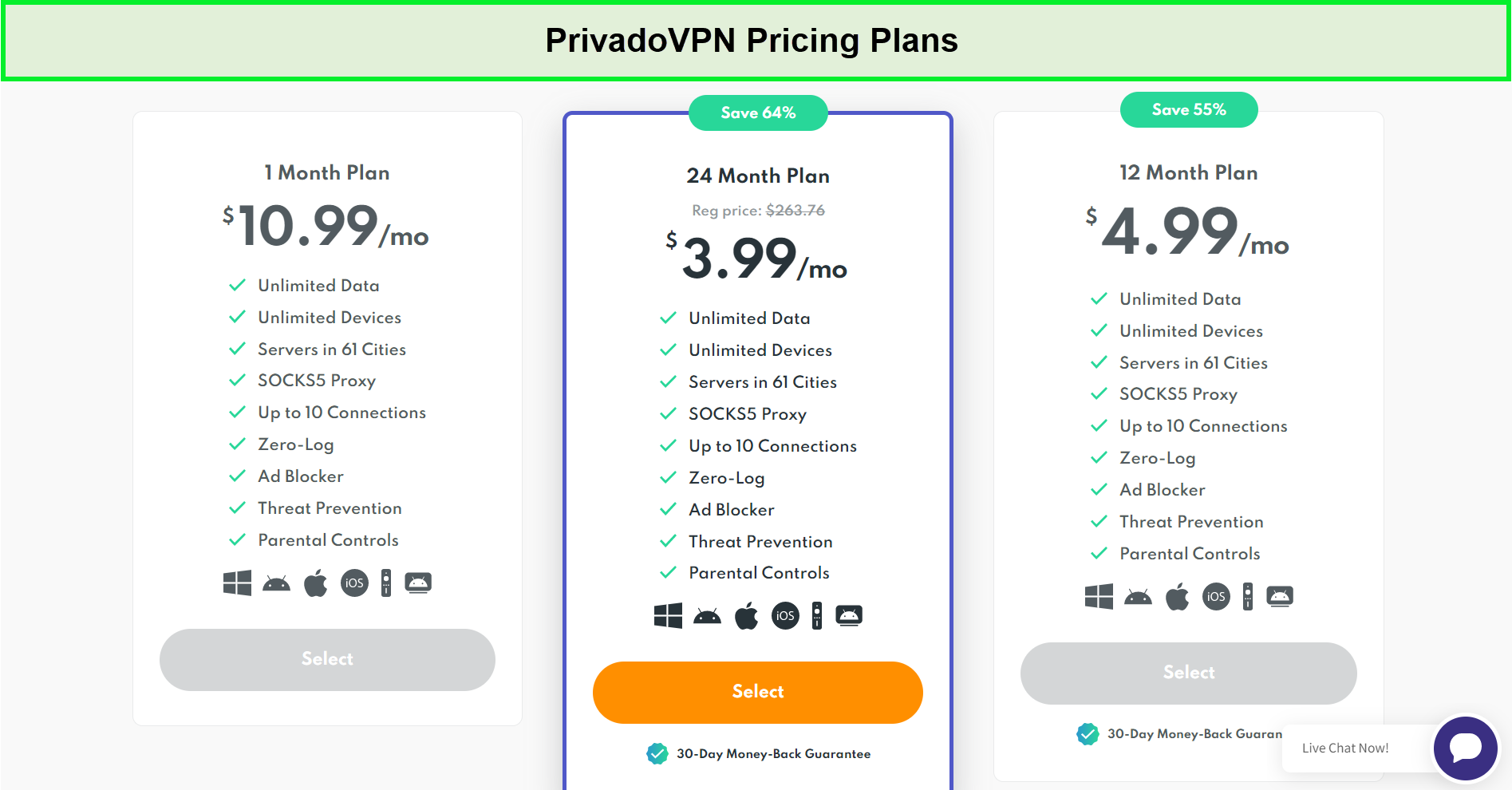
PrivadoVPN prices are rather reasonable if you opt for long-term plans inHong Kong.
The price of an annual subscription seems reasonable compared to the services. However, we observed two different prices mentioned against the monthly subscription plan on their website, which is confusing. The main page states US$10.99 for the monthly plan, whereas the page for signing up for packages particularly displays US$7.99.
Moreover, the 2-year plan is only advertised on the main page, and it’s nowhere to be found on the signup page.
With the free plan, you get 10 GB of data for 1 month, 1 device connection, and servers in 12 cities. Moreover, it doesn’t include an ad-blocker, threat prevention, SOCKS5 proxy, and parental controls.
PrivadoVPN offers no free trial for any device, which is commonly provided by premium VPNs. We prefer VPNs with free trials to explore the features beforehand. Therefore, we would recommend using a trusted service, like ExpressVPN’s 7-day free trial in Hong Kong for mobile phones.
Server Network – How many servers does PrivadoVPN have?
PrivadoVPN has a reasonable server network in comparison to the small VPN providers. It has 321 servers in 46 countries and 61 cities. However, in the case of the free VPN version, you can access 12 server locations using PrivadoVPN.
The servers are spread in the United States of America, Canada, Austria, Denmark, France, Germany, Switzerland, the UK, Spain, India, Japan, Turkey, and more locations.
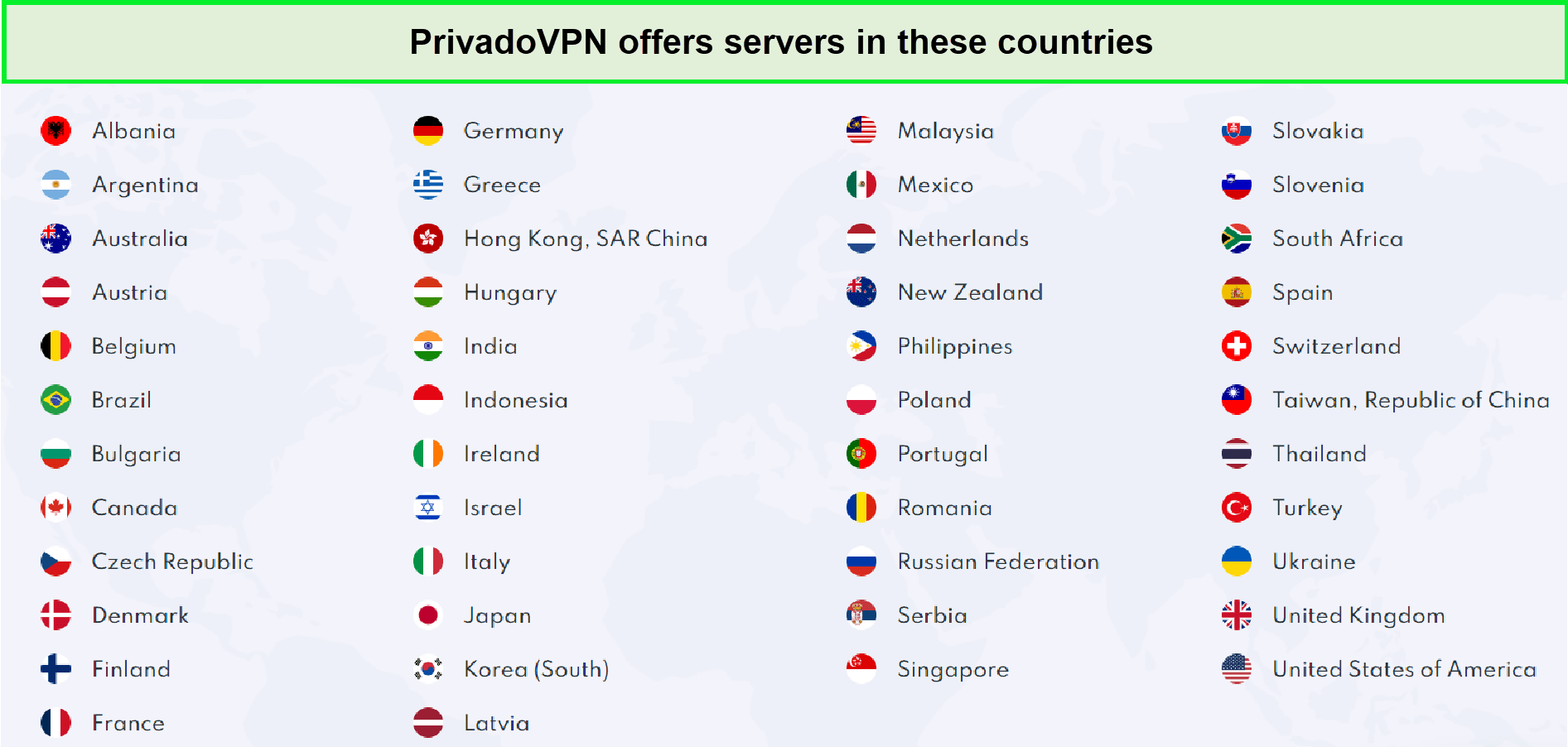
The PrivadoVPN server network isn’t that big, but it’s sufficient.
The best thing about its network is that it has physical servers located in the jurisdiction of representation. Although virtual servers have their benefits, physical servers are more credible and secure.
Also, PrivadoVPN claims complete ownership of these servers and quick assistance for any issues. PrivadoVPN countries are fully covered with the protective features it provides.
Moreover, it offers an Auto-connect feature just to pick a server and connect to a safe VPN location automatically. You can try the best, and the fastest server connection in your region with PrivadoVPN’s recommended server feature.
Security and Features – Is PrivadoVPN secure?
A VPN is supposed to enhance the security and reliability of the connection. Secure VPNs in Hong Kong encrypt data traffic and help you become anonymous online. But is PrivadoVPN safe? – let’s explore it in this section.
PrivadoVPN performs well in this category by providing complete security and data protection. It uses military-grade AES-256-bit encryption and follows a strict no-logs policy.
It offers a kill switch option and supports powerful VPN protocols, including OpenVPN, WireGuard, and IKEv2.
| Features | PrivadoVPN |
|---|---|
| Encryption | Military-grade AES 256 |
| Protocols | OpenVPN, WireGuard, IKEv2 |
| Kill switch |  |
| Split tunneling | |
| Obfuscation technology |  |
| IP Leak blocker | |
| DNS leak blocker | |
| Ad-blocker | |
| Tracker blocker | |
| Multihop/Double VPN protection | |
| Smart DNS | |
| RAM-only servers | |
| Threat prevention | |
PrivadoVPN lacks a tracker-blocker, double VPN protection, and SmartDNS. Nevertheless, on the whole, it has a strong security and protection mechanism.
PrivadoVPN Protocols
PrivadoVPN uses military-grade and expert-approved AES-256-bit encryption for masking user traffic. Additionally, it supports a robust pack of protocols discussed below:
- IKEv2/IPSec: Comparatively faster than OpenVPN, but fails to perform in certain settings.
- WireGuard: It is one secure and fast latest solution.
- OpenVPN (UDP): The most powerful package of speed and security that works in any setting.
- OpenVPN (TCP): Comparatively safer but slower protocol than OpenVPN (UDP) that works anywhere.
PrivadoVPN has set IKEv2 by default out of all these secure options. It can be changed from the applications’ Settings. We suggest WireGuard to speed-conscious users. You can get your identity hidden with PrivadoVPN’s SOCKS5 proxy.
Logging and privacy policy
Based in a privacy-friendly region, Switzerland, PrivadoVPN follows a no-logs policy. It is not bound to collect user data as user privacy is prioritized in the region. No user data is collected, and none of their activities are tracked. Your IP address is also not kept by the VPN. On top of this, whenever a customer requests data, it has to be disclosed to the owner legally.
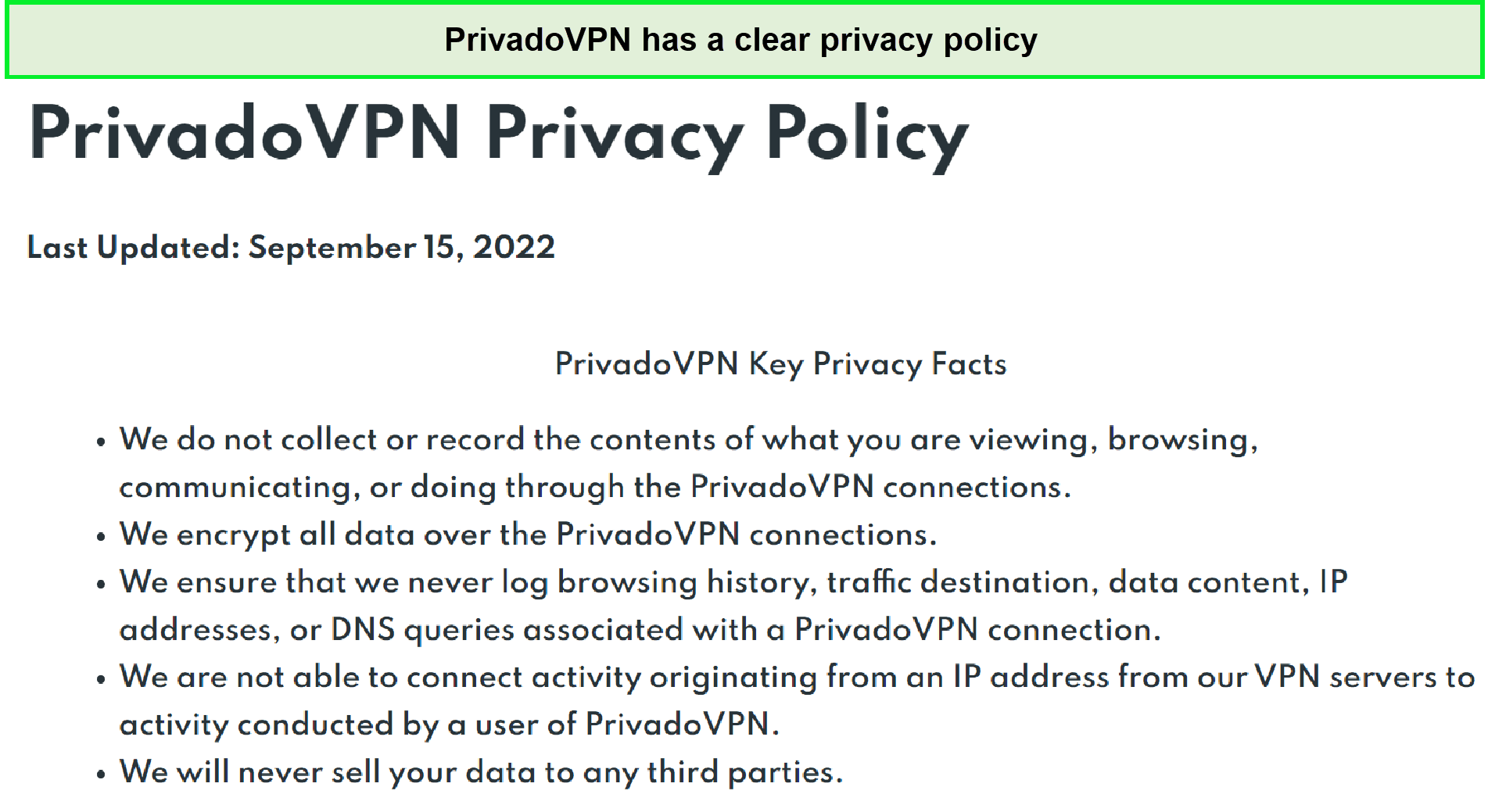
PrivadoVPN states it doesn’t keep any identifiable user logs in Hong Kong.
Interestingly, PrivadoVPN uses RAM-only technology, where user data is stored on RAM until the session ends. No user data is available after session completion. Furthermore, by anonymizing connection logs, PrivadoVPN prevents linking them to the accounts. When any user joins the network, the VPN doesn’t know who he is, where he has connected from, and what he is doing on the network. You can also go through VPN logging policies in Hong Kong to check which factors to look out for in any privacy policy of a VPN.
Kill switch
If your VPN service suddenly stops working, your data and identity can get exposed. A kill switch in Hong Kong prevents this from happening by disconnecting you from the regular internet connection immediately after the VPN connection drops.
PrivadoVPN offers a kill switch in its apps to prevent information leakage. You can easily find the kill switch option in the dashboard. It can be operated by enabling or disabling the button.
Does PrivadoVPN leak your data?
PrivadoVPN doesn’t leak your data; it has complete protection against IP and DNS leaks. On running the leak tests, no issues were found. Therefore, you can use the VPN for browsing or performing any activity confidently, as your data remains secure on the platform.
What information does PrivadoVPN need?
PrivadoVPN just needs your email address to create your account for free. But if you want to purchase a premium account, you have to give your PayPal or credit card details. As for now, cryptocurrencies are not accepted by PrivadoVPN. If it adds bitcoin acceptance in the future, it will allow further anonymity for the users.
Speed and Performance – Is PrivadoVPN fast?
PrivadoVPN has impressively fast speeds that make it incredible for use. Although it’s not the fastest VPN available, it still performed well in testing. PrivadoVPN maintained an average speed of 51.7 Mbps for all the regions tested.
The tests were conducted in Europe, Asia, and North America. OpenVPN UDP was used for these tests instead of IKEv2, which gives faster speeds to maintain consistency. The speed recorded in North America was 105.6 Mbps, 38 Mbps in Europe, and 11 Mbps in Asia.
On PrivadoVPN’s US servers, we received a download speed of 86.5 Mbps and an upload speed of 57.87 Mbps on our 100 Mbps internet connection. As you can see, we only faced a speed drop of 13.5%.

PrivadoVPN’s US servers provided faster speeds than distant servers in Hong Kong.
On PrivadoVPN’s UK servers, we received a download speed of 68.34 Mbps and an upload speed of 23.44 Mbps on our 100 Mbps internet connection. As you can see, the speed drop was higher than the one we received on the UK servers.

PrivadoVPN provided less fast speeds on its UK servers.
PrivadoVPN was also tested for gaming by connecting to a server nearby. Fortunately, it was a smooth experience with no slowdowns, lags, or disruptions. It wasn’t surprising as it is already known for good speeds. You can also explore the best VPNs for gaming in Hong Kong for alternatives.
Streaming – Does it Unblock streaming Platforms?
PrivadoVPN boldly advertises its streaming services on the webpage. Standing by its claim, it can work, but only with a few streaming platforms. On testing, it unblocked and allowed access to Amazon Prime Video, Netflix Germany, France, and the US. However, it didn’t allow access to Hulu, Netflix UK, BBC iPlayer, and Disney+.
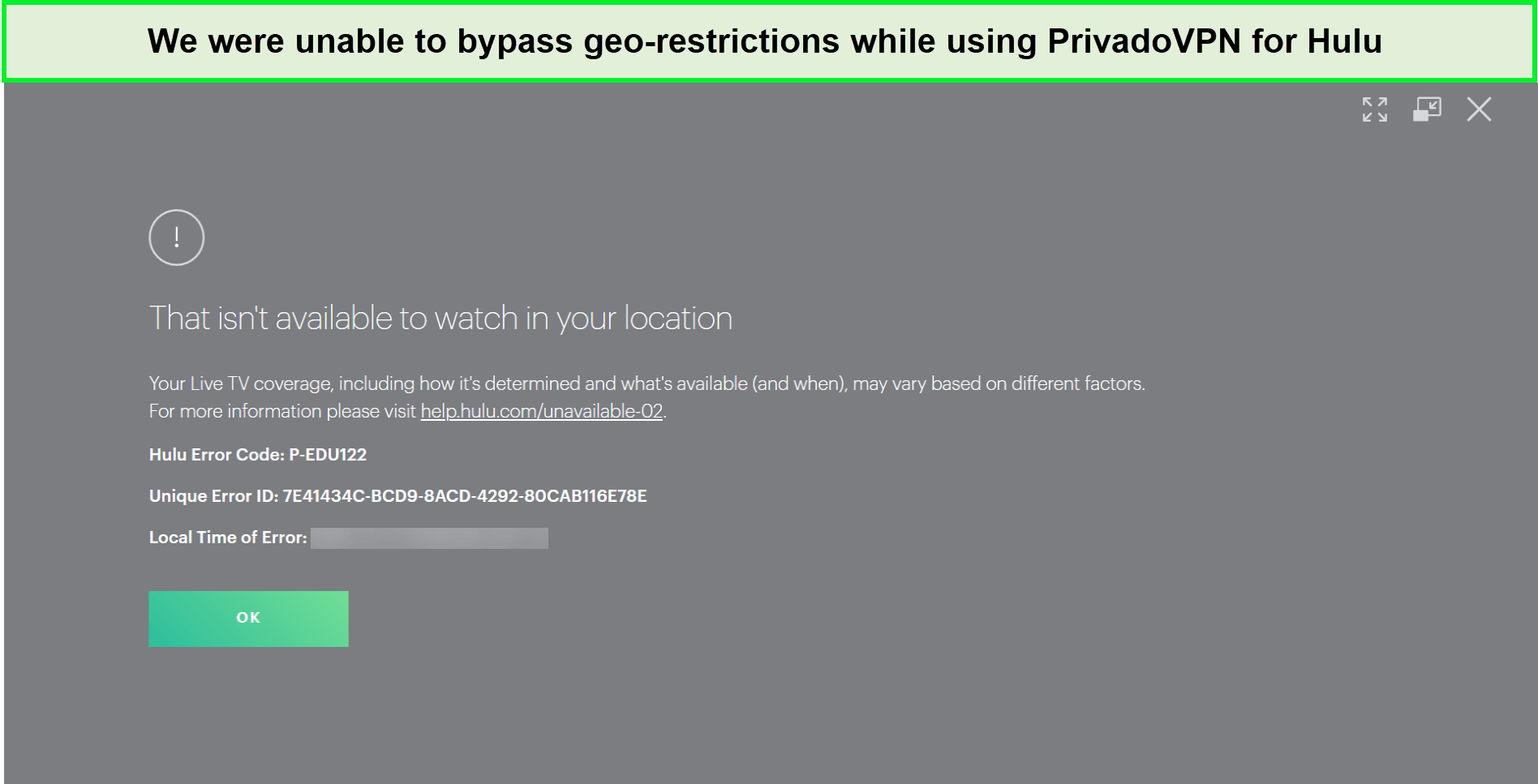
{%CAPTION%}
One thing observed about PrivadoVPN servers while testing is that they lack consistency and stability. If a certain server works once, it may not work the second time, unlike the other VPN providers that allow regular access to the streaming channels. If you can wait to search and switch servers each time, PrivadoVPN can work for you. Otherwise, we recommend using ExpressVPN to enjoy unrestricted access to a wide range of popular streaming sites. Based on our experience, it is easily one of the best VPNs for streaming in Hong Kong.
Torrent – Is PrivadoVPN good for torrenting?
PrivadoVPN supports P2P traffic and torrenting on each server. Due to the SOCKS5 proxy, it can effortlessly work with famous torrenting apps at high speeds. Moreover, it enables quick and lag-free downloads.
PrivadoVPN secures torrenting with the help of military-grade encryption, powerful leak prevention, a strict no-logs policy, and an effective kill switch. However, it’s not suitable for streaming.
PrivadoVPN can perform well for basic activities, like browsing or exchanging content online. But it still has a long way to stand tall with the top-rated VPNs such as the all-rounder ExpressVPN since it is the best VPN for torrenting in Hong Kong.
Device Compatibility — Which devices work with PrivadoVPN?
PrivadoVPN can be used to secure PCs, tablets, phones, TVs, or routers on the network. It has dedicated apps for Windows, Android, iOS, macOS, Fire TV, and Android TV.

It has not been mentioned explicitly, but it does support Linux devices. You don’t get a dedicated app; however, it can be installed via OpenVPN’s manual configuration. It provides a complete Linux setup in Hong Kong which you can follow to have it in place.
PrivadoVPN lets you connect up to 10 devices simultaneously on a premium account. While the free plan users can connect 1 device at a time.
| Operating System | Compatibility |
|---|---|
| Windows | |
| Android | |
| iOS | |
| macOS | |
| Linux | |
We like how PrivadoVPN covers many popular systems and supports Android and Fire TV on top.
Installation of Apps and Ease of Use
PrivadoVPN download isn’t an overly time-consuming process. For all your how to use PrivadoVPN queries, the provider offers helpful tutorials on the website. Users can easily follow the setup guides and refer to the customer support section for more guidance.
PrivadoVPN on Windows
Windows 11 was used for testing the PrivadoVPN app. It was good to note the latest updates in the interface, making it bigger and easier to navigate. It has a beautiful purple-color theme which is catchy. Plus, you get a large connect button for quick connection. On the other side, it must allow the resizing window to change the display. Unfortunately, its main window is not resizable.
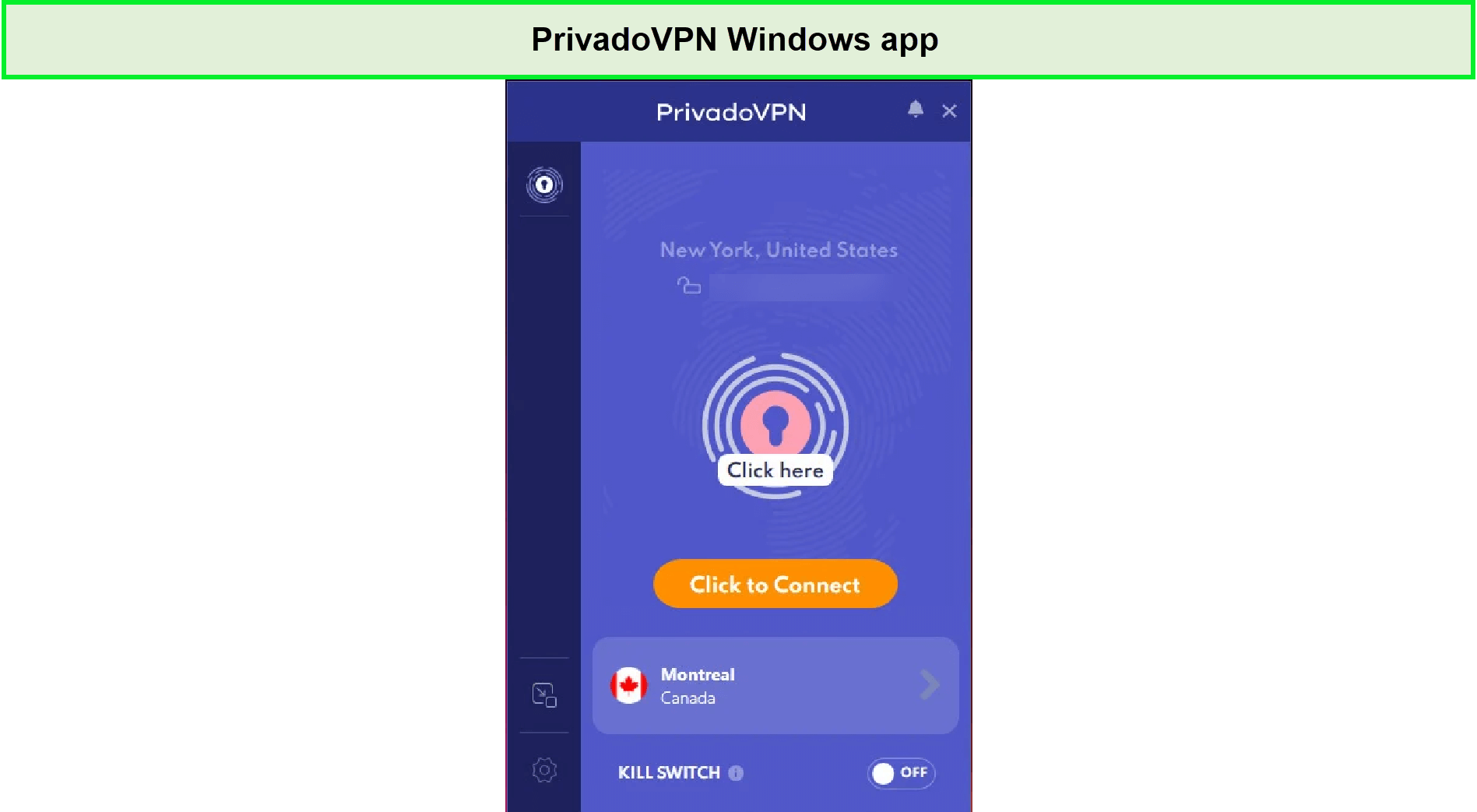
We found the PrivadoVPN Windows app pleasing to the eye in–Hong Kong.
When the best available server was requested, it was expected to connect to the nearest server in the vicinity. But PrivadoVPN connected to a distant server in Montreal across the border. Moreover, when the current server location was pressed, it displayed the cities available for connection rather than showing the servers within those cities.
The unavailability of the map view was frustrating as choosing the server location required random guesses or attempts. While its kill switch and split tunneling features worked excellently. Removing apps from the VPN tunnel was easy.
Additionally, no IP or DNS leaks were found in the leak test. The best thing was that PrivadoVPN masked the public IP address and kept it hidden.
PrivadoVPN on macOS
PrivadVPN’s mac app offers standard options in a closely-packed window, similar to the windows app, covering small screen space. It displays more locations on the screen than the Windows app.
It provided an inconsistent connection with speed fluctuations. As there is no button for canceling the process, the app hung while connecting to a server and didn’t allow manual termination in some attempts.
After restarting the app, no ‘Show’ mode was available to search the location list again. It abruptly performed faster than the Windows app at some points.
In terms of options, you get a kill switch, auto-connect feature, and an OpenVPN/IKEv2 protocol support excluding PrivadoVPN WireGuard. However, on connecting to untrusted networks, you can no more use split tunneling, auto-connect, and other advanced features.
The positive part is that you can try it for free under the free plan. However, it lacks usability features and high-power support, on the other hand.
PrivadoVPN on Android
The Android app of PrivadoVPN has a great appearance and good performance. Samsung Galaxy phone was used to conduct these tests. Privado’s Android app has a pleasant neon pastel palette theme popping over the white and purple background.
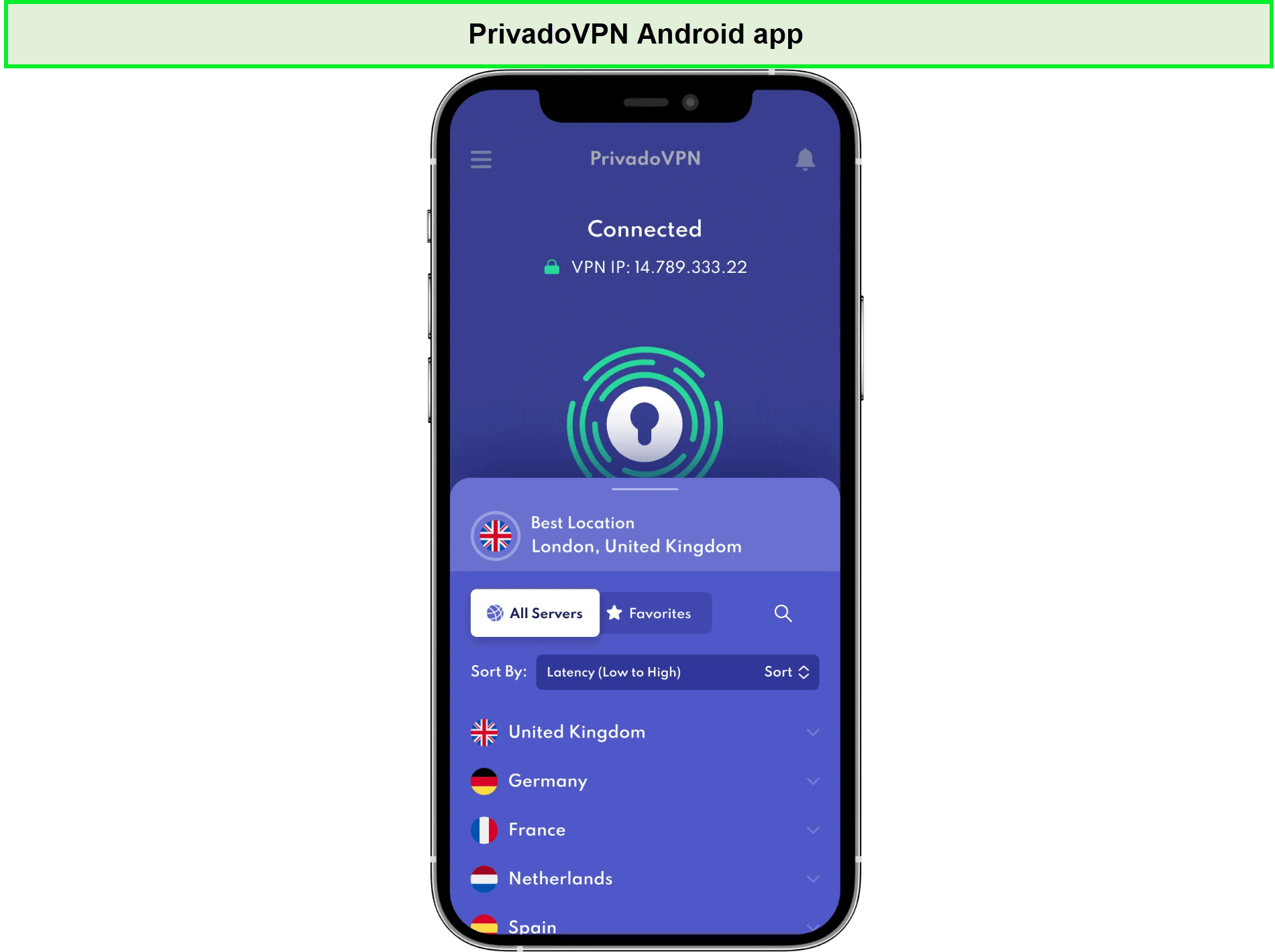
The PrivadoVPN Android app is slightly different than its Windows app in–Hong Kong.
In terms of features, it provides lesser options than top-quality VPN services. It consists of an Auto Connect and a kill switch. You can find a large button to connect or disconnect from the VPN at the top of the window. Here’s how to use Privado VPN by switching on and off to the connect button. It lets you connect to a server by choosing a server in the preferred region.
On running leak tests, no issues were found. Also, no delays in speed were reported, along with no buffering while streaming.
PrivadoVPN on iOS
PrivadoVPN’s iOS app has an interactive display with easy-to-use options. It has a neon pastel combination that sparks up the simple background.
IPhone XS was used to test iOS app performance and features. It provides a list of countries for users to pick their desired location (cities). It has a big button to connect or disconnect the VPN connection at the top of the screen.
On running leak tests, no IP or DNS leaks were found. Moreover, no fluctuation in speed was experienced, allowing buffer-free video streaming on YouTube.
PrivadoVPN Bypass Censorship
PrivadoVPN claims to bypass censorship in all regions where its servers are located. Its unblocking capacity can only be evaluated by testing the servers in the geo-restricted areas.
Does PrivadoVPN Work in China?
Well, we doubt that. PrivadoVPN has not specified its accessibility in China. Even upon asking customer support, a vague response was received, where the support agents were themselves unclear. They said they have no idea if PrivadoVPN works in China or not because they don’t have a way to test it.
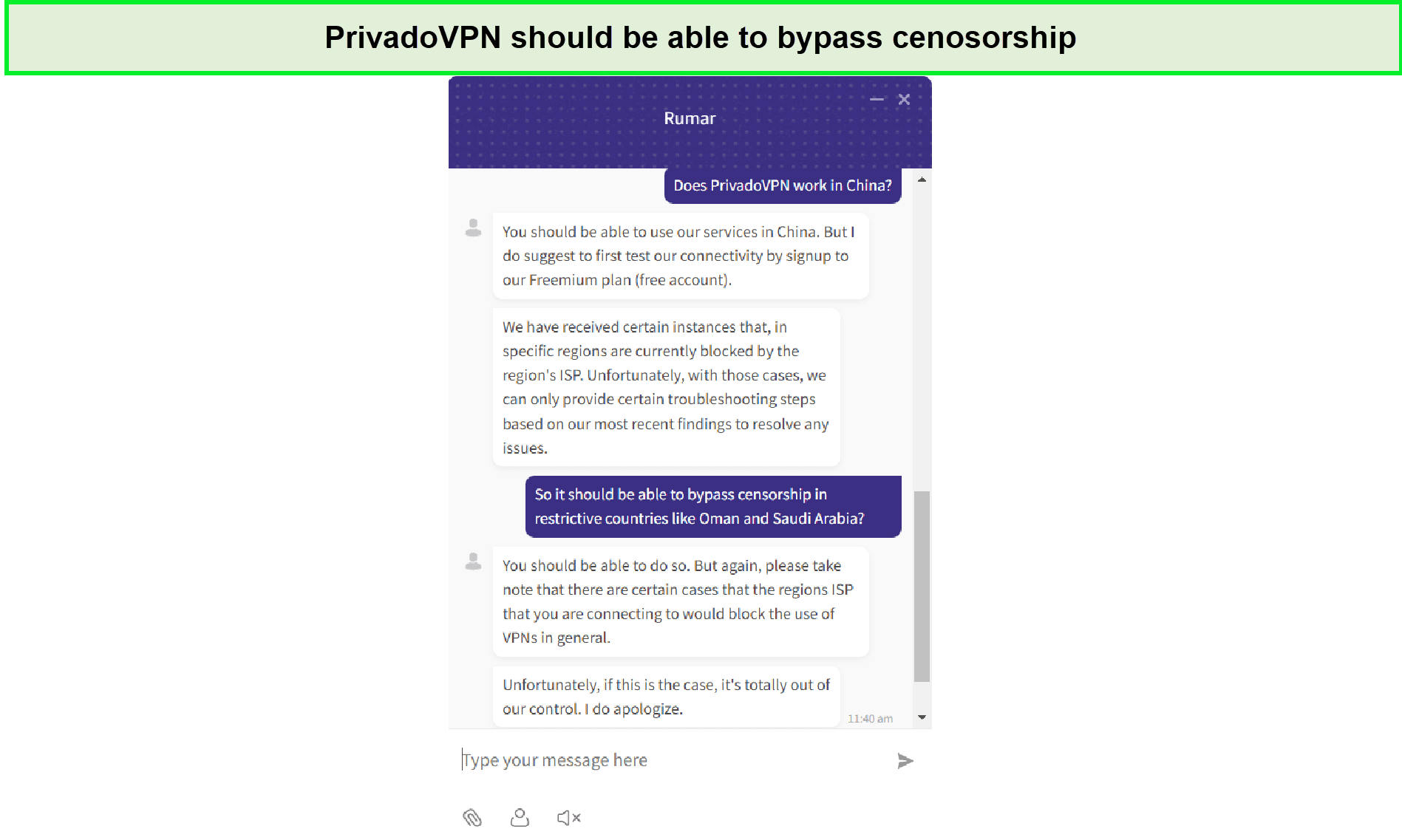
Here’s a snippet of our conversation with the PrivadoVPN representative regarding the VPNs working in China in–Hong Kong.
PrivadoVPN Review Customer Support
PrivadoVPN’s customer support is not up to the standards of top-premium VPNs. It has ticketing support, a blog, a knowledge base, and setup guides. Surprisingly, it also offers an active live chat option which we found very helpful.
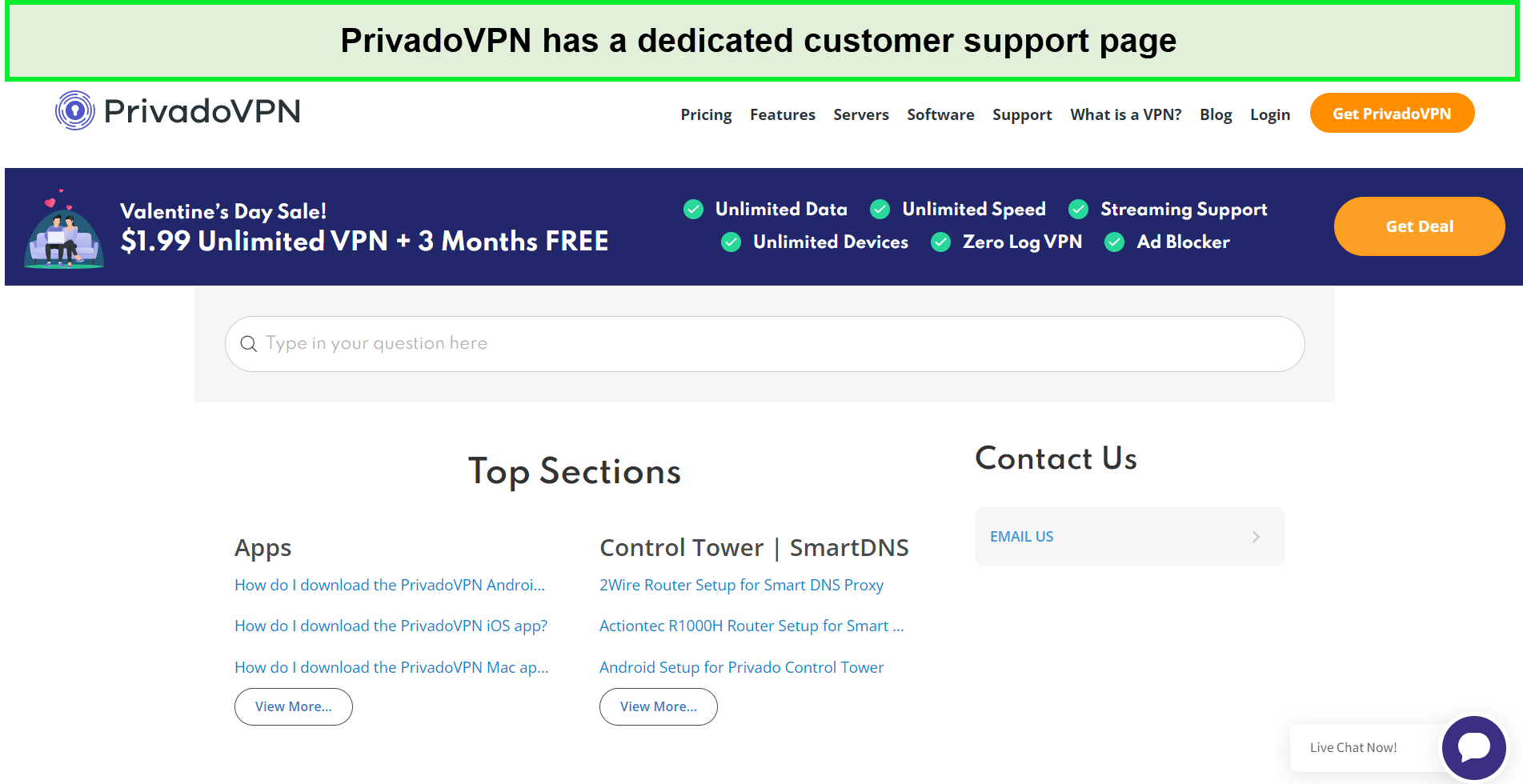
PrivadoVPN offers good customer support in–Hong Kong.
Live chat service allows customers to interact with the support team immediately in case of a critical issue. One of the best VPN services, ExpressVPN, provides excellent customer support run by knowledgeable agents. You can contact them 24/7 and receive an extensively helpful response instantly.
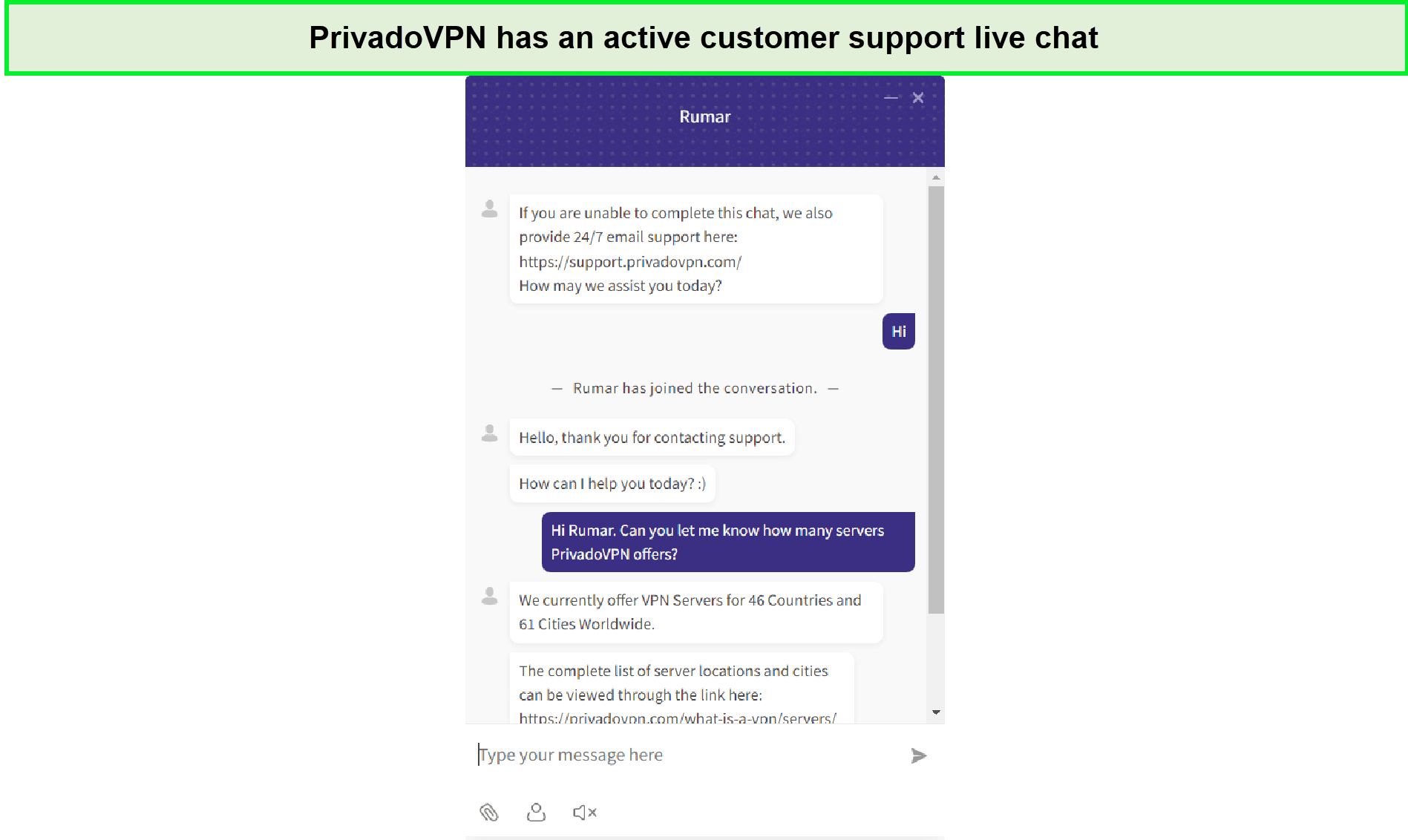
Our experience with the PrivadoVPN representative was good in–Hong Kong.
With PrivadoVPN, you can use the email ticketing service to request assistance. Whereas you can’t get live help via phone line or live chat service. When PrivadoVPN’s agent was contacted via the ticketing system, his response was not helpful. It seemed he lacked knowledge of the subject matter.
We appreciate its installation setup guides and the latest articles posted in the blogs section. Its FAQ section is also quite extensive.
| Customer Service | PrivadoVPN |
|---|---|
| Live chat | |
| Email/Ticketing system | |
| FAQs | |
| Setup guides | |
| Phone line | |
| Blog | |
Alternatives to PrivadoVPN
PrivadoVPN alternatives are listed below:
- ExpressVPN review in Hong Kong – The expert-choice VPN with guaranteed protection
- NordVPN review in Hong Kong – A wide server network VPN to offer vast security
- Surfshark VPN review in Hong Kong – A VPN with the best value for money
- CyberGhost VPN review in Hong Kong – A secure VPN with a 45-day money-back guarantee
- VyprVPN review in Hong Kong – A low-price VPN with impressive services
- IPVanish review in Hong Kong – A reliable VPN with excellent speeds
- PureVPN review – A decent-sized server network VPN with improved features
- ZenMate VPN review in Hong Kong – A budget-friendly VPN for average use
- Windscribe VPN Review in Hong Kong – A trustworthy VPN with a widely used free plan
FAQs – PrivadoVPN Review in Hong Kong
Is PrivadoVPN free to use in Hong Kong?
Yes, PrivadoVPN offers a free version with great services besides the premium package in Hong Kong. The free plan provides a 10 GB data limit and 12 server locations. You can connect 1 device for any online activity. However, it doesn’t offer advanced features in this package, such as an ad-blocker, parental controls, and threat prevention.
According to the PrivadoVPN review on Reddit, the free version lets users enjoy smooth activities at fast speeds. PrivadoVPN Reddit assures a satisfactory user experience.
Does Privado sell your data in Hong Kong?
No, PrivadoVPN doesn’t sell your data in Hong Kong. It clearly denies collecting user data and personal information.
According to its privacy policy, the provider isn’t involved in any of the following activities:
- logging user data
- storing IP addresses
- selling data to third parties
Does PrivadoVPN work on Netflix in Hong Kong?
Yes, PrivadoVPN can work on Netflix in Hong Kong. Some of the libraries work at the first attempt, but others often require switching the server locations. For instance, while testing, Netflix US, Germany, and France got unblocked, but Netflix UK couldn’t work. Therefore, you may have to switch different servers or locations to find the one that works seamlessly.
How much is Privado in Hong Kong?
PrivadoVPN is an affordable security provider at $7.99 monthly or $59.88 annually for a wide range of devices in Hong Kong. It offers secure features and high-speed servers that don’t disappoint users. Additionally, it provides a free VPN with basic features and 10 GB of data for 30 days.
Do we Recommend PrivadoVPN?
Yes, we do. PrivadoVPN is a growing security provider focused greatly on user privacy and security. It has incredible features and safe services as compared to the other small-sized VPNs. In terms of pricing, it doesn’t disappoint by offering quality paid and free plans.
With military-grade encryption, a strict no-logs policy, RAM-only technology, and a robust combination of the latest security protocols, it is surely one of the most reasonable services for average users.
Our PrivadoVPN review in Hong Kong shows that despite its promising structure, it still needs to make a couple of improvements in some areas to make its way to the top-quality VPN category. It has to boost streaming capacity, add real-time support services, add missing advanced security features, enhance its interfaces, and introduce a free trial.
If you are a security freak with highly-sensitive data transactions, we recommend using the all-rounder, safest, and fastest ExpressVPN service. You can risk-freely try the service on a 7-day free trial to decide if it is really worth your investment.
