BTGuard Review in USA 2023
BTGuard VPN is specifically designed for Torrent users & for P2P downloading. It has only 3 servers but comes at an expensive price. For the price of $9.95/mo, it manages to earn only 2 star rating.
- Updated: March 6, 2024
- 8 User Reviews
- Gerald Hunt
BitTorrentGuard or better known as BTGuard, is a VPN and a BitTorrent proxy provider. Most people use this service because it allows P2P sharing for Torrent users. You can utilize BTGuard on as many computers as you want, having to worry about bandwidth or torrenting speeds.
In our BTGuard review, you’ll learn if BTGuard is worth investing in. BTGuard has 3 high-traffic servers located in Singapore, Canada, and the Netherlands. It is also one of the most expensive VPNs that we have ever tested. We’d rate this VPN 2.1/5.0 stars based on our BTGuard VPN review.
A reliable VPN with P2P-optimized servers such as ExpressVPN and NordVPN can do wonders for you. You may also explore other VPN options in the industry by checking out our popular VPN reviews.
Key Findings – BTGuard Review
Below you will find a list of factors that we have used for our BTGuard VPN review:
- Pricing – How much does BTGuard VPN cost?
- Security – How secure is BTGuard?
- Speed – How fast is BTGuard VPN?
- Server Network – How many servers are offered by BTGuard?
- Streaming – Does BTguard work with Netflix?
- Leaks – Does it leak IP, DNS & WebRTC?
- Jurisdiction – Is it located in a 5-eyes country?
- Trustworthiness – Can BTGuard be trusted?
- Customer Support – Is BTGuard’s customer support helpful?
- Compatibility – Which devices are compatible with BTGuard?
- Supports P2P sharing
- Netherlands server is fast
- Compatible with OpenVPN
- No apps
- Overpriced
- Limited servers
- Insufficient encryption
Pricing – How Much Does BTGuard VPN Cost?
BTGuard has expensive pricing plans. It has 2 different plans, which are listed below:
You can also opt for BTGuard VPN service’s annual subscription, which costs US$89.95/yr. Its Bittorrent plan is designed to keep your activity anonymous while downloading torrents. The other plan is just a VPN that keeps your online activity on the entire web anonymous.
To be honest, it’s one of the most expensive VPNs we have ever reviewed. Many top VPNs, such as Surfshark or ExpressVPN, offer the best features at reasonable prices. If you want to get these VPNs at a discounted rate, check out our list of VPN deals 2023 and avail amazing discounts.
Additionally, if you find yourself constrained by budget concerns, there’s no need to fret. I’ve compiled a list of best free VPNs for torrenting tailored specifically for torrenting. These options cater to users seeking a VPN provider that delivers comparable levels of security and anonymity to premium services like BTGuard.
Coming back to BTGuard, it does not have any refund policy either.
Payment Methods
Here is a list of payment methods offered by BTGuard:
- Bitcoin
- PayPal
- MasterCard
- VISA
- American Express
- Discover
- Bank Transfer

Security – How secure is BTGuard?
BTGuard’s security is quite average and lacks basic features. Despite that, it offers strong 256-bit AES encryption, the industry’s strong encryption. BTGuard combines this encryption with RSA-1028 encryption, which is called hybrid cryptography, ensuring better speeds and high security.
It also supports PPTP (Point-to-Point Tunneling Protocol) and OpenVPN protocols. PPTP is an obsolete tool that has proven to be a vulnerable time and time again. In contrast, OpenVPN is the best option in the market. It is advanced, secure, and constantly improving.
Speed – How fast is BTGuard VPN?
BTGuard’s speed is too slow.
Our internet speed before connecting to the BTGuard Singapore server was 31 Mbps. Once we connected to their server, our speed declined by 9.63 Mbps. Not good. We had a fear that having only 3 servers would suffocate its bandwidth speed, and that is exactly what happened.
Here is the screenshot:
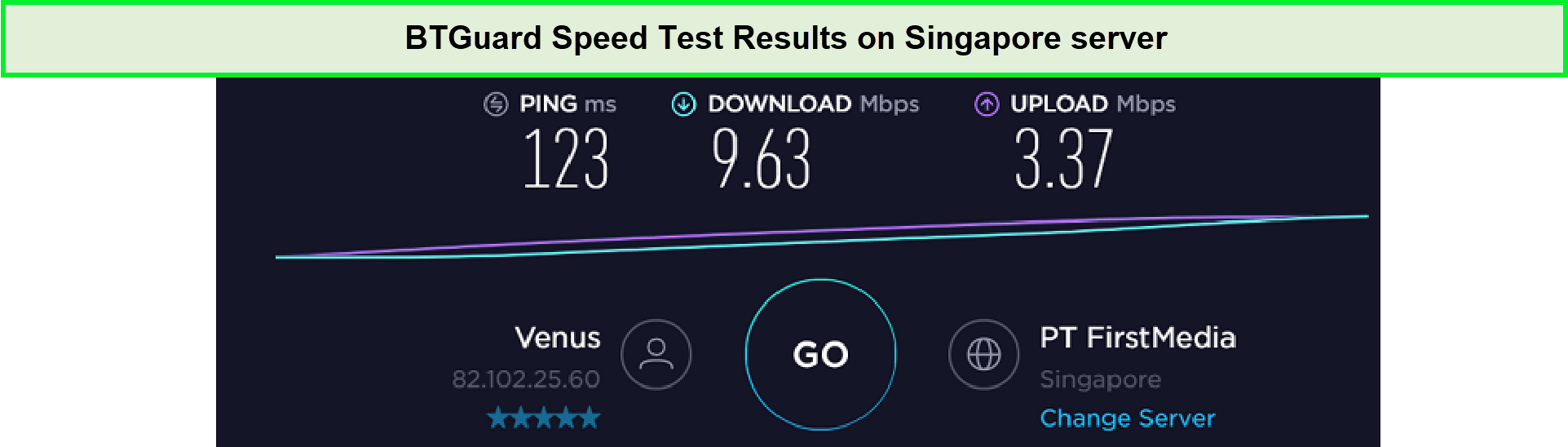
We received very slow download speeds on BTGuard servers.
Server Network – How many servers are offered by BTGuard?
There are 3 main locations that serve as BTGuard’s network points: Canada, Netherlands, and Singapore. As per their claim, BTGuard has multiple 10GB lines for optimum capacity. This also allows them to keep no limitation on the connection speed.
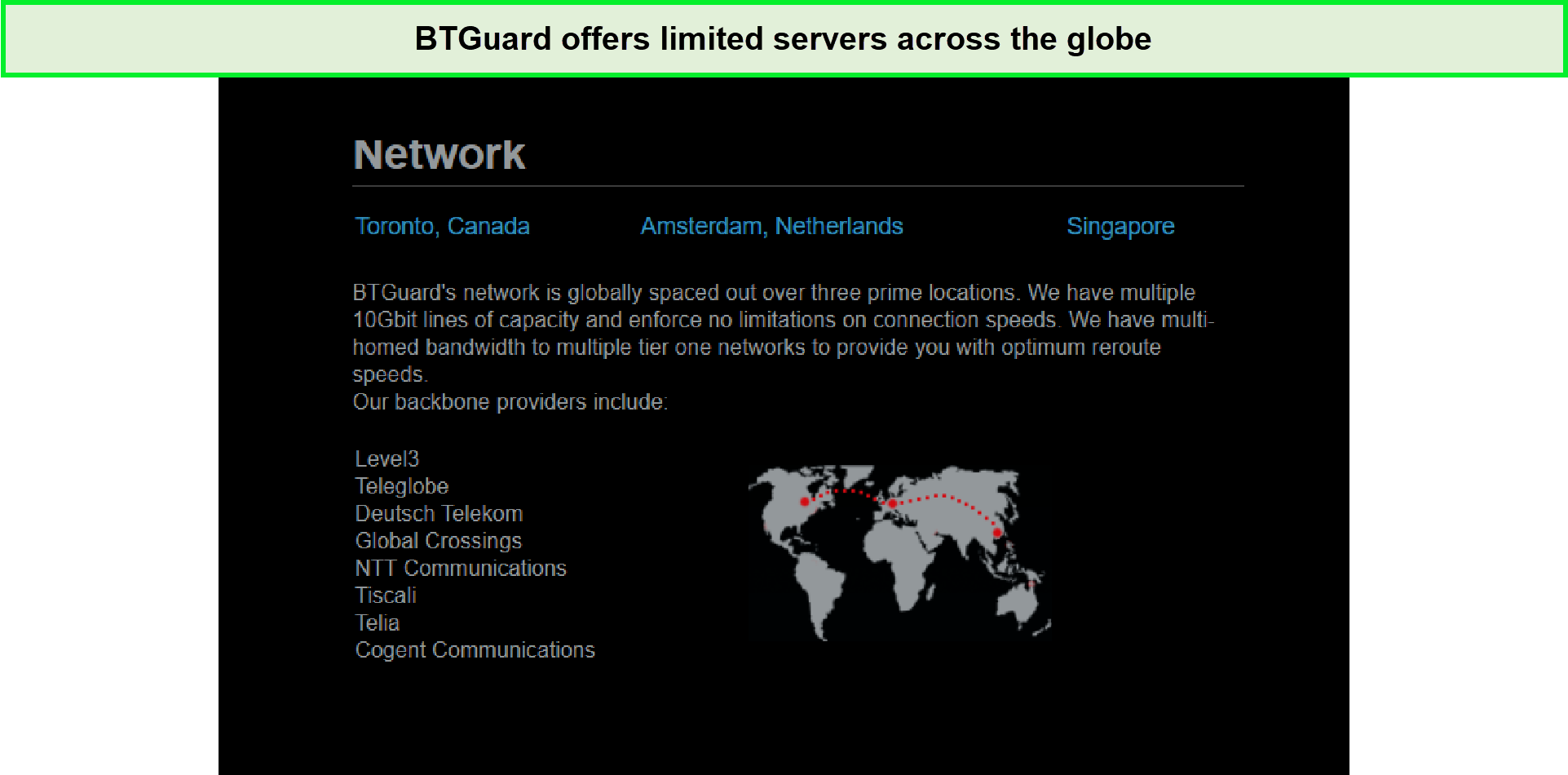
BTGuard’s servers are not reliable as they’re few in number.
But something is amiss here. Three servers mean they will crowd up quickly. And this will suffocate the bandwidth speeds. So, having only 3 servers is not so good.
Streaming – Does BTguard work with Netflix?
Unfortunately, BTGuard doesn’t unblock US Netflix. Because the VPN doesn’t even have a US server, so anything you try goes in vain.
Despite the fact BTGuard offers Singapore servers, we could not unblock Netflix Singapore. Another issue we faced with BTGuard was that our default location kept switching to the Netherlands instead of the one we picked out. This raises questions about the VPN’s claims regarding its server locations.
VPNs and Netflix have had somewhat of a bad breakup. Now, Netflix has imposed powerful firewalls to keep VPN services away. However, premium VPNs like ExpressVPN can unblock Netflix in a jiffy. So perhaps you might want to opt for a different option other than BTGuard for streaming Netflix.
Other VOD streaming service
Much like Netflix, most streaming sites implement geo-restriction barriers due to content limitations and licensing agreements with a show/movie’s executives. For instance, we tried to unblock BBC iPlayer using BTGuard but were unable to do since BTGuard doesn’t have UK servers.
Similarly, you’ll be unable to access services like Kayo Sports since the VPN doesn’t offer Australian servers either.
Is BTGuard good for Torrenting?
Yes, BTGuard is good for torrenting if you use its Bittorrent Proxy. It has P2P-optimized servers that will protect your online identity by masking your original IP address.
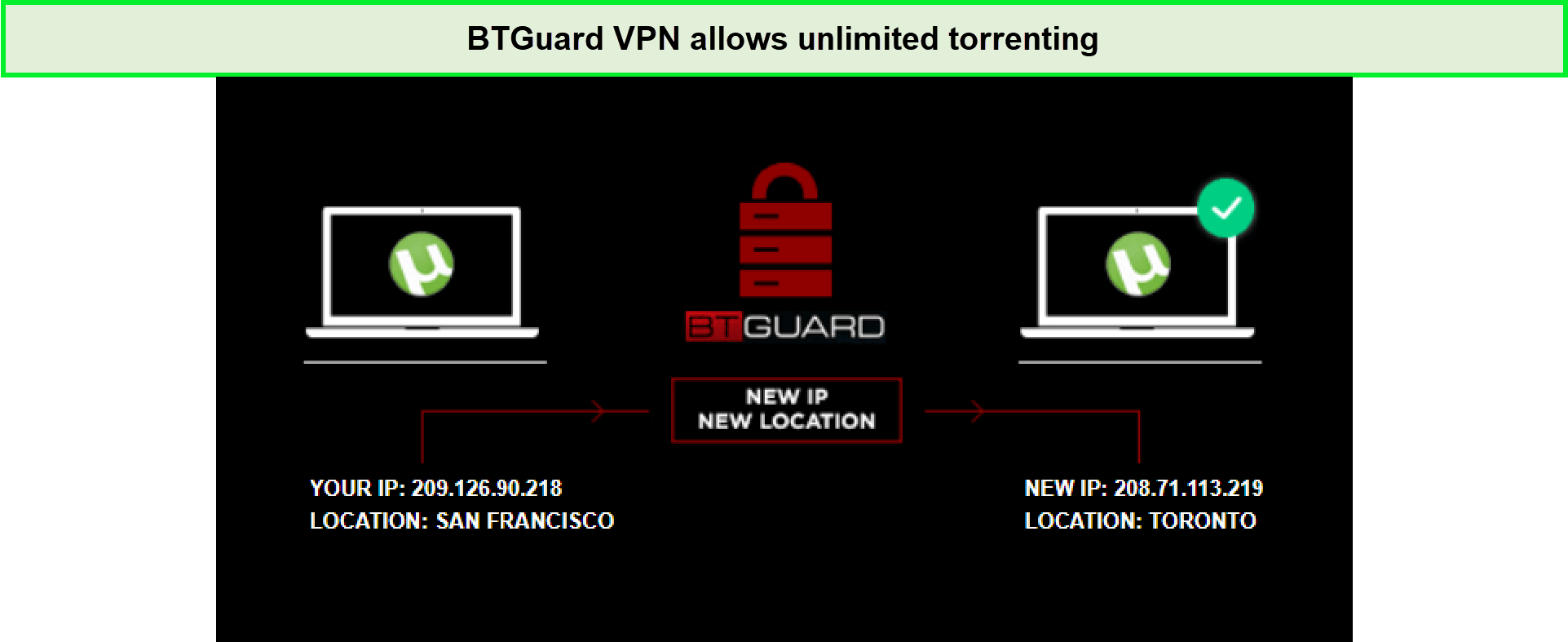
Torrenting with BTGuard was super easy!
BTGuard torrent service should definitely be appealing to netizens. After all, it was designed for this purpose.
However, you might want to keep an eye on IP/DNS leaks since you may encounter such issues while using BTGuard for torrenting. As a result of which, other P2P users will be able to see your actual location, making it unsafe for torrenting.
Based on our experience, we had no issues torrenting a 2GB file through BTGuard as it took us 12 minutes to download successfully. Furthermore, we’d advise you to ensure you’re not breaking any rules and regulations of your country or committing any illegal acts through torrents.
Leaks – Does it leak IP, DNS & WebRTC?
Gladly, BTGuad doesn’t leak IP, DNS, or WebRTC. We used its VPN service plan to test for any leaks.
We connected to their Singapore server. Here are the results:
IP Test
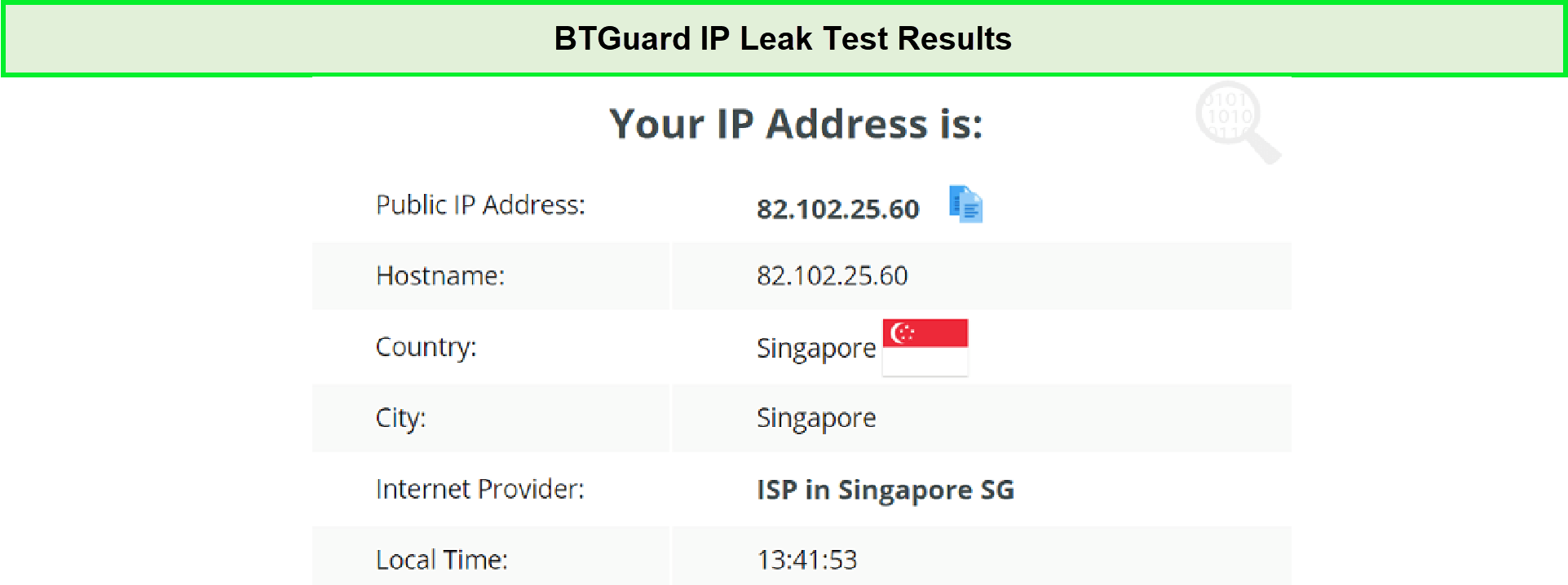
BTGuard passed our IP leak test easily.
DNS Test
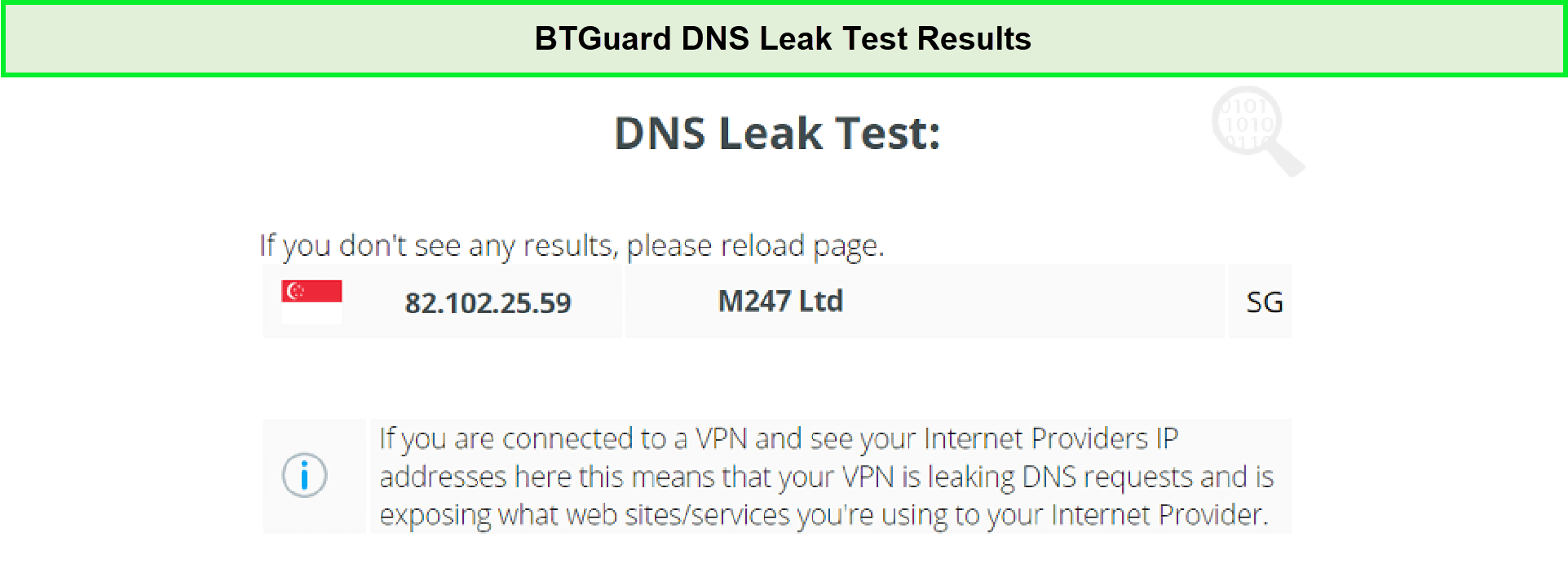
While conducting the DNS test, BTGuard proved to be efficient.
WebRTC Test
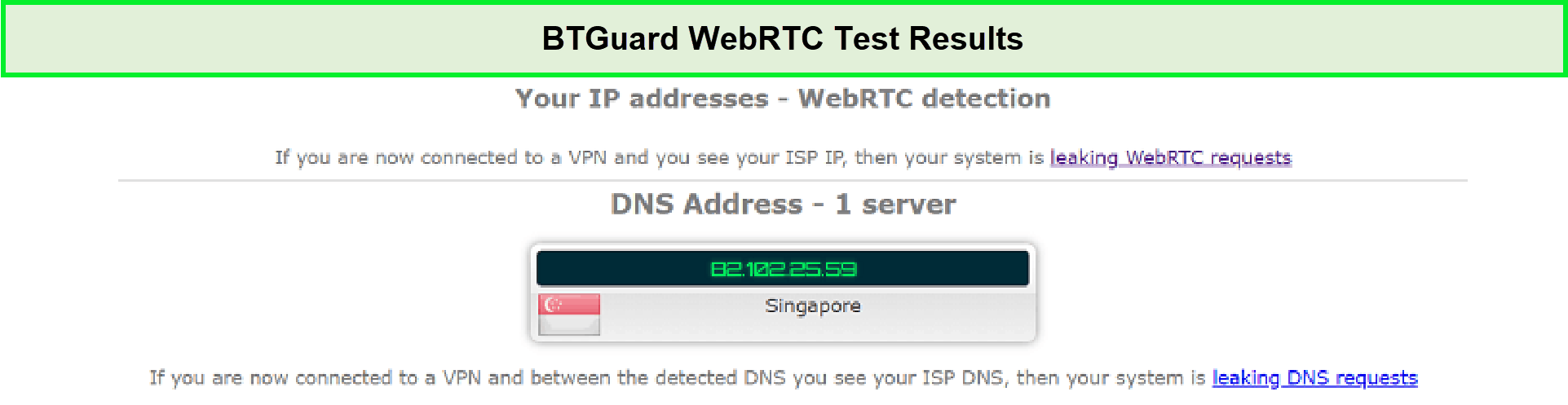
BTGuard passed our WebRTC tests with flying colors!
Jurisdiction – Is it located in a 5-eyes country?
BTGuard is based in Canada, which puts it right in the grasp of Five Eyes and its vile surveillance procedure. 5 eyes, 9 eyes, and 14 eyes countries spy on their citizens. What’s worse than a country spying on its own citizens? It shares the said information with a group of other countries.
Like a bunch of surveillance junkies, they take a puff of your private information and then pass it on.
Trustworthiness – Can BTGuard be trusted?
No, BTGuard cannot be trusted. Despite clearly stating that BTGuard doesn’t store any kind of logs, we’re still dubious about its assurances. Specifically when there have been many reports of IP/DNS leaks while using BTGuard.
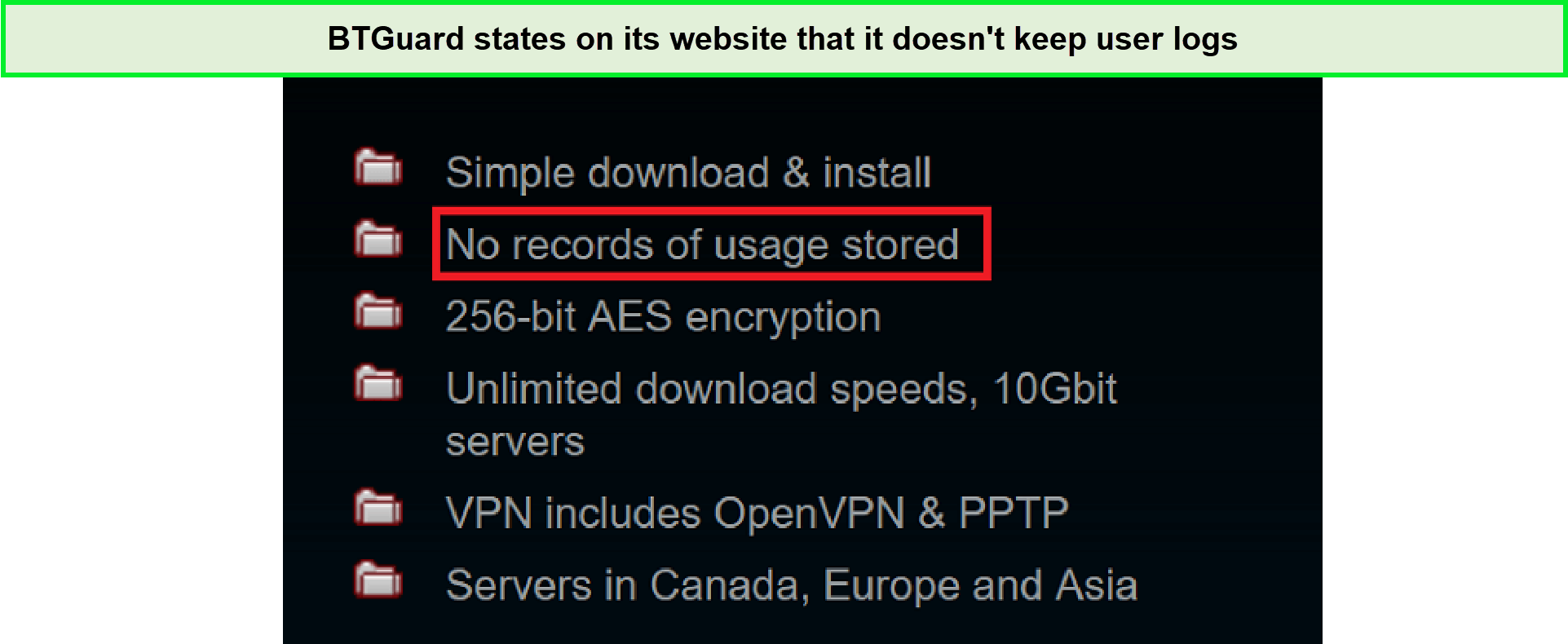
BTGuard claims it doesn’t keep any user logs.
Since this isn’t our first rodeo, we researched their privacy policy to see if they are true to this claim. Here is what BTGuard’s privacy policy reads.
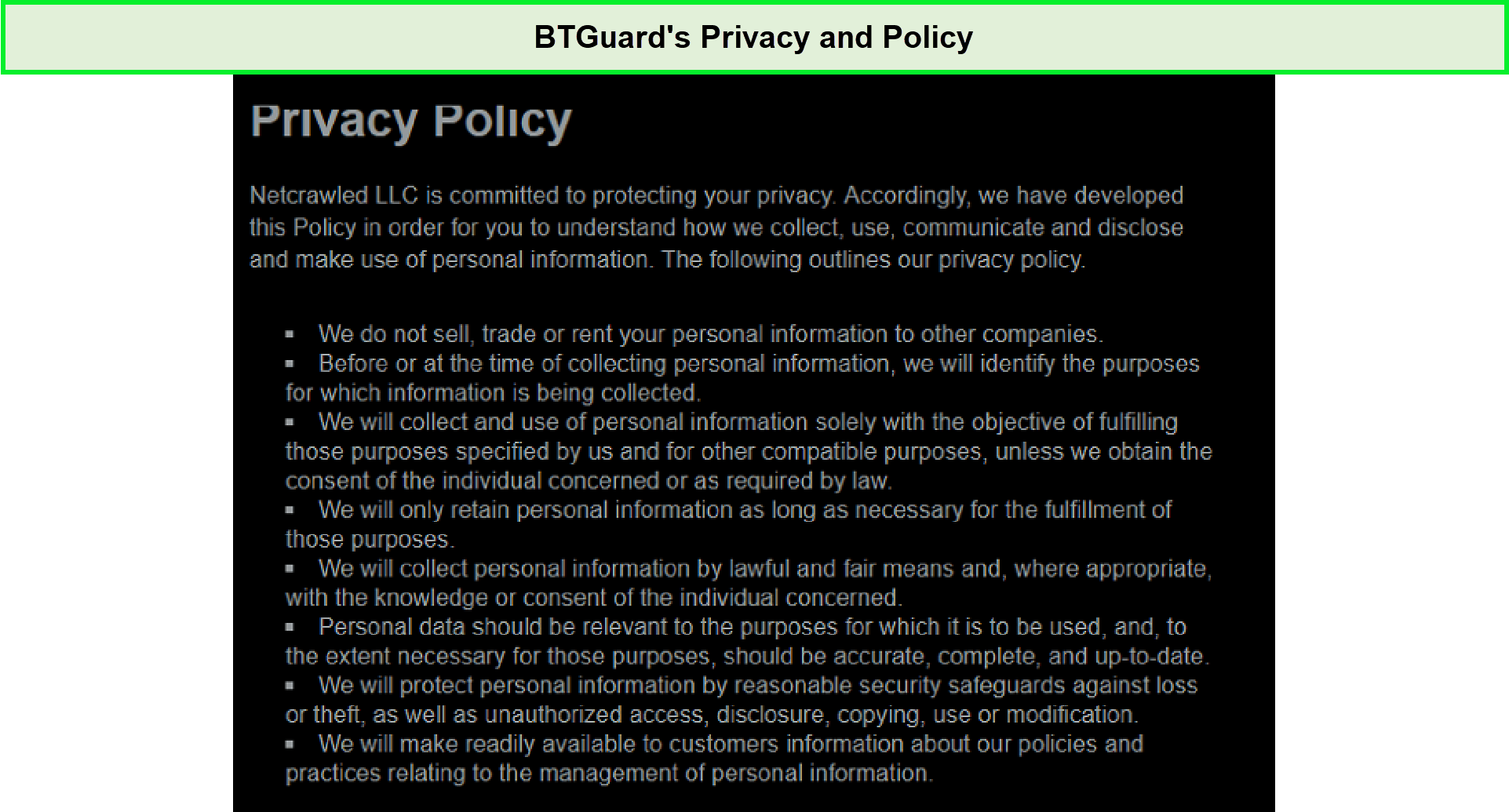
BTGuard’s privacy policy seemed a bit shady to us.
There are several interesting things here. In this BTGuard review, we learned that it does not share our personal information with third parties. Good. However, they never make it clear what personal information they are holding onto, which is troublesome. That’s why we wouldn’t trust even other BTGuard reviews.
Customer Support – Is BTGuard’s customer support helpful?
Not really; BTGuard’s customer support isn’t helpful since apart from accepting queries via tickets, there’s no other way of contacting them. Sadly, BTGuard doesn’t provide live customer or tech support which is a huge inconvenience when you need a helping hand promptly.
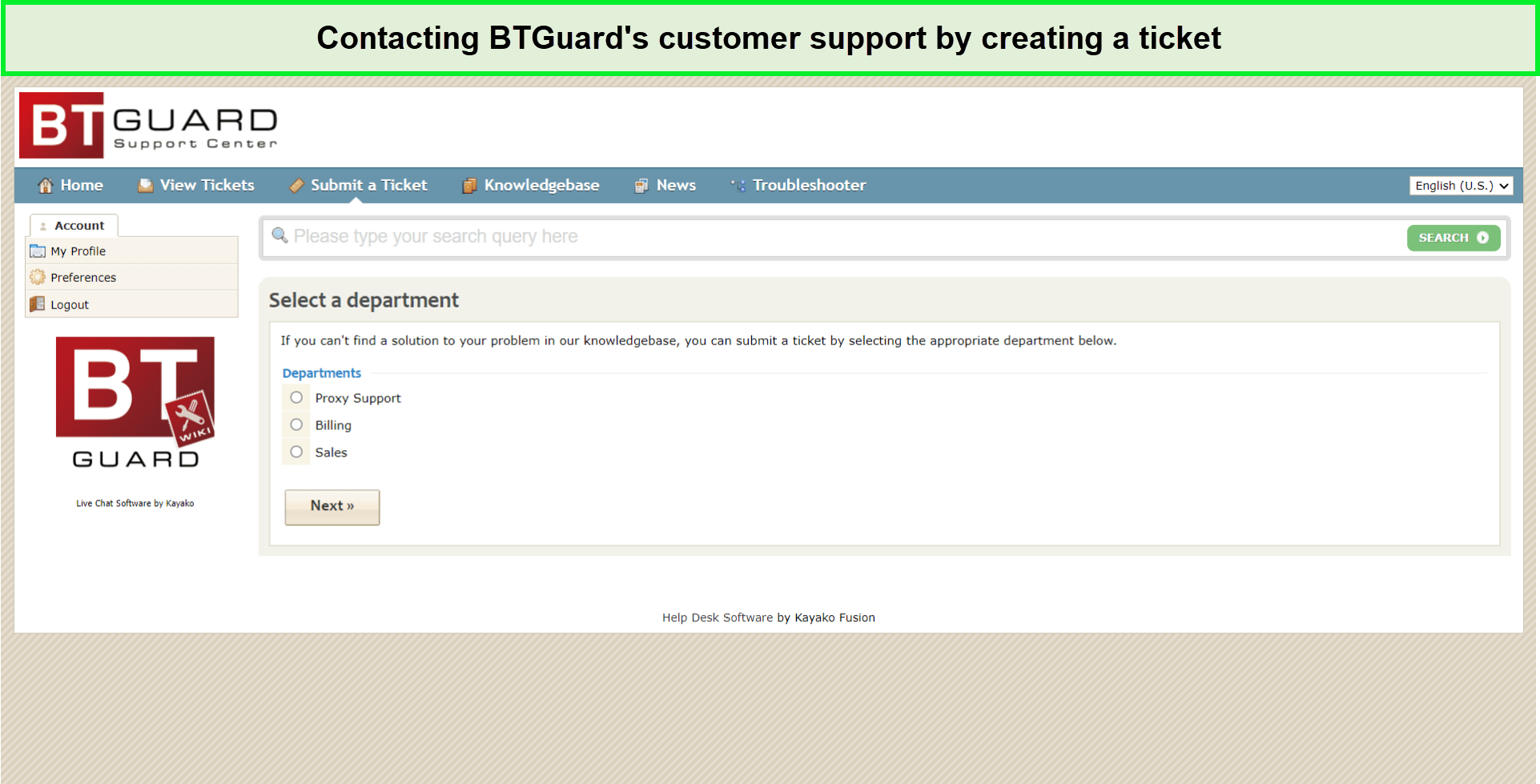
Contacting BTGuard’s customer support involves creating a ticket for the issue you’re facing.
There are two main departments that you should address in case you face any issue with the service or wish to inquire about a random concern: the sales department and the support department.
Besides all this, BTGuard has a solid knowledge base that answers many important questions.
Compatibility – Which devices are compatible with BTGuard?
Readers of this BTGuard review will be disappointed to know that this VPN does not have dedicated apps. However, it supports Windows, Mac, Android, and iOS. You will need to download BTGuard manually. They also have a troubleshooting page.

In this BTGuard review, we have tested each of its apps, which we will discuss below.
Hands-on Testing on Windows
Since this service does not have a dedicated client of its own, you will have to rely on the BTGuard Setup for OpenVPN.
First, install the OpenVPN software and the config files. When you click on the config file, it will automatically extract and be copied into the OpenVPN configuration file.
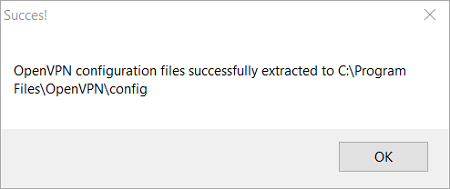
This is as simple as it gets. Now, all you need to do is click the OpenVPN app, and you connect with any of BTGuard’s servers.
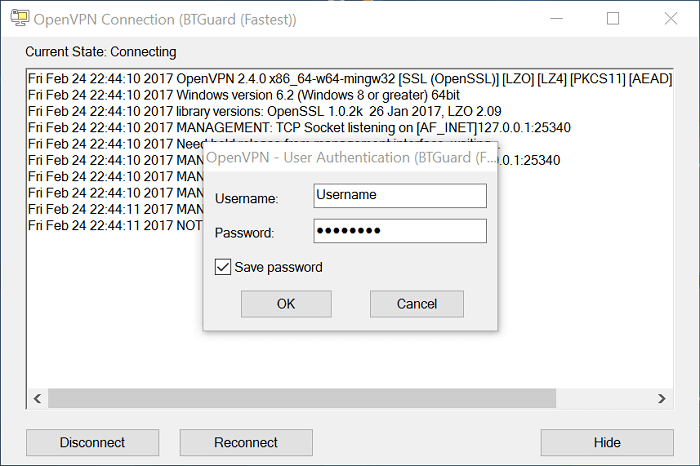
Overall, my experience with using BTGuard was exceptional. From the BtGuard download process to connect the VPN, everything happened with a breeze.
BTGuard for Mac
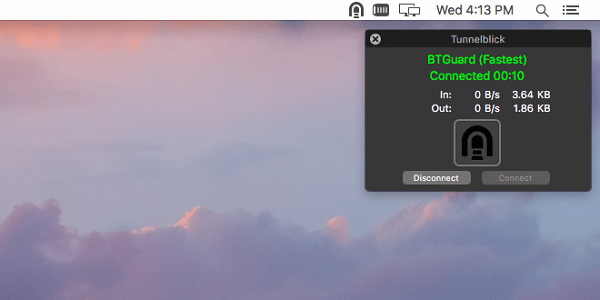
Mac is an OS that generates much debate. Some users consider it a less capable version of Windows, while its devotees argue otherwise. In any case, hackers do not discriminate between platforms.
And this is why Mac users should make use of BTGuard, especially for torrenting. They can do this via the BTGuard Mac OpenVPN setup.
BTGuard for Android
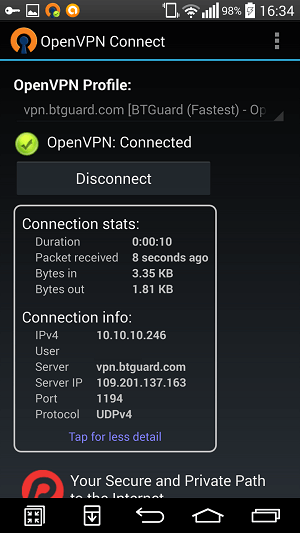
Android users are billions in number. This puts a target on the back of this widely used OS. BTGuard supports Android through OpenVPN and PPTP third-party tools.
With the VPN connected, Android users can block malware, adware, and hackers. You can also check out our detailed guide on top VPNs for Android to disclose more popular VPNs.
BTGuard for iOS
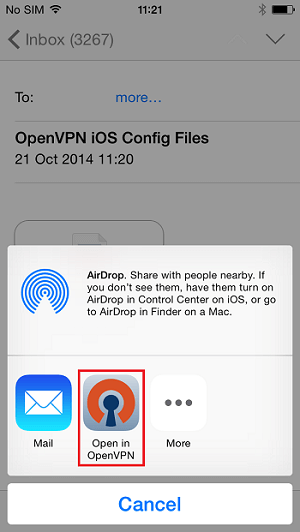
iOS is another important member of the Apple clan. Its users are spread across the world, but many of them, remain oblivious to various online threats.
BTGuard allows iOS a digital safeguard through its OpenVPN and PPTP support, according to most BTGuard reviews.
Alternatives to BTGuard
You can use other VPNs if you don’t wish to secure your privacy through BTGuard. Before using such services, you had better read these reviews:
- Review NordVPN
- Review Avast VPN
- Astrill VPN Review
- Review ExpressVPN
- UltraVPN Review
- Review Private Internet Access
- SaturnVPN Review
- VPN in Touch Review
- Super VPN Free VPN Review
- Review PureVPN
- Review Windscribe
- Review AVG VPN
- Review Opera VPN
- Review Turbo VPN
- Review Proton VPN
FAQs – BTGuard Review
Is BTGuard any good?
Yes, BTGuard is good in terms of security features like industry-standard AES 256-bit encryption, a no-logs policy, provides fast speeds, works well for torrenting, and much more. However, there are still significantly better VPNs out there, like ExpressVPN and others, as most BTGuard VPN reviews would mention.
How can I test if BTGuard Torrent Proxy is working?
You can test if the BTGuard Torrent proxy is working by tracking your current IP address. Simply download and launch tracking torrent with your preferred torrenting client, e.g., uTorrent. Now, check the tracker status for the IP; you should see a message stating, “BTGuard is working, New IP: xx.xx.xx.xxx”
Note: The file you click on for download will stay at 0% and will not actually download.
How to fix BTGuard is not working?
If you’d like to fix BTGuard not working for you through the easy install, you may try the Advanced Installation procedure by following the steps given below:
1. Check if your “Account Status” is “Active” by Start Menu –> BTGuard –> BTGuard Settings
2. Ensure you’re using this test torrent.
3. Click on Advanced Install.
How do I use BTGuard with uTorrent?
Follow the steps given below to use BTGuard with uTorrent:
- In uTorrent, go to Options –> Preferences.
- Select Connection.
- In the Proxy box, enter the following:
- Type: Socks5
- Proxy: proxy.btguard.com
- Port: 1025
- Checkmark Authentication
- Username:
- Password: Enter your password
- Check/uncheck all the options within the red box the way they are.
- Click OK and restart uTorrent.
Now you should be able to bypass BTGuard not working with uTorrent issues.
Do We Recommend BTGuard VPN?
No, we do not recommend BTGuard VPN to our readers.
It seems that in our BTGuard review, this VPN provider is not interested in improving this VPN. It has been stuck on the same number of servers for the past 5 years. There are no dedicated apps in development either. The server is too slow, the pricing is too high, and it is certainly not worth your money. You may check out other BTGuard VPN reviews and make a calculated decision for yourself.
Overall, we did not find BTGuard impressive; that’s why we rate it 2.1/5.0 stars. Instead, you’ll be better off with a premium VPN like ExpressVPN, which offers 23+ server locations in the US alone and has exceptional unblocking capabilities.

NordVPN is generally the best option when it comes to torrenting, but unfortunately they have discontinued PPTP (Point-to-Point Tunneling Protocol) support, so BTGuard is still a great alternative if you need PPTP.
While it’s true that OpenVPN has better encryption than PPTP, sometimes PPTP is the only option since not every router supports OpenVPN or the download speed may be abysmal when using it. And with BTGuard’s 256-bit AES encryption, PPTP is secure enough.
And when using a wired (PPPoE) internet connection with PPTP, BTGuard does have a “kill switch” since you can configure your internet connection to automatically drop if the VPN connection drops.
So if OpenVPN does not work for you and you have wired-only internet, then BTGuard is a great choice. I have been using it for torrenting for almost 10 years now, and never had any issues. The only issue is the price, at $9.95/month, it’s significantly more expensive than NordVPN. But if you buy a 1 year subscription, it’s $7.49/month. They also accept bitcoins.
Dear Griffith,
Thanks for reaching out to us. Yes, you are right that NordVPN has stopped supporting PPTP protocol. As you have already using BTGuard for torrenting for years and you are satisfied with the performance of the provider then there is no point in changing the service.
Cheers!!!
Subscription for one month and paid by Paypall
In Asia could not get conncetion.
No help only faqs
Immediate made claim and Paypall made refund.
However BTQuard took money for the next month.
BTQuard is a SCAM…
Been a BT Guard subscriber for more than 2 years but am totally disgusted by their non-existent support. I will never go back. Much better packages available anyway.
Being someone that has been sued by Hollywood for alleged copyright infringment, I do appreciate how BTGuard has been on top of the issues that arise in the encryption packages (SSL/DNS/etc.) and has a policy that they have too much traffic to log it. Unlike IPVanish which will cancel you without notice if they don’t like what or where you go on the web for any reason, etc., etc., etc. Having no logs provides another level of security and privacy for it’s users. I have consistently gotten a 10MB speed using them. My only real complaint is that there is no way using their service on other platforms (Linux, Router, Mac) to FORCE all traffic through the tunnel and to demand that if there is no VPN to not send any traffic through the public IP.
had a sub for the past year or two and has worked fine, but now i try it on my computer and it wont work for no reason, ipad connection works fine, no support, and super expensive comparatively. good fuckin bye btguard
BTguard aren’t accepting Bitcoin payments for at least the past two days. Their customer support is non existent too. 🙁
The speed is extremely slow there:
– 5mbps over BTGuard
– 25-50mbps over PIA’s Canadian servers (I am from California).
Such a slow speed makes BTGuard practically unusable, also, their price is 2x higher than for PIA. So my 1Y BTGuard subscription was definitely a mistake, and btw, they denied to provide a partial for it (even pro-rated w/ monthly payment plan).