IPVanish is a well-known VPN in the industry that offers value for money with a variety of global servers, and excellent speeds. Thanks to its fastest tunneling protocols like WireGuard. However, the VPN’s a bit stingy when it comes to additional security features based on our IPVanish review in Japan. If you’re looking for a comprehensive installation guide for the IPVanish Android App in Japan , we’ve got you covered.
Using a reliable VPN in Japan like IPVanish can help safeguard your privacy and also avoid ISP snooping around your web activities. For your ease, we extensively tested the VPN’s speeds, security features, and ability to unblock geo-restricted streaming platforms. We also thoroughly read IPVanish’s privacy policy and scrutinized its server network and usability.
Overall, we’d say that IPVanish is a reliable and safe option in Japan. However, there is still room for improvement in some areas, especially considering its server network is pretty small compared to many other VPNs in Japan. Therefore, for almost complete global coverage and best-in-class security, privacy, and unblocking capabilities, we recommend ExpressVPN as the best VPN for Japan.
This comprehensive IPVanish VPN review for Japan offers an in-depth exploration of every facet of this VPN service. To unveil our ultimate IPVanish rating, stick with us until the end.
Ranked #6 out of 56 VPNs
We have spent thousands of hours and days testing 160+ VPN services using our carefully curated testing process to recommend you the best VPN. Here are a few statistics:
-
 Total Hours of Testing1000+
-
Weekly Speed Tests110
-
VPN Services Reviewed160+
-
Streaming Platforms Tested Daily50+
-
IP & DNS Leak Tests Performed100+
-
How Much we have spent on testing$30,000+
 Total Hours of Testing1000+
Key Findings for IPVanish Review in Japan
Here are our key findings after conducting our IPVanish VPN review in Japan:
- Pricing in Japan – We found its pricing pretty reasonable considering the overall performance. Moreover, all packages are backed by a 30-day money-back guarantee.
- Servers & Locations – 2200+ servers in 75+ locations that are great for streaming, torrenting, and gaming.
- Security in Japan – IPVanish offers many security features, including a kill switch, military-grade encryption, and multiple protocols.
- Speed & Performance – We got fast speeds on IPVanish’s local servers. On the long-distance ones, the speeds were reliable as well.
- Streaming in Japan – IPVanish support various streaming services, like Netflix, Hulu, Amazon Prime, and BBC iPlayer.
- Torrenting in Japan – We found IPVanish a safe option for torrenting purposes – Thanks to its SOCKS5 proxy feature.
- Device Compatibility – The VPN offers dedicated apps for all major operating systems and devices, such as iOS, macOS, Android, Windows, and FireStick.
- Ease of Use – IPVanish seems a good option for both novice and advanced VPN users, allowing users to connect as many devices as they like.
- Bypassing Censorship – It could bypass stringent censorship and access all geo-restricted websites comfortably.
- Customer Support – The VPN offers multiple customer support options to users.
- Robust AES 256-bit encryption
- Unlimited simultaneous connections
- Unblocks all major streaming services like Netflix, Hulu, BBC iPlayer
- Fast connection speeds
- Boasts extensive server network
- Independently-audited no-logs policy
- Based in the US (Member of 5 Eyes Alliance)
- Some servers don’t work with Netflix
- Security features need slight improvement
Pricing Plans – How much does it cost to use IPVanish in Japan?
IPVanish costs only US$3.19 if you choose to subscribe to its annual plan. Other than that, you can pay for it monthly or quarterly, depending on your preference. Here is a list of all IPVanish’s budget-friendly pricing plans:
| Price | Monthly | Quarterly | Annual |
|---|---|---|---|
| Complete billed amount | US$10.99/mo | US$29.99/mo | US$47.89/mo |
| Avg. monthly cost | US$10.99/mo | US$10.00/mo | US$3.19/mo (+3 months free) |
| Price increase after the initial term | No | No | Yes |
| Price of renewal | US$10.99/mo | US$29.99/mo | US$89.99/mo |
IPVanish prices in Japan can easily be compared with other affordable VPNs in Japan on the market. Its cheapest plan costs US$3.19/mo and comes with 3 months of free service. But you’d require signing up for IPVanish’s annual plan for this.
You can also sign up for IPVanish’s antivirus software called VIPRE and a cloud storage solution which is called SugarSync. You can find these subscription plans by the name of “IPVanish + Antivirus” and “IPVanish + Backup” on its website.
Instead of its 1-month plan costing US$10.99/mo, it’s better you get ExpressVPN for a super-premium service in Japan. Compared to IPVanish, ExpressVPN is a great option that offers best-in-class VPN services at a slightly higher price and is currently offering 12 months + 3 months free subscription in Japan with a 30-day money-back guarantee.
Also, IPVanish has extended its money-back guarantee to 30 days, similar to providers like Surfshark, who also offer the same length of the refund period. It also offers one of the best black Friday deals in Japan and yearly VPN discount deals in Japan that you must check out for that.
Speaking of refunds, its money-back guarantee is more or less advertised as an IPVanish free trial in Japan. Of course, it’s not exactly a free trial, but you can claim your refund if you cancel IPVanish within 30 days of purchase. Simply check out our how to cancel IPVanish subscription in Japan guide.
Server Network — How many servers does IPVanish have?
IPVanish offers 2200+ servers in 75+ countries, making it one of the biggest server networks among all the VPNs we’ve tested. Furthermore, it also offers more than 40,000+ IP addresses to users. As a regular VPN user, these are quite some impressive numbers.
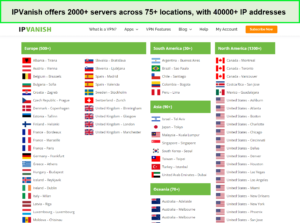
All these servers are physically available in their respective regions.
With such a server network, the VPN almost guarantees you’ll get fast speeds regardless of where you are. Moreover, with such a variety of IP addresses to choose from, you won’t be facing internet traffic congestion at all.
Moreover, it also offers servers in South America and Africa that some VPNs fail to cover. However, the service fails to deliver servers in restrictive countries like Russia, China, and Saudi Arabia. But despite that, it is still a great choice for great reach across the globe.
The best thing about IPVanish is that it doesn’t rent any servers from third parties. This means you can have improved security with the guaranteed assurance that your data won’t fall into the wrong hands. Moreover, none of its servers are virtually located anywhere, which is another pro of this VPN in Japan.
In case you’re confused, you can use IPVanish’s Quick Connect feature, which will connect you to the best server available. When we clicked on it, we were instantly connected to a Canadian server, which offered better speeds than most long-distance options.
You can also choose any server and click ‘Connect’ to use your preferred location. You can always filter servers by country, latency, and protocol, or manually choose one.
Security Features — Is IPVanish safe and secure in Japan?
Yes, IPVanish is a safe and secure VPN in Japan because of its world-class security features. Some of these features are DNS/IP leak protection, a kill switch, military-grade encryption, split tunneling, and more.
Unfortunately, IPVanish fails to provide malware or an ad-blocker which would’ve definitely come in handy. It doesn’t support multi-hop either, which adds another encryption layer to your traffic.
However, IPVanish offers other multiple advanced security features to users in Japan. It safeguards you from censorship, government snooping, and data sharing by encrypting users’ personal data. Once your online activity travels through an encrypted tunnel using this VPN in Japan, your data becomes anonymous and secure.
In short, IPVanish is a secure VPN service in Japan that offers strong encryption and tunneling protocols. The provider currently offers a comprehensive list of tunneling protocols, including OpenVPN, IKEv2, L2TP, IPSec, SSTP, and PPTP protocols.
Undoubtedly, the OpenVPN protocol provides both security and speed under one roof. First, however, you will need to download OpenVPN to your device directly. After that, you can create a secure OpenVPN connection from your device to the IPVanish server.
It largely depends on its 256-bit military-grade encryption to secure your internet traffic and prevents your device from cyber-attacks. Similarly, you can also download the SOCKS5 web proxy that helps users avail the same benefits as a standard VPN in Japan. Hence, you can secure your actual IP address and personal information too.
IPVanish Encryption in Japan
Encryption helps you mask your data when you’re browsing the web. Since non-encrypted data can be read by anyone. Encrypted data is very hard to crack unless you’re an expert hacker.
IPVanish provides various encryption protocols to its users in Japan. It uses AES 256-bit encryption which is the industry standard and the safest option right now. To choose the desired encryption level, you can go to IPVanish settings and choose from the available protocols. Different protocols are used to determine how your data can be routed from our device to the VPN.
Several Advanced Protocols in Japan
IPVanish offers multiple robust security protocols: IKEv2, IPSec, OpenVPN (UDP & TCP), and WireGuard. These let you customize your connection for all your online activities. Let’s go through the protocols in detail:
- IKEv2: This is a speedy protocol that’s great for mobile devices. That’s because its auto-connect feature lets you smoothly transition from mobile data to Wi-Fi. But, it cannot beat OpenVPN and WireGuard’s speeds.
- IPSec: This protocol encrypts data packets for tunneling. It protects all the traffic over a VPN connection and is compatible with most devices. IPSec is not an encryption algorithm, instead, it’s simply a framework that secures online traffic.
- OpenVPN: This is a super-secure protocol that’s open-source. It offers two options:
-
- TCP: OpenVPN over TCP is the most reliable VPN connection type. It prevents the loss of even the smallest information packets during data transfer over the VPN. Furthermore, TCP automatically retransmits any possible loss of data packets, so you don’t have to experience incomplete downloads.
-
- UDP: OpenVPN over UDP might not be the most popular connection type, but it is faster because it does not retransmit lost data packets. But UDP is a great choice for VoIP and gaming, where you cannot afford any lags.
- WireGuard: This latest protocol offers the best security and speed combination. It offers the speediest connection when compared to other protocols. That’s why we recommend it for VoIP calls, streaming, and gaming.
We tested speeds on these protocols to see which one was faster in Japan. During our testing, OpenVPN gave us slower speeds than IKEv2 and WireGuard.
The dedicated desktop app of IPVanish packs in three VPN protocols: IKEv2, WireGuard, IPSec, and OpenVPN. Speaking of OpenVPN and WireGuard, the IPVanish application should be launched in administrator mode if you wish to use these protocols. There’s also an ‘Automatic’ option that chooses the best possible protocol as per your connection type.
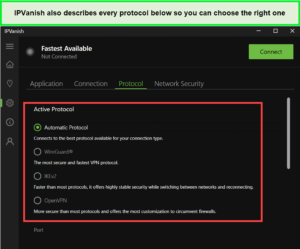
We found these protocols in our IPVanish Windows app.
Does IPVanish Leak IP, DNS, & WebRTC in Japan?
No, IPVanish does not leak IP, DNS, or WebRTC in Japan. Since its DNS servers are only accessible when you’re connected to the VPN, its DNS is secure and private. But, if you’re using DNS servers other than IPVanish’s, then your actual IP address can leak. That’s because other DNS servers are not secure since they are located outside IPVanish’s protected tunnel.
We tested for IPVanish for leaks in Japan when we connected to its Canada – Toronto server. We noticed while testing IPVanish for this review that the provider is leak-proof.
IP/DNS Leak Test
No IP and DNS leaks were detected in the IPVanish leak test. We were present in Chicago at the time of this test, and as you can see, there was no Chicago DNS detected online.
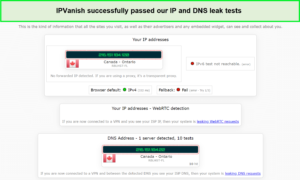
Our IP address in the United States stayed masked while using IPVanish in Japan.
WebRTC Leak Test
We further conducted a WebRTC leak test by visiting browserleaks.com. You can see that our WebRTC information was absolutely safe as well with this VPN:
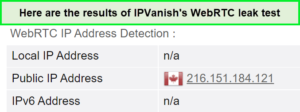
We did not face any leaks in this test as well.
Read our exclusive VPN leak test guide in Japan to know more about different types of VPN leaks like IP, DNS, and WebRTC.
Virus Test
We checked for viruses in the IPVanish Windows app file on VirusTotal. It did NOT contain any viruses, and it’s perfectly safe to use in Japan. Here is the screenshot of the virus test:
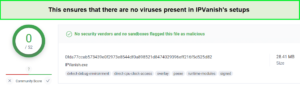
We tested its Windows file and got this result.
IPVanish Kill Switch in Japan
IPVanish takes your online privacy very seriously in Japan. It ensures that all your data is tunneled and safe with excellent encryption support. Furthermore, unlike many other VPN providers, it offers its users the “Kill Switch” feature in Japan as well.
The kill switch feature, when enabled, disconnects you from the internet if your VPN connection drops. This way, whatever you are doing online remains absolutely secure and away from the eyes of snoopers.
IPVanish’s kill switch is only available on macOS, Android, and Windows in Japan. Moreover, when tested, it turned out to be quite reliable. We could easily enable and disable the kill switch on our Window device. All we had to do was visit our Settings and find the toggle under ‘Connection.’
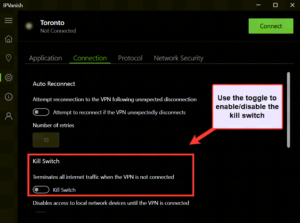
While we were personally testing this feature, impressively, it didn’t fail to work even once. So we were quite satisfied with IPVanish Kill Switch’s performance in Japan and highly recommend it to users that often download torrents.
Compatible with TOR
TOR allows you to encrypt your traffic across different servers. Similarly, you can use TOR and a VPN to attain another layer of protection in Japan. This way, you can improve your anonymity to the next level.
Furthermore, you can hide your original identity from online snoopers and ISPs. Luckily, IPVanish is included among those VPNs that are compatible with TOR in Japan.
Scramble (Obfuscation)
IPVanish uses the Scramble feature to disguise OpenVPN traffic as regular HTTPS traffic, a technique known as obfuscation. This comes in handy in countries with strict policies against VPN usage and heavy online content regulation. If you cannot bypass geo-restrictions and censorship through normal connection protocols, the Scramble feature can be helpful.
To test this feature in Japan, we used it while we were connected to a few public Wi-Fi networks that we know to have strict VPN restrictions. About 90% of the time, it worked flawlessly, got connected within a few seconds, and allowed us to enjoy complete online freedom in Japan.
Split tunneling
The IPVanish Android app has a built-in split tunneling feature in Japan that allows you to leave applications of your choice out of the VPN connection. This is useful when you only want to pass traffic relating to specific apps through the VPN and leave others connected generally to the web. Unfortunately, split tunneling is unavailable for IPVanish apps on devices other than those running Android.
Does IPVanish keep logs in Japan?
As per IPVanish’s privacy policy, it doesn’t keep logs of any traffic that travels through its servers in Japan. It doesn’t record how or where you connect to the internet or track the websites you visit. Its no-logging practices have been audited and later verified by third-party cybersecurity specialists.
But, since it’s headquartered in the United States, it keeps connection logs. IPVanish has repeatedly claimed that they have a strict zero-log policy. Still, they handed over the connection log to the Department of Homeland Security in one case.
The Department of Homeland Security approached Highwinds Network Group for information regarding a user involved in child abuse and pornography. It’s important to note that even if you hide your IP address from the government, you will still be tracked online and never be completely safe while using IPVanish.
Speed and Performance Tests Result in Japan
IPVanish delivered great VPN connection speeds in Japan, that lie on the higher end of the average. In our IPVanish speed test in Japan, the VPN offered good speeds on almost all servers. They collectively have a pool of over 40,000+ IP addresses with a good IP reputation in Japan, giving users many options to choose from to bypass geo-restrictions with ease.
For conducting all testing, we used our Lenovo ThinkPad (Windows) and MacBook Air. The speeds that we received depended on our devices, internet service provider, and base connection, and your numbers would be different than what we got. So, the tests below would give you a sense of how IPVanish worked on two operating systems.
Download speed tests in Japan
| Mac | |
| Without VPN | 95.81 Mbps |
| With VPN | 76.28 Mbps |
| Windows | |
| Without VPN | 90.84 Mbps |
| With VPN | 80.12 Mbps |
We conducted these tests on IPVanish’s US servers and faced a minimal speed drop on both macOS and Windows. This ensured that IPVanish is a reliable choice for multiple activities in Japan.
Upload speed tests in Japan
| Mac | |
| Without VPN | 86.11 Mbps |
| With VPN | 66.92 Mbps |
| Windows | |
| Without VPN | 75.27 Mbps |
| With VPN | 51.83 Mbps |
With such a small speed decrease, we could easily stream Netflix and other streaming services without buffering or lags. These fast speeds make IPVanish a breeze for basic browsing purposes and enable a smooth streaming experience in Japan.
Although IPVanish is not the fastest by any means, it is still fast enough that it won’t cause any frustrations for users, even when performing bandwidth-intensive activities.
Is IPVanish fast enough for gaming in Japan?
Yes, IPVanish is fast enough for gaming in Japan. It offers industry-leading stability and speed using the WireGuard protocol, while you may expect VPNs to increase your pings.
For example, when we tested the “Quick Connect” feature for our IPVanish review in Japan, the speeds were not as great as when we manually selected a server location. We tested IPVanish for gaming in Japan on the same factors (Download speed, Upload speed, and Ping) as we did in our speed test covered earlier.
For smooth gaming, it’s best to have a download speed of at least 15 Mbps, an upload speed of at least 1 Mbps, and the lowest pings possible. At first, it used its “Quick Connect” feature to connect us to its Toronto server (Canada).
After loading Overwatch, it connected us to its European game server. When the game first loaded, we experienced a huge lag, but after a few minutes in, it ran pretty smoothly, and we could play it without interruptions.
We then tried connecting to IPVanish’s United Kingdom (Manchester) server to test its performance. It gave a decent speed (70.21 Mbps), considering it was a long-distance server. However, we experience no issues while playing Overwatch online with IPVanish in Japan.
Streaming – Does IPVanish Support Reliable and Efficient Unblocking in Japan?
Yes, IPVanish is extremely good for streaming in Japan. Even though IPVanish doesn’t boast on its website, it had almost no issues unblocking US/UK Netflix, Disney+, Hulu, HBO Max, and others. We tested multiple locations with tons of streaming services, and overall, they had a high success rate.
Can I use Netflix with IPVanish in Japan?
Yes, you can use Netflix with IPVanish in Japan but you won’t be able to access as many Netflix libraries as other VPN providers in Japan. It offers a massive server network that can easily unblock Netflix libraries worldwide. Along with that, its blazing-fast speeds let you stream your favorite shows without any interruption or lags.
It unblocked American Netflix in Japan and easily bypassed Netflix restrictions when we tested it. Unfortunately, you will have to find a working server because some US servers may sometimes not unblock Netflix. But IPVanish offers multiple servers in the US, so you can test different server locations to see which one works with Netflix.
To verify its Netflix unblocking performance in Japan, we tried unblocking American Netflix using a US – Seattle server, which worked like a charm.
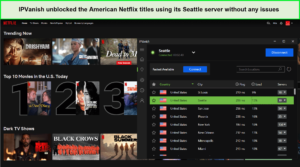
We accessed multiple titles and could stream them in HD.
Apart from the US and UK Netflix, IPVanish did manage to unblock popular Netflix libraries, as shown in the table below:
| Netflix Libraries | Working (Yes/No) | Speed drop (%) | Buffering |
|---|---|---|---|
| United States |  |
15% decrease | No |
| United Kingdom | |
6.8% decrease | Minimal |
| France | |
2.9% decrease | No |
| Australia | |
4.8% decrease | Minimal |
| Canada | |
23% decrease | Minimal |
| Germany | |
26% decrease | No |
| Japan | |
32 % decrease | Minimal |
| Singapore | |
8.7% decrease | No |
| India | |
6.7% decrease | No |
| Brazil | |
8.5% decrease | No |
Apart from unblocking Netflix in Japan, IPVanish also unblocked Hulu without any issues in Japan. We used its Chicago server, and our load times were somewhere around 15-20 seconds. This was simply great to watch as even the premium VPNs struggle to circumvent Hulu’s geo-blocks.
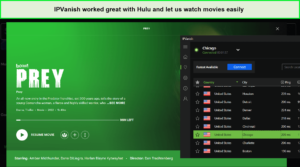
You can watch all exclusive movies easily on Hulu.
The next streaming platform we tested with IPVanish in Japan was HBO Max. Now, not only could we unblock the streaming service, but we could also stream Game of Thrones in Ultra-HD without any buffering. Since we’re big GOT fans, we were pretty impressed by the results. Moreover, we could even stream HBO Max on a bigger screen by using the IPVanish Kodi combo.
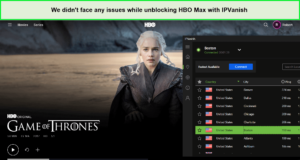
IPVanish let us stream Game of Thrones without lags.
Using IPVanish’s UK servers, we could also unblock Disney+ UK and Sky Sports. After waiting for about 7 seconds, we could access the exclusive content of both streaming platforms. The picture was clear, and the connection was lag-free throughout the streaming.
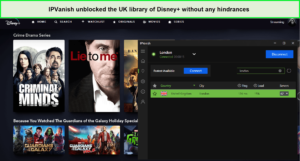
IPVanish could unblock all Disney+ libraries easily.
Can I use BBC iPlayer with IPVanish in Japan?
Yes, IPVanish worked well with IPVanish in Japan. We didn’t face any issues unblocking the streaming site. We connected to IPVanish’s Glasgow and London servers and were able to unblock BBC iPlayer with both.
You can see in the screenshot below that we didn’t face any geo-restriction error on iPlayer despite being connected to a UK’s Birmingham server:
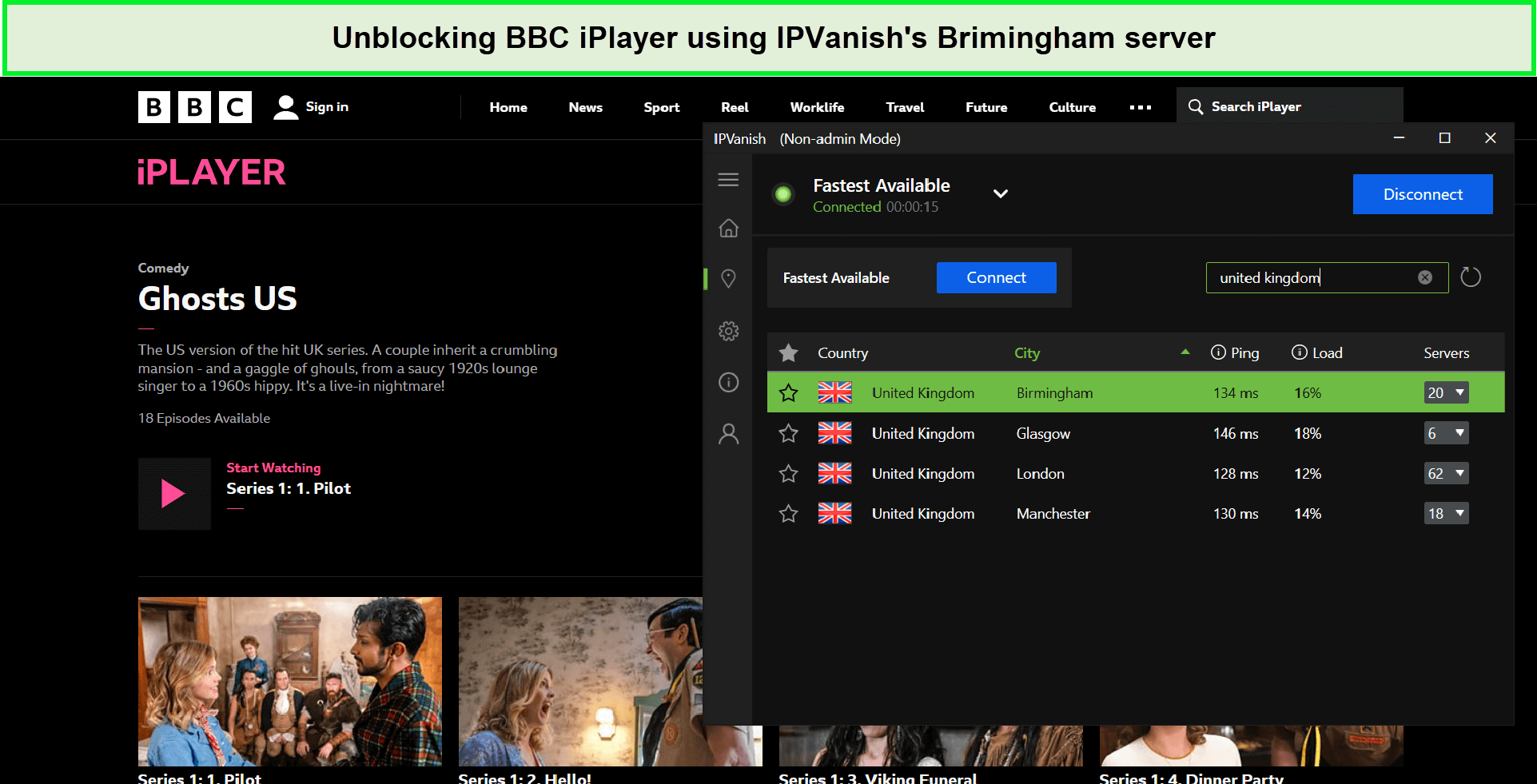
We were successfully able to stream BBC iPlayer content in HD using IPVanish servers.
Is IPVanish Good for Torrenting in Japan?
Yes, IPVanish is a great choice for torrent users in Japan. You can download torrents using clients like Vuzu, uTorrent, and BitTorrent. It is known for being one of the best VPNs for torrenting in Japan. You can use IPVanish through its SOCKS5 proxy server that supports HTTP traffic and P2P BitTorrent client or simply by using its VPN servers to protect your P2P sessions.
You won’t find any special torrent-optimized servers since all of IPVanish’s servers support torrenting in Japan. These servers are designed to protect your privacy and increase your download speed while torrenting in Japan — but only the top VPNs have them.
When we tested IPVanish for torrenting in Japan, our speeds were fast, and we completed a 2-hour movie download in less than 15 minutes. Just make sure DNS and IPv6 Leak Protection are turned on in the Connection Settings menu to ensure your downloads and uploads stay anonymous.
As you can see in the screenshot below, IPVanish guarantees secure and anonymous torrenting in Japan. We tested this provider with the IPleak.net torrent tracker, and the results were satisfactory, as the website tracker didn’t detect our actual IP or DNS.
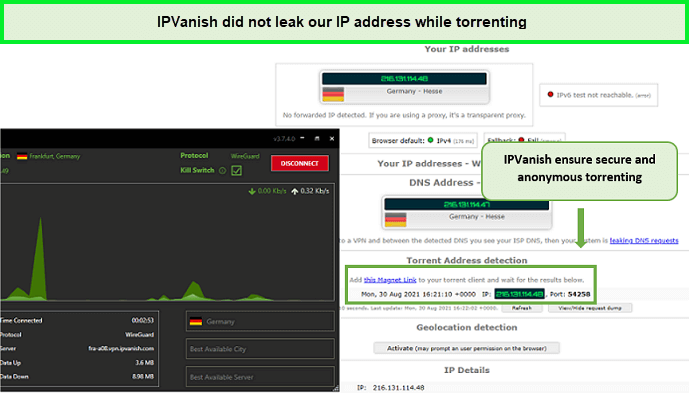
This means that you can stay absolutely secure while torrenting with IPVanish in Japan.
With a decent logging policy, P2P/torrenting supporting features, and fast speeds, we’d say IPVanish is ideal for torrenting in Japan.
Device Compatibility in Japan – Use IPVanish on Most Devices
IPVanish is compatible with all platforms in Japan, such as Windows, macOS, Linux, iOS, Android, router, Chrome OS, and Fire TV Stick. However, it does not offer dedicated apps for Linux, Chromebook, Roku, or routers. This means you will need to set it up manually through a pre-VPN configured router.
However, with a single IPVanish account, you can connect unlimited devices simultaneously, making it a great option for a large household – and inducting it into the best VPN for multiple devices in Japan list.
Following is an overview of every app:
- Mac: IPVanish offers a dedicated app for macOS 10.13 or later. It offers an OpenVPN Scramble, a kill switch, and API load balancing that lets you look for the fastest server, but there isn’t an option to alter AES 256-bit encryption to a more inferior level.
- Windows: The IPVanish Windows app is available for Windows 7 SP1 or later. Along with a bucketful of advanced security features, it offers you various protocols, including IKEv2, WireGuard, OpenVPN, PPTP, and more. Moreover, you can change your app’s language to your preference.
- iOS: This app is available for iOS 11 or later. This app offers the API load-balancing feature and auto-connect but lacks split tunneling and a kill switch. Moreover, it offers fewer protocols than the rest, like WireGuard, IPSec, and IKEv2.
- Android: IPVanish’s Android app is compatible with versions 5.1 and later. It offers many other features, such as API load balancing, a kill switch, and AES 256-bit encryption. Moreover, unlike iOS, you also get split tunneling on Android.
- FireStick: The FireStick app is compatible with 2nd Gen and newer. It offers features like a kill switch, split tunneling, and OpenVPN Scramble. In short, IPVanish FireStick in Japan is a solid combo for streaming in Japan.
Moreover, IPVanish can also be configured manually on routers, which is somewhat complicated. So instead, you can see the detailed guide on how to set up IPVanish on routers in Japan.
If you want to use IPVanish on Roku in Japan or Kodi, you can either set it up manually on your router or share your VPN-enabled internet connection from your PC by setting up a hotspot.
Kodi is an open-source platform that allows you to watch your favorite media stuff for free. When we reviewed the provider, we learned that users could access their preferred Kodi add-ons while protecting their privacy through IPVanish in Japan. While testing IPVanish Kodi together, the combo was simply perfect. Refer to our how to install IPVanish on Kodi in Japan guide for more.
For Android devices that don’t have App Store, like Kindle or Fire Tablet, users can install IPVanish Android APK files on their devices.
Moreover, if IPVanish won’t connect on your device or you experience other problems, consult this IPVanish not connecting in Japan guide for help. You may also explore an IPVanish review in Japan on Reddit for more information.
Ease of Use
IPVanish offers user-friendly apps that are perfect for beginners in Japan. It is also quite easy to download IPVanish in Japan as it provides detailed setup guides for different platforms. It also automatically chooses the best protocol for your needs, but if you want, you can also configure advanced settings in the app according to your requirements.
To review IPVanish in Japan, we tested its apps for your convenience. Most of its apps are very lightweight, don’t slow down your system, and they’re quick to start up when you want to connect. The app allows you to connect to the best available server and city in a particular country. However, it is wise to connect to a server close to your actual location for the best results.
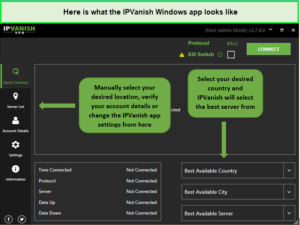
Just download IPVanish on Windows in Japan and enjoy its connection.
IPVanish for Windows in Japan
IPVanish’s Windows app in Japan is completely revamped. When you launch the app, a relatively stripped-back screen opens up. Compared to the previous version, the VPN looks cleaner since it doesn’t show a traffic graph and kill switch option on the home page. Instead, you can find these options in Settings.
If you click on Connect without selecting any server, it’ll connect you to the nearest server within seconds. Simply double-click on any other location you want to connect and you’ll be connected immediately without any issues. IPVanish in Japan also offers an extensive server list displaying each country with ping, load, and number of servers offered.
You also get the ‘Fastest Available’ feature in the app. Although with two ‘Connect’ buttons you may get confused so there’s that. Once you try the features, you’ll figure out when to use which Connect button.
The Settings section offers a bunch of different options. You can pick a protocol from WireGuard, IKEv2, OpenVPN TCP, and UDP. You can also choose an OpenVPN port and enable DNS and IPv6 leak protection. The kill switch needs to be turned on as it isn’t enabled by default. It worked pretty well for us in Japan.
IPVanish for Mac in Japan
You can download the IPVanish app for macOS in Japan from its official website or visit the App Store. Once we downloaded and installed it on our MacBook Pro having macOS Venture 13.2. The app was light grey with accents of green and black. Much like Windows, the Mac app also offers WireGuard, OpenVPN, IKEv2, and other protocols including a kill switch.
The app’s dashboard features a graph that depicts your connection speed in real-time. Simply pick any country’s server and click on ‘Connect’ at the bottom of the window. Your MacBook Pro may block your VPN’s attempt to install a WireGuard extension. So you’ll have to do that manually.
The Mac app also features Scramble, OpenVPN protocol, Kill switch, IPv6 leak protection, auto-reconnect, and more.
IPVanish for Android in Japan
Installing IPVanish on Android in Japan was a piece of cake. We downloaded the app from Google Play Store on a Samsung Galaxy A32. Once you launch the app, log in and you’ll be met with a brief tutorial on how to use the app.
The app offers an interactive design with a clear user interface. The app consists of a dark background with green and white hues. A small graph shows up when you connect to a server depicting the download and upload speeds. The app also has an extensive server list.
The Android app includes a split tunneling feature, a kill switch, and more. Although the app was missing the multi-hop feature, we did not experience any connectivity problems with its Android app in Japan. The app worked amazingly well as we connected to its Atlanta US server in no time.
IPVanish for iOS in Japan
Much like Mac, you can download IPVanish’s iOS app from the App Store in Japan. We downloaded the app on iPhone XS having an iOS 16.0. After installation, you’ll be met with the company’s privacy policy. Once you launch the app, you’ll observe a white background window with dark text and green highlights. You may choose between Light mode and Dark mode.
When you tap on Connect at the bottom of the screen, a graph of your data usage can be seen on the dashboard. You can easily find the list of servers listed at the bottom. There’s a feature called ‘Connect on Demand’ which will connect your device to a VPN whenever it detects you are connected to an untrusted network i.e. public Wi-Fi.
Unfortunately, the iOS app doesn’t offer split tunneling or a kill switch which was disappointing. However, all in all, IPVanish has an easy-to-use app for iOS as well.
Bypassing Censorship
We also tested IPVanish servers to see if they were capable of bypassing censorship in restrictive countries like China, Saudi Arabia, Egypt, and others.
Does IPVanish Work in China?
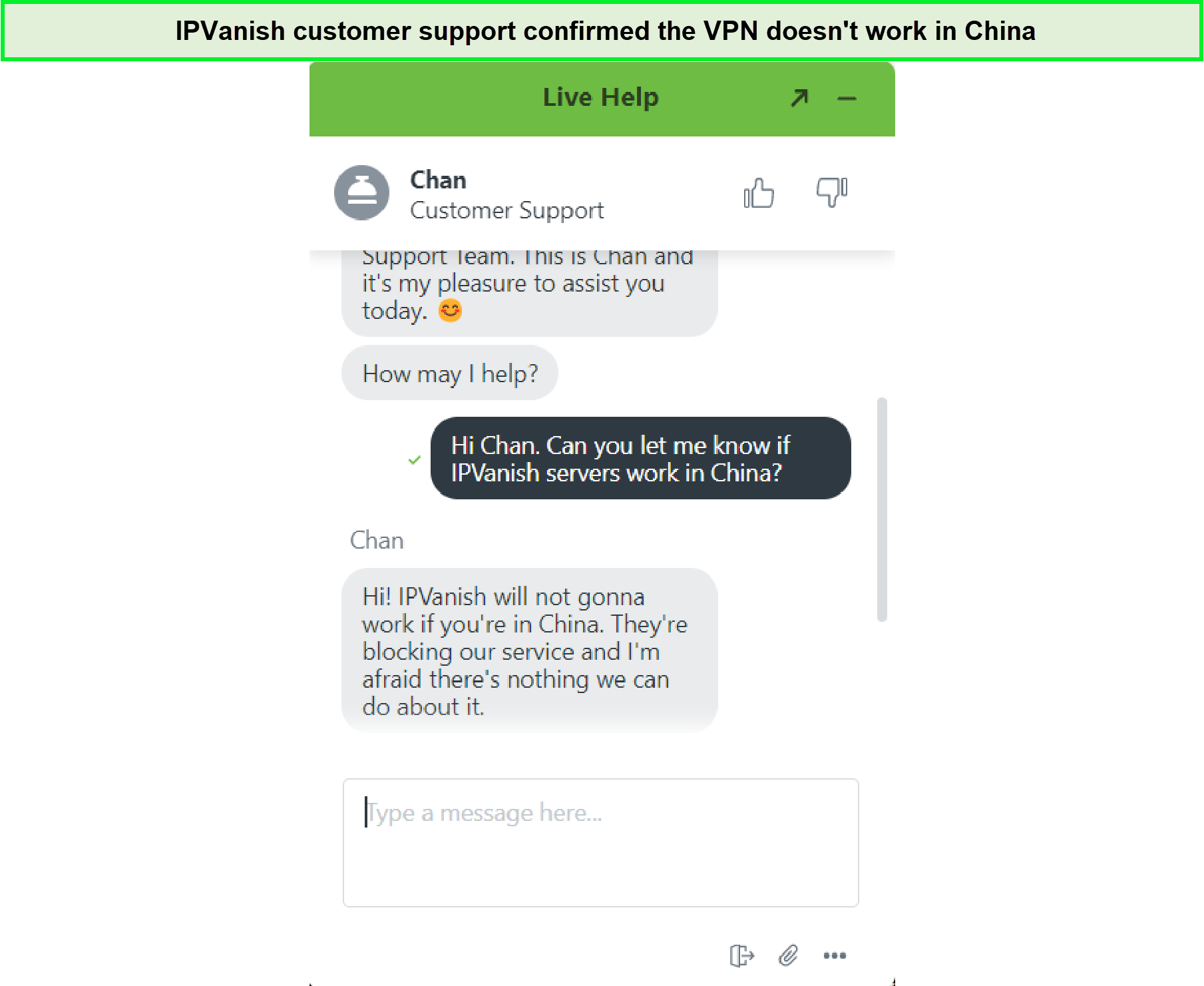
No, unfortunately, IPVanish doesn’t work in China. The country has blocked all IPVanish servers to prevent access. Despite using an obfuscation tool like Scramble, IPVanish servers cannot bypass the Great Firewall of China. We also inquired from its customer support who told us that they cannot guarantee its working in China.
{%CAPTION%}
There are multiple countries worldwide that have strict internet laws even in the 21st century. They monitor user activity over the internet and snoop into their calls, texts, and social media accounts. To avoid this from happening to you, one needs a premium VPN to stay protected.
IPVanish Customer Support in Japan
IPVanish has an efficient customer support department. You can try different ways to contact their support team, such as:
- 24/7 live chat support
- 24/7 email support (support@ipvanish.com)
- The help section on the website
For our IPVanish review in Japan, every time we tried to contact them through live chat, we got our desired response promptly. You can go through the site to read informative articles on several topics. Its live chat feature is very efficient, as the support team responded within a few minutes when tested for our IPVanish review in Japan.
You may also seek assistance via email support. We emailed them a small query, and they responded within 2 hours. Considering our communication medium was email, the response time was very fast and impressive.
Similarly, you may get the required assistance by visiting its help section. This section allows you to browse through different sub-categories like announcements, billing questions, IPVanish setup guides, FAQs, troubleshooting, etc.
Alternatives of IPVanish in Japan
Here are our top alternatives for IPVanish if you disapprove of this VPN service in Japan. Go through their reviews and check out their service:
- ExpressVPN review Japan
- PrivateVPN Review guide Japan
- PureVPN Review Japan
- Surfshark review Japan
- NordVPN review Japan
- CyberGhost review Japan
- PIA VPN review Japan
- VyprVPN review Japan
FAQs – IPVanish Review in Japan
Can IPVanish be trusted in Japan?
Yes, IPVanish is quite good and a safe VPN in Japan and one of the main reasons for that is its top-notch security features. These robust features include a kill switch, DNS/IP leak protection, split tunneling, military-grade AES 256-bit encryption, and advanced tunneling protocols.
Is IPVanish worth getting in Japan?
Yes, IPVanish is worth getting in Japan because it provides excellent speeds and one of the fastest tunneling protocols in the market; WireGuard which is the default tunnel in IPVanish’s apps. You can access a variety of streaming sites and use IPVanish for torrenting easily.
Can you be tracked using IPVanish in Japan?
No, you cannot be tracked while using IPVanish in Japan because as soon as you connect to a VPN server, your real IP is spoofed and you’re allocated another IP address. The same IP address may be in use by other IPVanish users in real-time so any individual activity cannot be traced back to you.
Which is better IPVanish vs NordVPN in Japan?
Based on our NordVPN vs IPVanish in Japan comparison, NordVPN is better in Japan. The VPN offers a huge server network of 5400+ servers across 60 countries whereas IPVanish only has 2000+ servers across 75+ countries. In terms of speed and security features, NordVPN takes the upper hand.
Is IPVanish blocked by Netflix in Japan?
No, IPVanish isn’t blocked by Netflix in Japan but some of its servers may not work. Based on our IPVanish review, we found IPVanish was unable to unblock a few Netflix content libraries. For instance, you may be unable to unblock Netflix South Korea. Instead, you can look for alternatives that can help you access non-US libraries.
Does IPVanish offer a free trial in Japan?
Yes, IPVanish’s free trial is available in Japan through its yearly plan. Once you create an account and get a subscription by providing your credit card information, you can use the VPN’s 30-day money-back guarantee.
Do We Recommend IPVanish in Japan?
Yes, we recommend IPVanish in Japan, but we must mention other VPN services like ExpressVPN that offer better speed and protect your online activities like no other.
However, we still wish to see more servers added to the list — especially a dedicated server for China. IPVanish may cause slow speed when connected to long-distance servers, but it is still best for streaming in Japan because it unblocks US Netflix and is the best for torrenting in Japan. The price is a bit expensive, but it’s worth buying because of its good security protocols.
All-in-all, we found IPVanish to be a good VPN to use in Japan, but not as good as the alternatives that we have mentioned. But considering overall features, pricing, customer support, and trustworthiness, IPVanish is a decent VPN service in Japan and thoroughly deserves the 8.5/10 rating.
That’s all for our IPVanish review in Japan. You can go through our other VPN reviews to read about other VPNs.
