If you own a FireStick device and want to connet IPVanish to Firestick in Italy, this guide is perfect for you. In this step-by-step tutorial for beginners, I will walk you through all the steps to set up IPVanish on a FireStick device in Italy. You’re going to find images, video tutorials, and common troubleshooting steps all in this guide.
This guide will explain both the downloader app method and the Amazon App Store method. It also tells you how to use IPVanish VPN on the Amazon FireStick device. If you are confused that what is a good VPN to use you can select from our compiled list.
By the end of this guide, you’ll be able to gain access to IPVanish’s 2200+ servers in 75+ locations and unblock Netflix, Disney Plus, Hulu, and more straight from your FireStick device. Also you can download apps like Terrarium TV on Firestick in Italy after installing the VPN
How to Install IPVanish on FireStick in Italy
IPVanish is directly available from the Amazon App store so that you can download it quite easily. Alternatively, you can also use an apk link to download and install IPVanish on your FireStick in Italy.
Follow these simple steps below to install IPVanish on firestick in Italy in just 2 minutes. But following the steps listed below, get yourself an IPVanish subscription or check out the IPvanish free trial in Italy.
Method 1: Install IPVanish on FireStick in Italy(Amazon App Store)
Method 1 is divided into two parts. The first part is for the users who have a new Fire TV interface. This includes the Fire TV Stick Lite, 3rd Gen Firestick, or 2nd gen Fire TV Cube.
Install IPVanish on Firestick in Italy with the new FireTV Interface
Let’s go and see how to install IPVanish on Firestick in Italy with the new Fire TV interface.
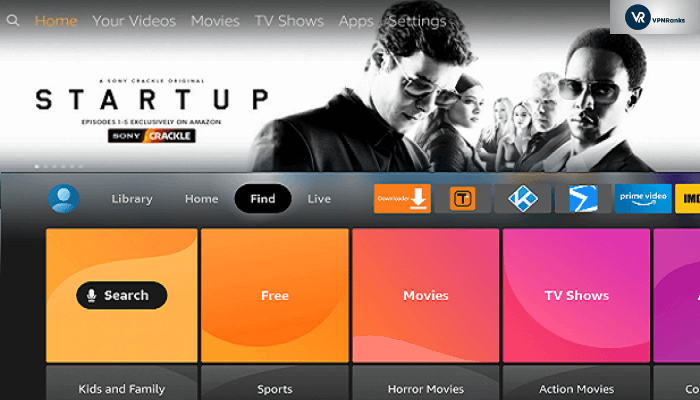
Step 1 – On your Firestick home screen, hover over Find and select “Search.”
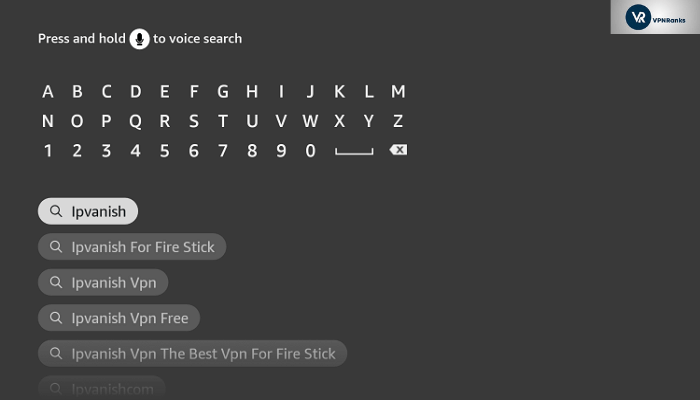
Step 2 – Type in “IPVanish” and click the “first” option.
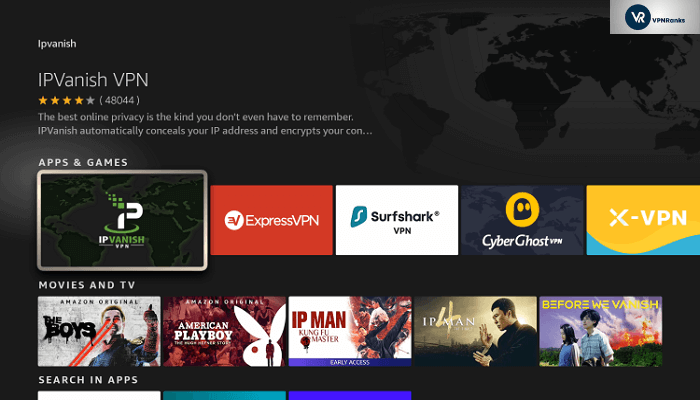
Step 3 – Click the “IPVanish icon” so that you can download the IPVanish application on Firestick in Italy.
Step 4 – Click on “Download” so that the application can be downloaded on your device. Once it is downloaded, launch the application.
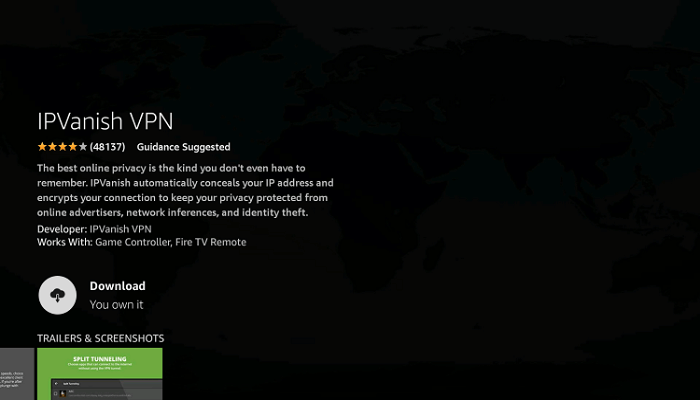
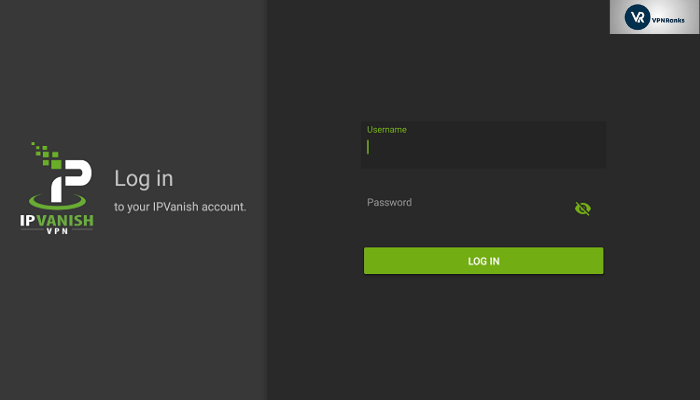
Step 5 – You will be asked to enter your IPVanish account details on the application main screen. “Enter” the required details to continue. If you haven’t purchased IPVanish yet, you can do it right here.
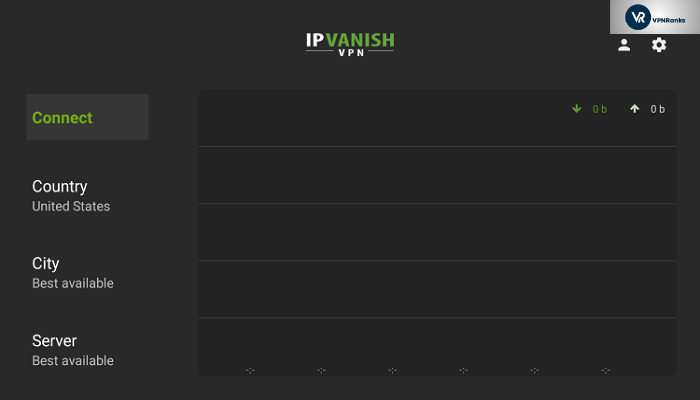
Step 6 – Once you are logged in, you will see the “Connect” button. “Click” on it to get the IPVanish application connected on Firestick.
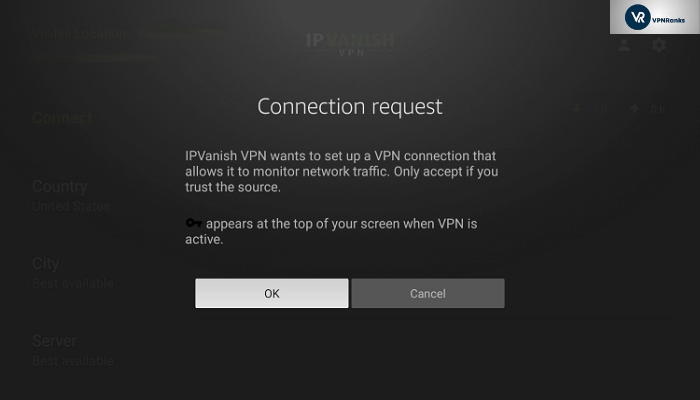
Step 7 – You will be prompted to give connection request permission to complete the connection. Proceed with “OK” to set up IPVanish on Firestick.
Step 8 – After the permission is granted, the connection will successfully be established with the IPvanish network on Firestick.
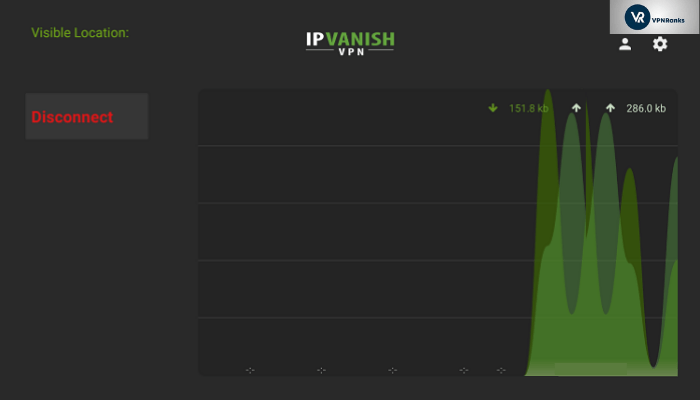
That completes our method 1 for setting up IPVanish on Firestick device in Italy. You can now start streaming your favorite media streaming service like Netflix on your FireStick device. Speaking of Netflix, here’s how you can watch Netflix with IPVanish in Italy. In case you can’t get IPVanish to work properly, you can check out our IPVanish Review in Italy. You might find it helpful.
Install IPVanish on Firestick with the old Fire TV Interface in Italy
If you are using an Amazon Firestick 4K, Fire TV Television, 1st gen Fire TV Cube, and older Amazon Firestick models, follow the steps below.
Step 1 – Hover over the “search icon” on your Firestick, Fire TV, or Fire TV Cube and type in “IPVanish.”
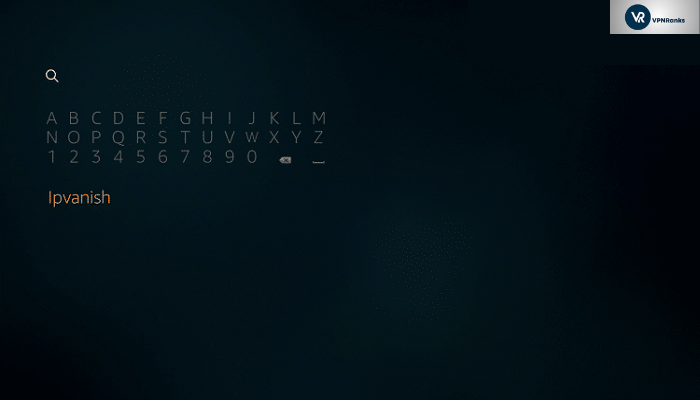
Step 3 – Click the “IPVanish” so that you can set up IPVanish for Firestick.
Step 4 – Click on “Download” so that you can download and install IPVanish on Firestick. Once the installation is completed, launch the application.
Step 5 – You will be asked to enter your IPVanish account details to enter into the application. “Enter” the required details to continue. If you haven’t purchased IPVanish yet, you can do it right here.
Step 6 – Once you are logged in, you will see the “Connect” button. “Click” it to set up IPVanish on Firestick in Italy.
Step 7 – You will be prompted to give connection request permission to complete the connection. Proceed with “OK” to acquire a VPN connection for Firestick.
Step 8 – After the permission is granted, the connection will be established, and your Firestick is protected with IPVanish.
That concludes our instructions for setting up IPVanish on Amazon Firestick with the new and old interface. In case you are interested in setting up other VPN on your firestick device, you may want to look into the best VPNs for Firestick in Italy.
Method 2: Install IPVanish on FireStick in Italy(Downloader app)
If you are using the Amazon Firestick 4K, Fire TV Televisions, 1st gen Fire TV Cube, or any older models of the Amazon Firestick, then you may have to sideload the IPVanish application using the downloader app. You can follow the steps below to sideload the IPVanish application.
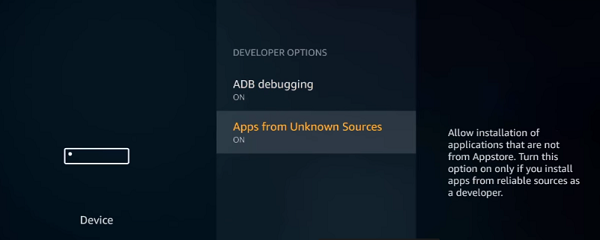
Step 1: Enable “Apps from Unknown Sources” from Firestick settings.
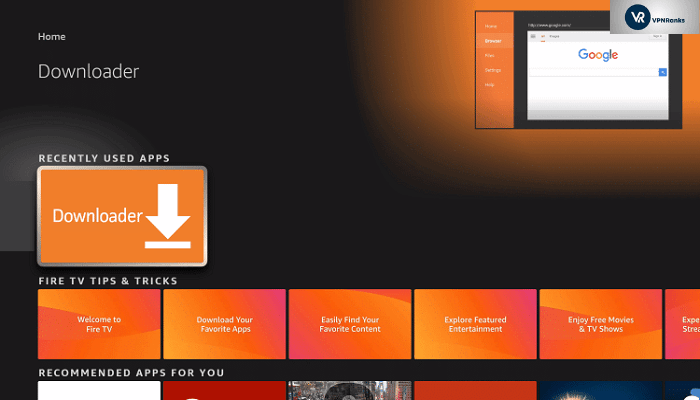
Step 2: Search, Download and install the “Downloader” application from Firestick App Store. Once downloaded, launch it.
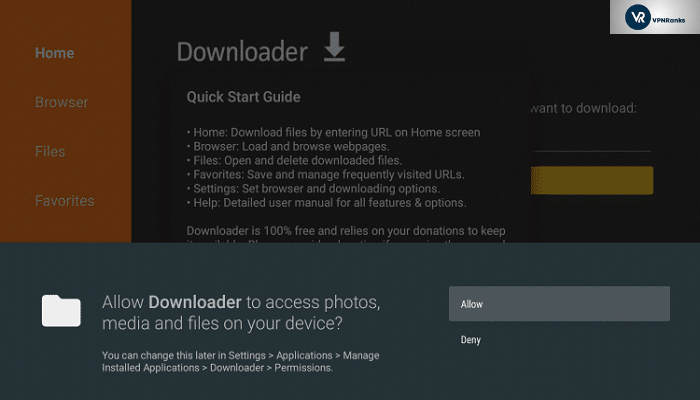
Step 3: If you are prompted, then click on “Allow.” This is necessary so that the downloader can install the IPVanish application on Firestick.
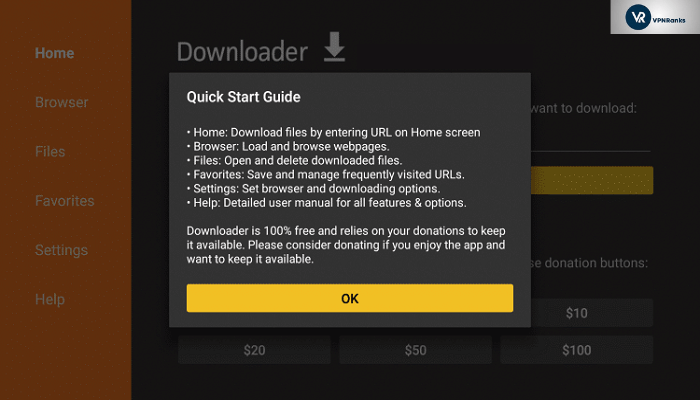
Step 4: Click on “OK”
Step 5: You will see the box to enter the URL. Enter the following URL “https://ipv.bz/2rjO4fi” as it is and make sure there are no redundant alphabets or spaces.
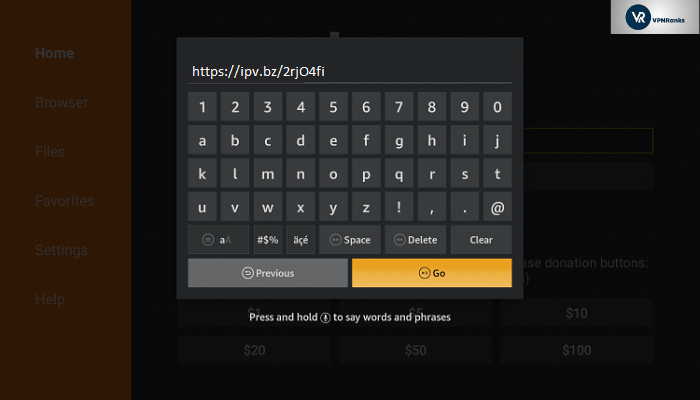
Step 6: Press “Go” and wait for the file to download.
Step 7: Once downloaded, click on “Install” to install the IPVanish application on Firestick.
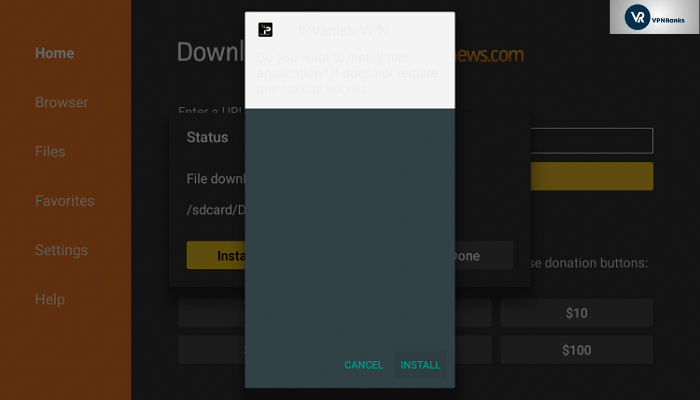
Step 8: Click on “Open” to launch the IPVanish application on Firestick.
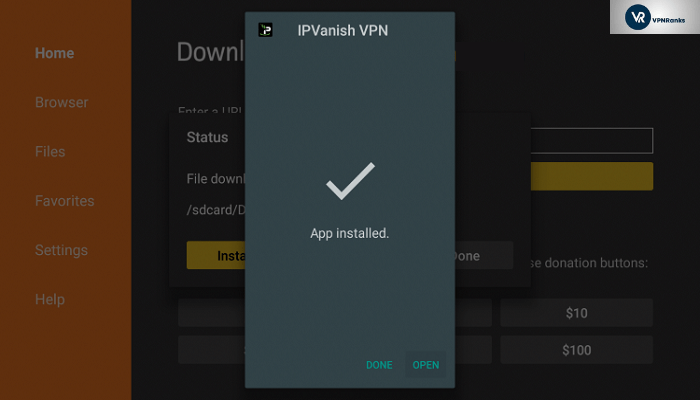
Step 9: Enter your IPVanish account details to log in to the application.
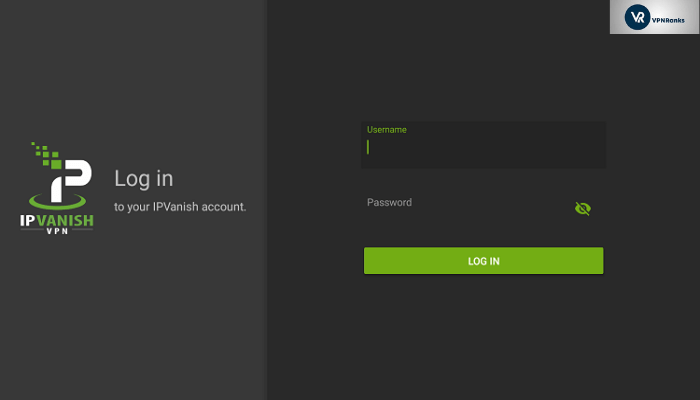
Step 10: That’s it. All you have to do now is click on the “Connect” button to set up a VPN tunnel on Firestick.
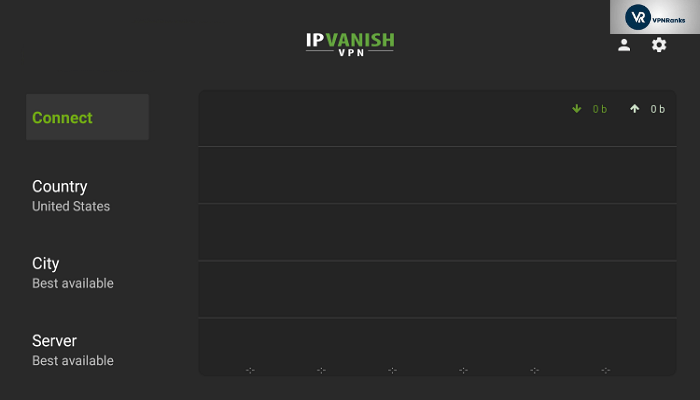
After installing IPVanish, if you don’t find it up to the mark, you can cancel your IPVanish subscription in Italy within 30-day and get a full refund risk-free.
How to update IPVanish on Firestick
There are two methods to update your IPVanish application on Firestick in Italy.
- Automatically update through Appstore
- Manual Update
Automatically update through Appstore
In this method, the IPVanish application will be automatically updated every time there’s an update sent by the provider.
You have to make sure that the option for “Automatic update” is enabled in the Appstore. To enable it, you can follow the steps mentioned below.
- Open your Firestick interface and go to the home menu.
- On the menu items at the top of the screen, scroll to the right and choose “Settings”.
- Scroll right and select “Applications” followed by “Appstore”.
- Go to “Automatic Updates” and toggle it to “on”.
Manual Update
In case you have turned off the “automatic update” feature of Appstore, you can manually update your IPVanish application by following the steps below.
- Find and highlight the application that you want to update on the Firestick Home screen.
- With the application that you want to update highlighted, press the “Menu button” on your remote and a menu will appear in the lower right corner of your screen. Select “More Info” from that menu.
- The application’s detail page will load. This screen normally has an “Open” button, but if there is an update available for the app, there will be an “Update” button instead. Select the “Update” button to manually force the app to update.
How to Use IPVanish on FireStick in Italy
In the following steps, we will learn about using the IPVanish application on Firestick in Italy.
- Launch the IPVanish app
- Enter your IPVanish premium subscription account details.
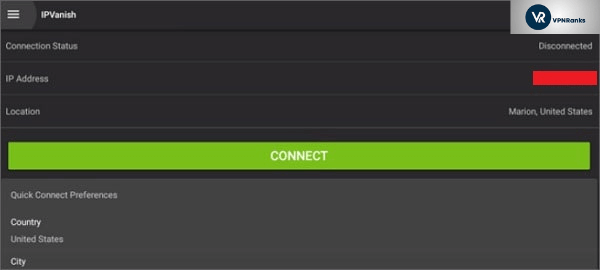
Connecting to a server
You can choose one of the servers from a list of 1,600+ servers in 75+ locations. You should try out different servers and see which one works best for the particular streams you are trying to watch. Normally, you would need to connect the server located in the home country of the service you are trying to access to bypass the geo-blocks.
After connecting a server, you can go back to your main FireStick home screen and launch any streaming service you want to watch. Make sure you have chosen the right server location appropriate for the streaming you wish to see. For instance, choose a US server for watching HBO or Hulu on the FireStick.
Remember, that you should always connect IPVanish before accessing your streaming service. Always connect to IPVanish, and then launch the streaming service application, otherwise, an IP conflict could result, and you won’t be able to mask your location properly.
Wasn’t that easy?
In case you want to configure IPVanish on Kodi and enjoy amazing content for free, you might want to check out this easy guide to install IPVanish on Kodi in Italy.
Available IPVanish VPN Settings for Firestick/Fire TV in Italy
IPVanish application for Firestick/Fire TV is full of amazing features that are designed to keep your online privacy secure at every step. Let’s see these different features which are present in IPVanish application settings.
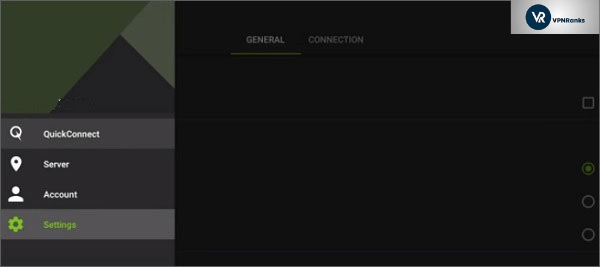
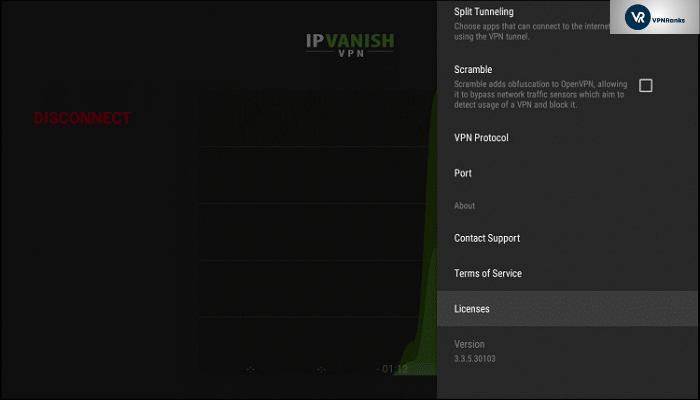
To access the “Settings,” click on the “white gear sign” at the top right corner.
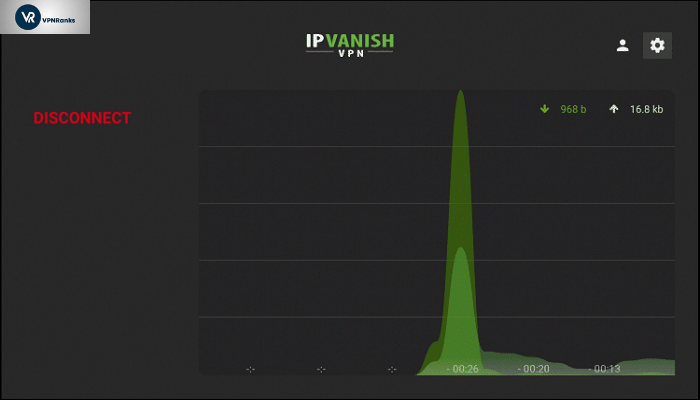
The first feature you will find here is “Start IPVanish.” This feature will launch the IPVanish Firestick application every time the device is turned on. It is a convenient feature for users who do not wish to launch the application themselves every time they turn on the Firestick in Italy.

The second feature in settings is “Auto Reconnect.” This feature will automatically reconnect the application to the VPN network in case there’s a disconnection. Users who are very concerned about their privacy and do not wish to leave the device unprotected for a single minute can avail of this feature.
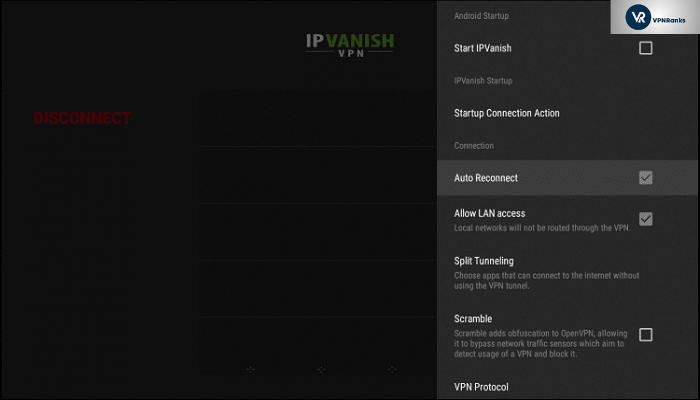
The third feature in settings is “Allow LAN access.” If you wish to prevent your local area network from using VPN, then enable this option. All the devices or/and applications running over the local area network will not use VPN tunnels at all. For example, for Plex Media Server and Amazon Fire TV Remote control apps, this feature will not initiate a VPN tunnel. They can continue to work on the local area networks in Italy.
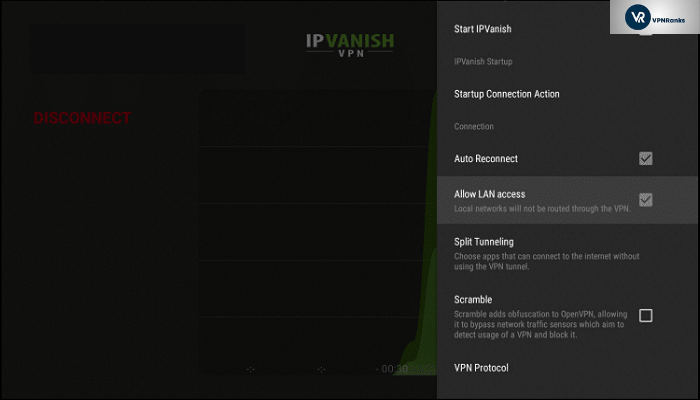
The next feature we have in settings is called “Split-Tunneling.” As the name suggests, it is used for splitting the network connection into two parts. VPN tunnel and Internet Service Provider or Local Area Network connection.
By enabling this feature, users can predefine which application they wish to run through a VPN tunnel and a normal Internet Service Provider tunnel.
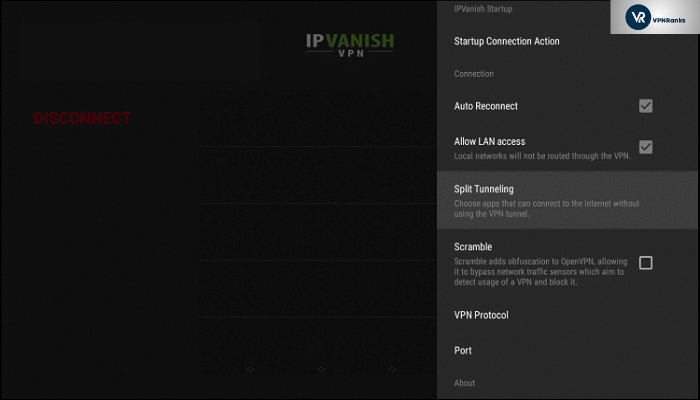
The fifth feature we have is called “Scramble.” This feature helps you to bypass such networks, firewalls, and websites that are blocking the VPN. You can think of it as an additional or bonus push to bypass certain blocks.
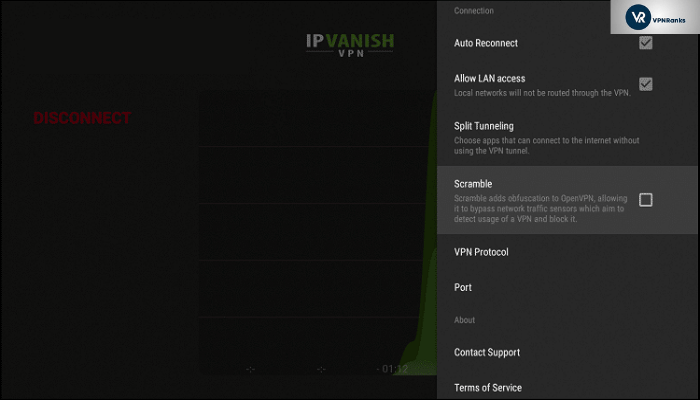
This brings us to our sixth feature called “VPN protocol.” This is the connection protocol that will be used to establish the VPN connection.
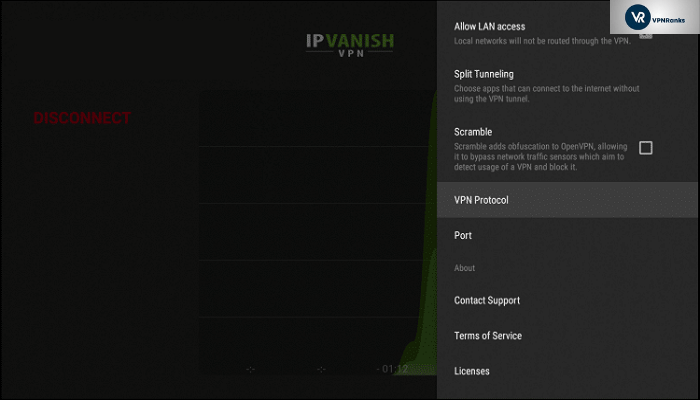
IPVanish Firestick application supports two protocols. OpenVPN TCP for reliable and more encrypted connection and OpenVPN UDP for a faster and less encrypted connection.
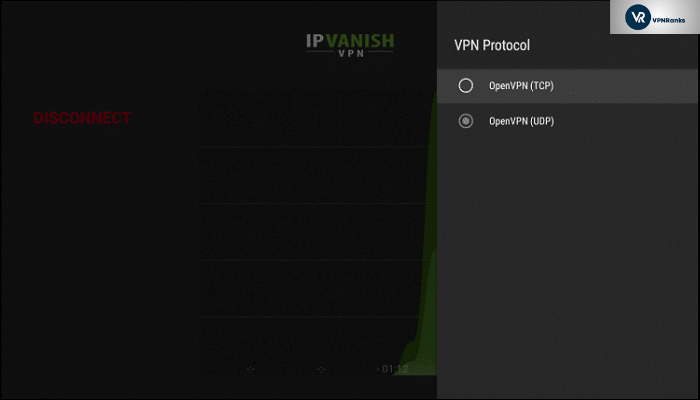
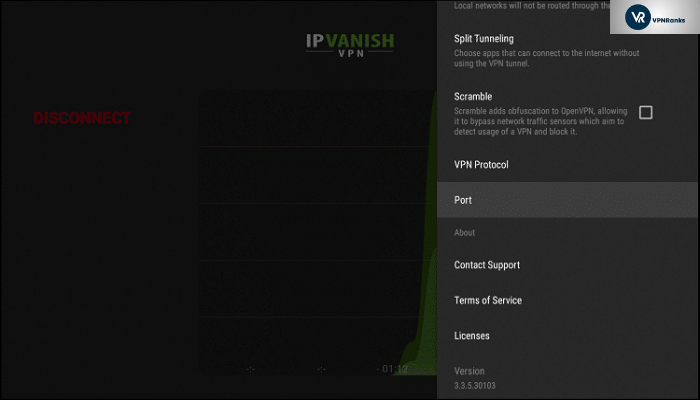
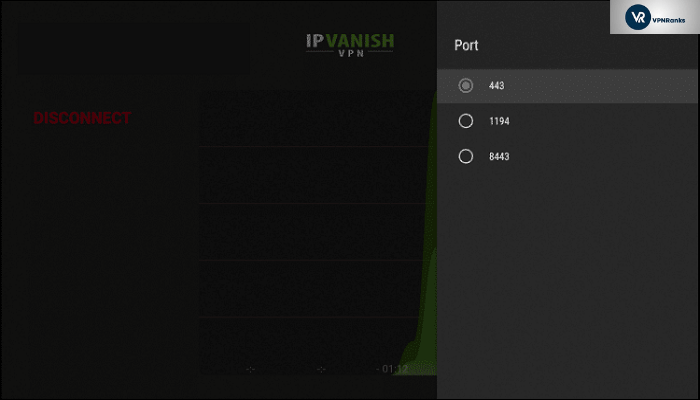
Just below protocol, you will find the “Port” feature. This feature will let you select the port number through which your traffic will be routed.
By default, it will be set to “443” as it is used to secure web browser communication or HTTPS services. Unless the IPVanish support team instructs you, I suggest you leave this setting to its default number.
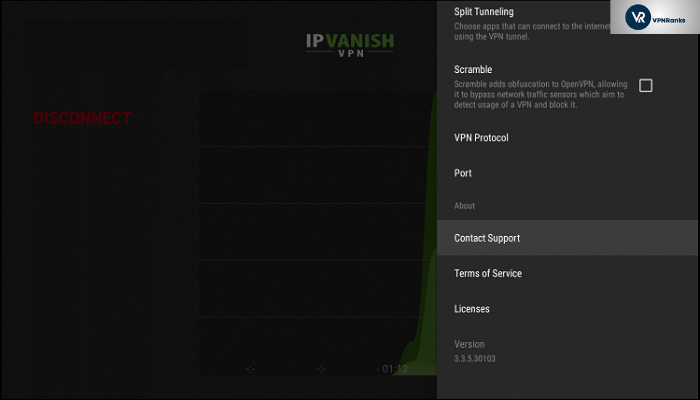
The “Contact support” option will directly connect you to the IPVanish customer support team and their customer support center.
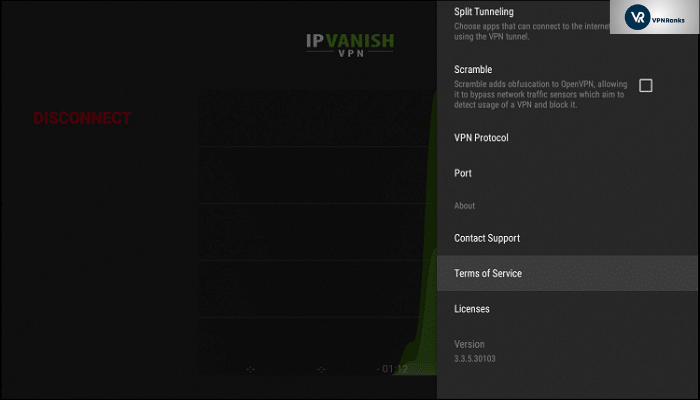
The “Terms of Service” option will present to you the most recent terms and conditions of the IPVanish service.
The “Licenses” option will display legal instruments governing the use or redistribution of the software.
How To check if you have IPVanish working On Firestick/Fire TV in Italy?
After installing and connecting the IPVanish application on Firestick in Italy, you may be wondering, “How to know if IPVanish is working on Firestick?”. Well, don’t worry. We will be telling you just the right steps you need to follow to confirm that IPVanish is working on your Firestick.
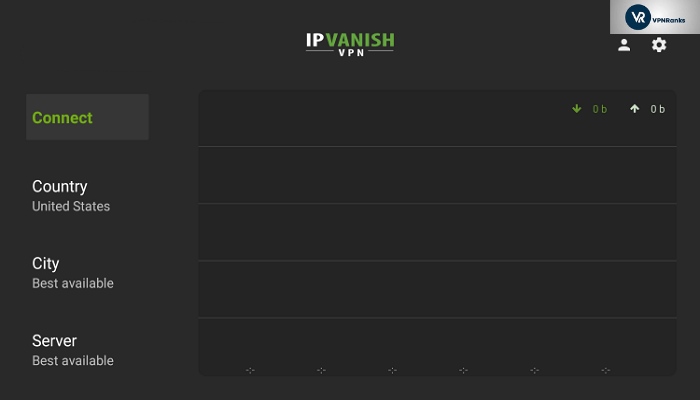
Step 1: Click on the “Connect” button within the IPVanish application to establish a secure tunnel with a VPN on your Firestick.
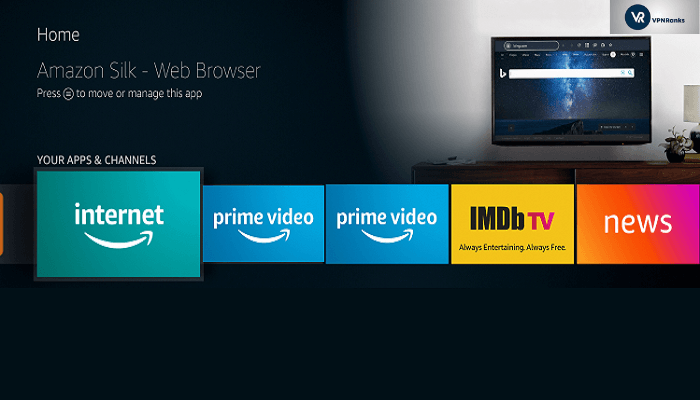
Step 2: Install the “Amazon Silk Browser” for free on your Fire TV or Fire TV Stick through the Amazon App Store.

Step 3: Launch the browser on your device.
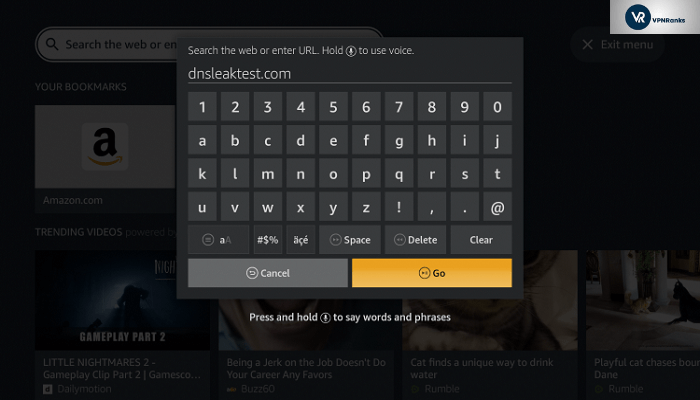
Step 4: Click the “search bar” on top to enter the website address.

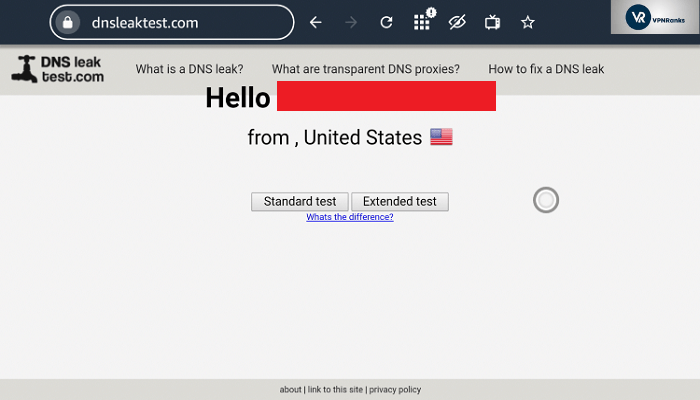
Step 5: In the address bar of the browser, type the following address “dnsleaktest.com” and click Go
Step 6: This is the last step. You can now verify that your IP address has changed courtesy of IPVanish. Meaning, VPN is working fine on your Firestick device.
Benefits of Using IPVanish on FireStick in Italy
- Access Blocked Streams: Since many streaming services offered by FireStick are available in only selected regions, travelers and viewers located abroad might not be able to watch their favorite streaming services like HBO, Hulu, etc. IPVanish removes these restrictions on FireStick and allows users to watch the streams with ease. IPVanish also supports torrenting in Italy, so you can even stream content on Kodi without worrying about anything.
- Consolidate Online Security: With cyberattacks becoming rampant today, encryption and security is not anything to be compromised on. To ensure your peace of mind while you enjoy streams on Firestick, IPVanish provides military-grade encryption to keep your online activities safe and secure.
You can check our full IPVanish review in Italy for more details about the provider.
Common Issues on IPVanish for FireStick in Italy
Here are a few common issues you might face when trying to use IPVanish on FireStick in Italy. You will also find their solutions below.
- Connectivity issues
- Speed or Buffering issues
- Account details issue
- IPVanish application not available for download
- Video Games Blacked out warning
General Firestick VPN Troubleshooting Tips in Italy
It is possible that you will not have to perform any of the actions below, but it is better to be safe than sorry. We have listed down few troubleshooting tips just in case you need them to resolve your issues in Italy.
- If your IPVanish application isn’t connecting on your Firestick/Fire TV/Fire TV Cube then go to application settings -> protocols -> switch between TCP and UDP. Changing the protocol is still the best way to overcome connectivity issues.
- Restart your Firestick device and router one time. Turn them off and then turn them on after a minute delay.
- If your download speeds are low or you are facing buffering issues while streaming something then it is recommended to choose another server and check again. Ideally, the server closest to your real location would be better for providing you with good speeds.
- If you are facing an incorrect username or password message at the time of logging into your IPVanish application, make sure that you are manually entering the username and password and there is no space before, in-between, and at the end of the details.
- In case you forgot your IPVanish account details, then you either find them in your IPVanish member area account or you can contact IPVanish customer support.
- If you are not able to locate the IPVanish application on your Amazon App Store, then follow the steps mentioned in the heading “Install IPVanish on FireStick (Downloader app)” to install the IPVanish application on your device.
- For Video Games Blacked out a warning, change time zone and location. From Fire TV settings, open Preference, try putting Eastern Daylight Time and try different random zip codes such as 10001. This can get you access to non-regional games that might be working on your FireStick.
IPVanish User Ratings on Amazon
IPVanish has a pretty solid 4.0 out of 5.0-star rating based on 61,413 reviews. That’s quite good if you ask me.
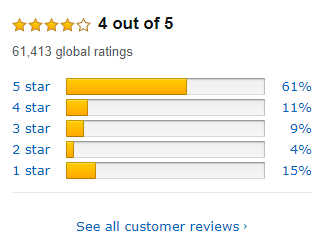
These are the current ratings given by users on Amazon Store to IPVanish:
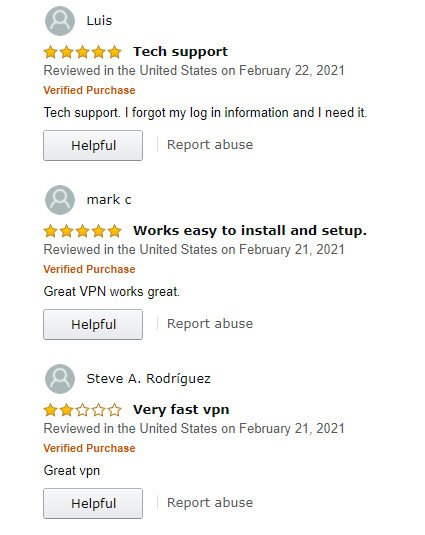
Overall, most users are delighted with IPVanish. Not going to lie; IPVanish is probably the best VPN for FireStick devices in Italy in 2023. It has improved remarkably over the years.
Finishing Up
The FireStick offers users a platform that brings together all the various streaming services to your home TV. Combining IPVanish with Amazon FireStick can make it even better and take your binge-watching entertainment to the next level. Moreover, if you don’t want to spend a lot of money, check out some VPNs for Firestick free in Italy.
Did you find this article about How do I connect IPVanish to my Firestick in Italy helpful? Let me know in the comments section below. If you own a Roku device, you might find our setup guide for IPVanish Roku in Italy useful too.